Rostock MAX v2 User's Guide
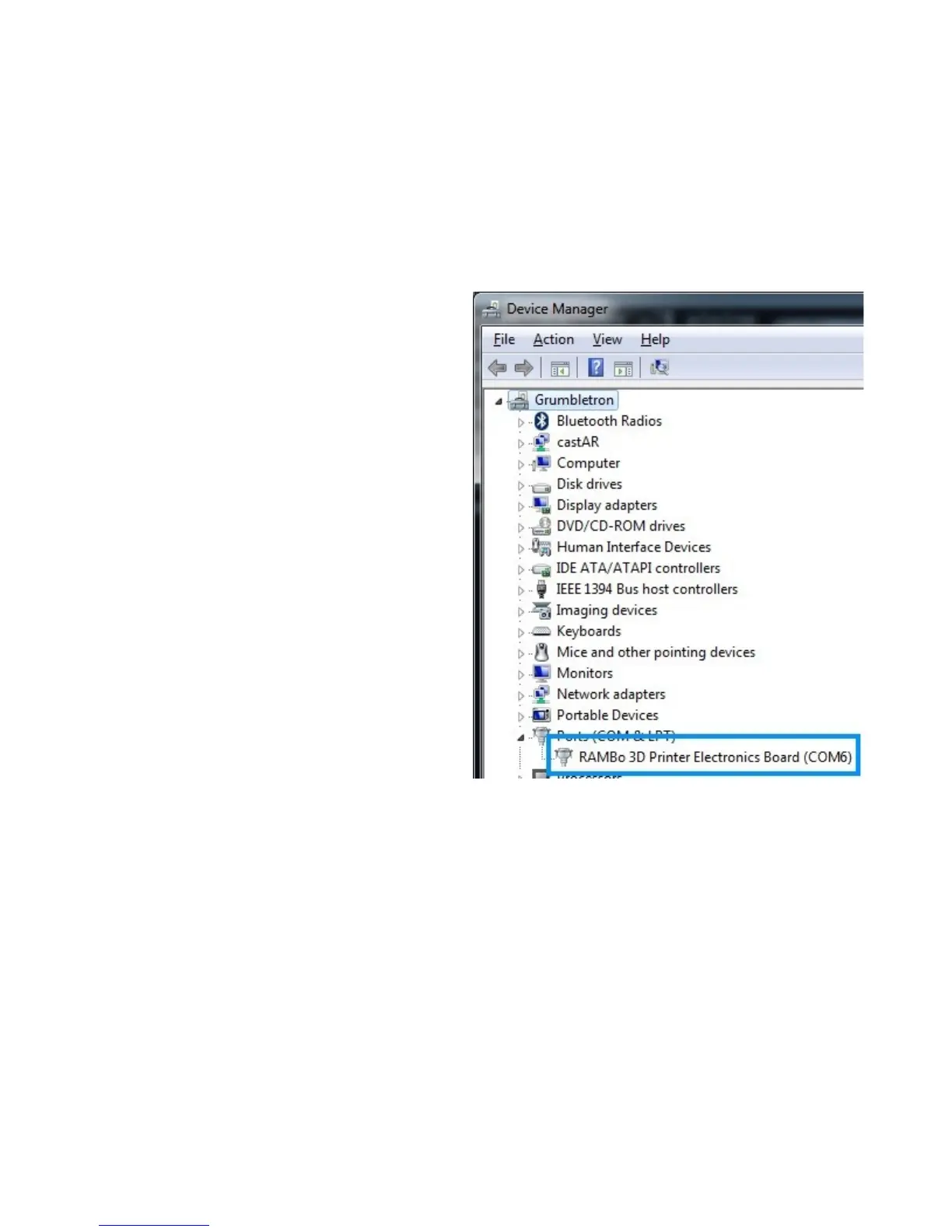
The easiest way to find out what port your RAMBo is listening on is to open up the Device
Manager and look for the RAMBo entry. In order to discover this bit of information, you'll need to
open up Device Manager (right click on My Computer, click “Properties” and then click “Device
Manager”). You'll get a window that looks something like this:
The entry we're looking for is highlighted
in green. Your “COM” entry will more than likely
be different from mine. Write this entry down as
you'll need it very soon.
1 – Driver and Software Installation - 6
Fig. 1.1-1: The RAMBo in the Device Manager



 To Next Page