Rostock MAX v2 User's Guide
The next page in Print is called Infill and covers how the interior of your part is filled. While I
covered Fill Density and Infill Type earlier, the Advanced mode adds two new parameters.
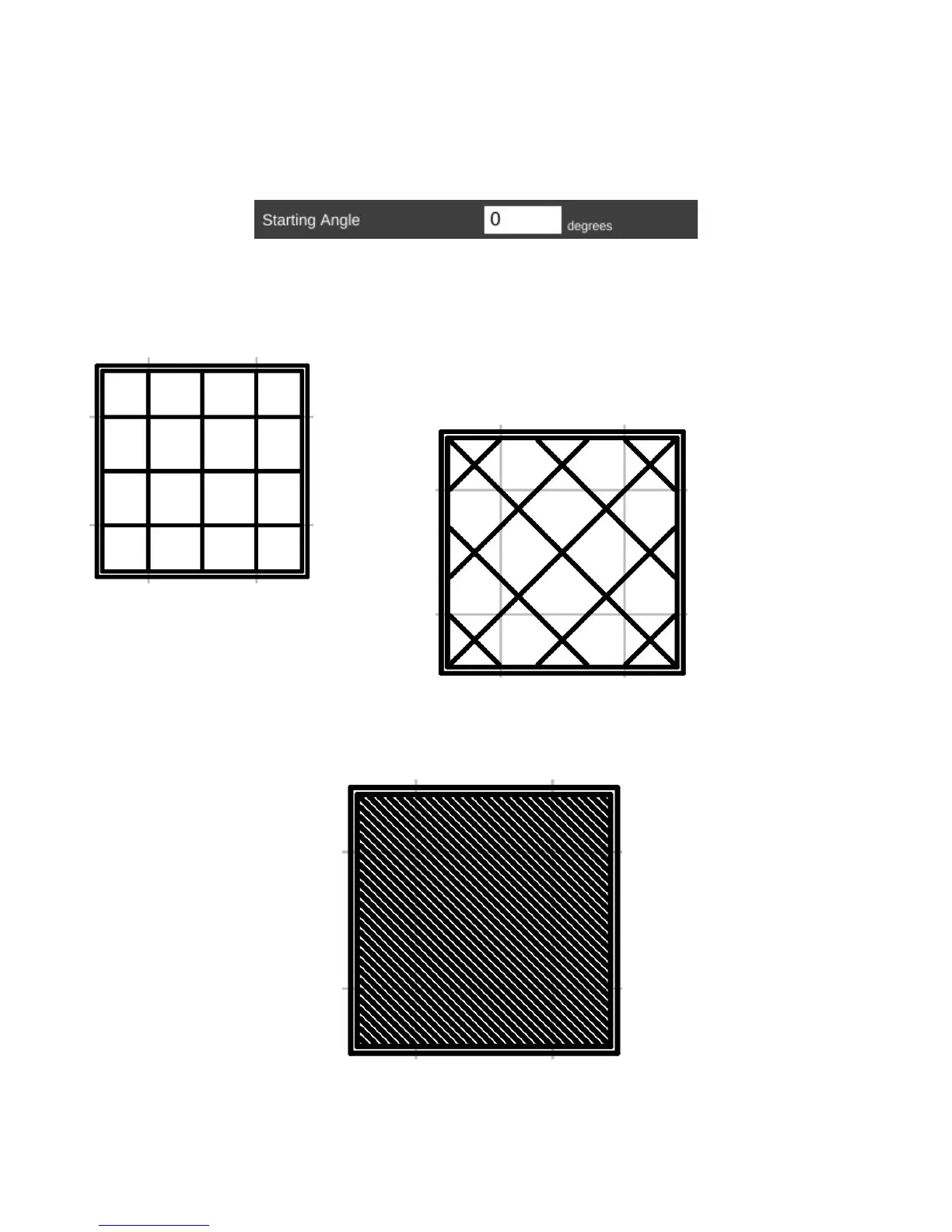
The Starting Angle parameter allows you to control the orientation of the infill. For example,
an infill type of GRID with a starting angle of zero degrees is going to look like this:
Now if you change the starting angle to 45 degrees, you'll end up
with an infill pattern that looks like the example below.
Note that changing the starting angle will also change the angle in which the top and bottom
layers are printed. You can see this in the image below – this shows the second layer as it would be
printed.
8 – Advanced MatterControl: Settings – General - 74
Grid infill.
Grid @ 45 degrees.
Top & bottom layer pattern.
Starting Angle.



 To Next Page