1-5
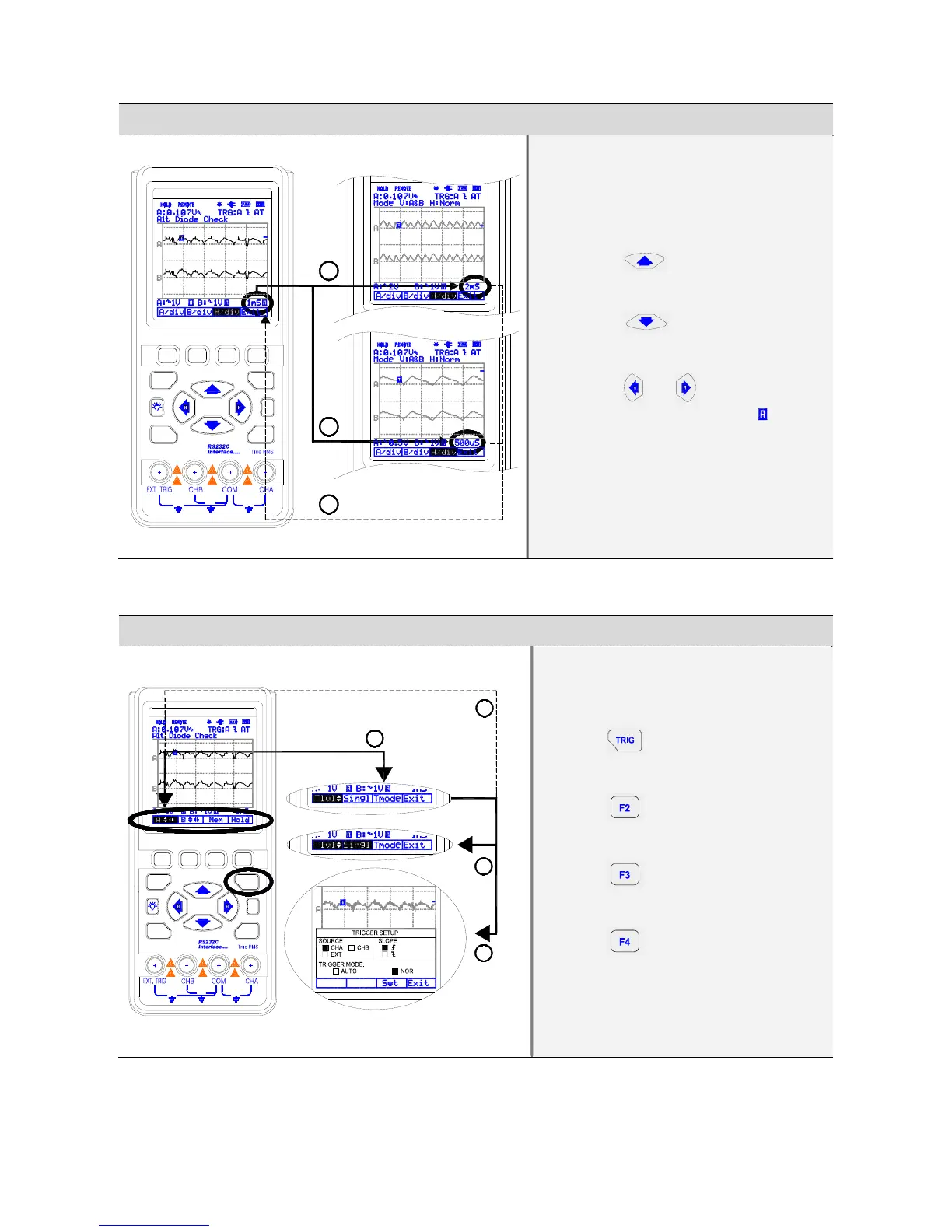
1.9. Changing Horizontal division
1
2
3
600V
MAX
F2
I / O
F1
DIV
F3
?
F4
TRIG
FUNC
MAX
600V
600V
MAX
Pressing ① button increases
Horizontal division (H/div).
Pressin② g button decreases
Horizontal division (H/div).
Pressing ③ or key will change
Div from MANUAL to AUTO( ).
1.10. Trigger key map
MAX
600V
MAX
600V
MAX
600V
DIV
I / O
?
FUNC
F1
F2
TRIG
F3
F4
1
4
2
3
Press ① key to display the
TRIGGER default menu.
Press ② key for Single shot
mode.
Press ③ key for TRIGGER
SETUP.
Press ④ to exit.


 To Next Page