9-2
9.6. Replacing and Disposing of the Li-ION Battery
Warning!
To avoid electrical shock, remove the test leads and probes before replacing the battery pack.
Caution
Handle the PCB Assembly by its edges or while wearing gloves; avoid contaminating the PCB
Assembly with oil from tour fingers.
A contaminated PCB Assembly may not cause immediate instrument failure in controlled
environments. Failures typically show up when contaminated units are operated in humid areas.
Note
This instrument contains a LI-ION battery pack. Do not dispose of this battery pack with other solid
waste. Used batteries should be disposed of by a qualified recycler or hazardous materials handler.
To replace the battery pack
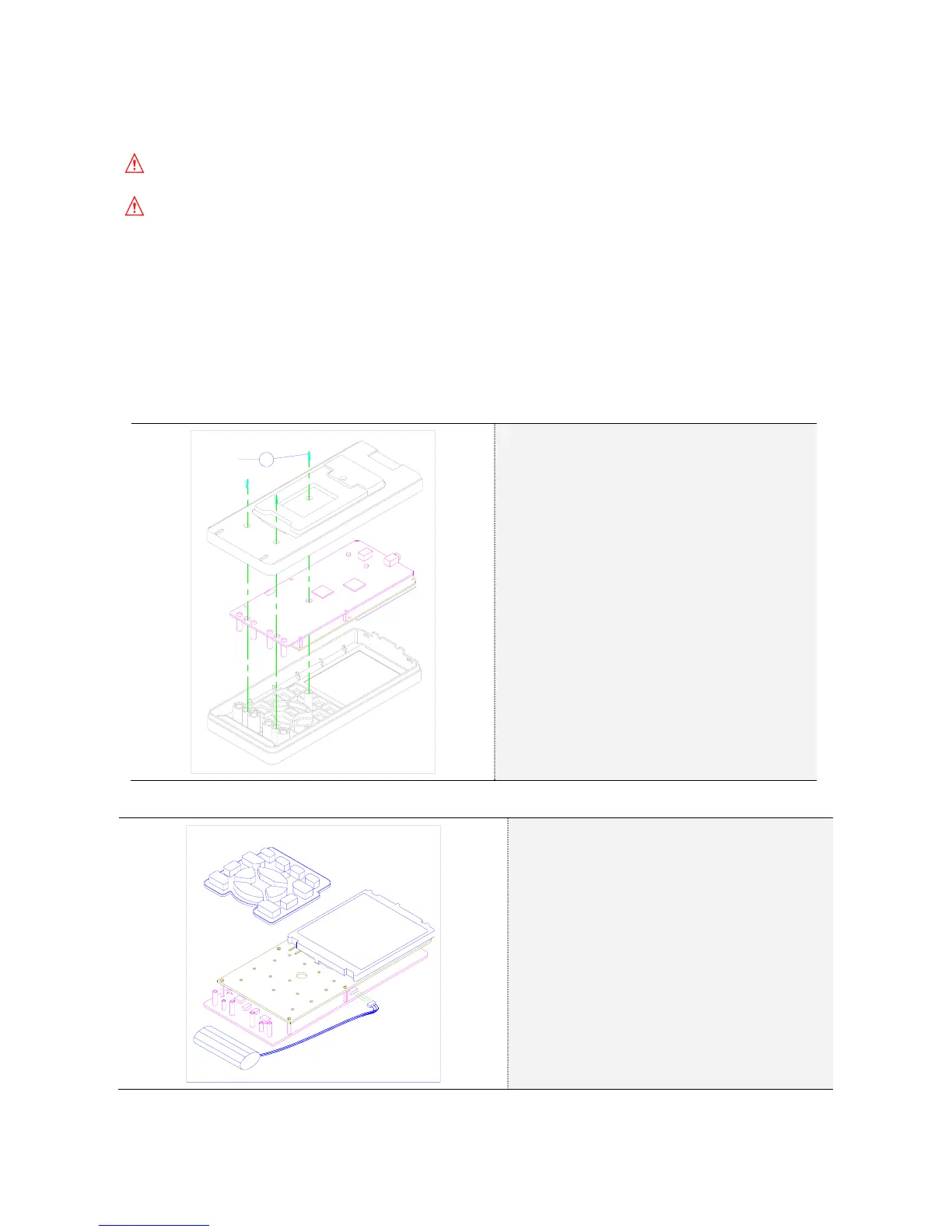
1. Remove the Meter Case
S1
3 PCS
Use the following procedure to remove the
meter case.
① Release the test leads
Disconnect the test leads and probes both
at the source and at the meter.
② Power OFF
Make sure the meter is turned off and
unplugged from the power Adaptor.
③ Remove Screw:
Remove the three screw from the bottom of
the case. (3 pcs)
④ Remove the PCB Assembly:
Now remove the PCB Assembly by
releasing the four snap retainers securing it
to the case.
2. Remove Rubber key and Battery Pack
Rotate the PCB Assembly 180 degrees.
① Remove Rubber Key:
② Remove Battery Pack:
Remove the battery plug from the
connector.
3. Install a new battery pack.
4. Reinstall the rear cover and secure the screws.



 To Next Page