8-4
8.4. Running the Application Software
1) For using USB port your PC should have USB port. Connect USB cable to HandyScope at one
end and to PC at other end.
2) Turn the HandyScope on.
3) Click [StartÆProgramsÆHandyScopeÆHandyScope]
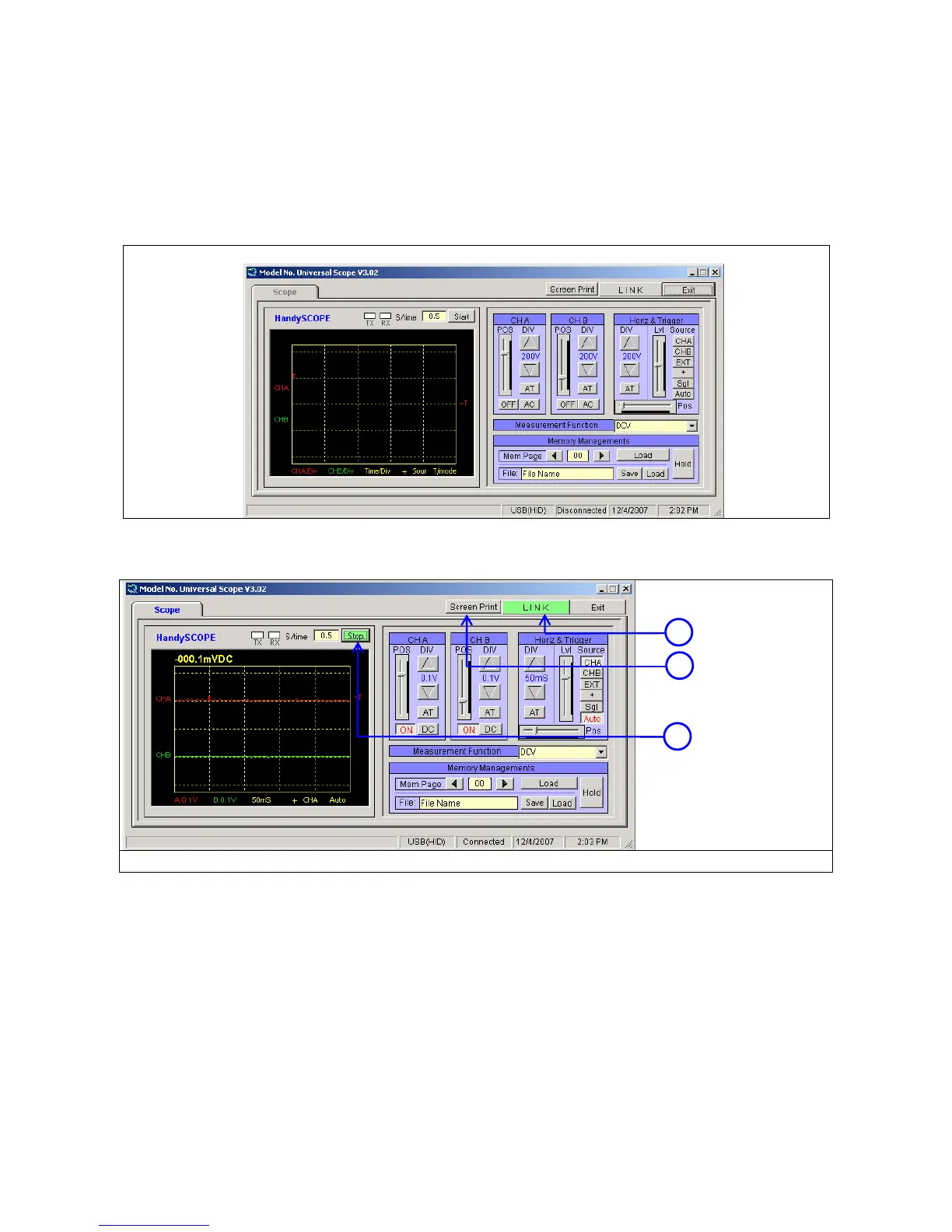
The HandyScope window will pop up as below
8.4.1. Oscilloscope Mode
1) Click the [LINK] Button and the [Start] Button.
①LINK Button, ②Screen Print, ③ Start / Stop Button for Oscilloscope
1
3
2



 To Next Page