1-2
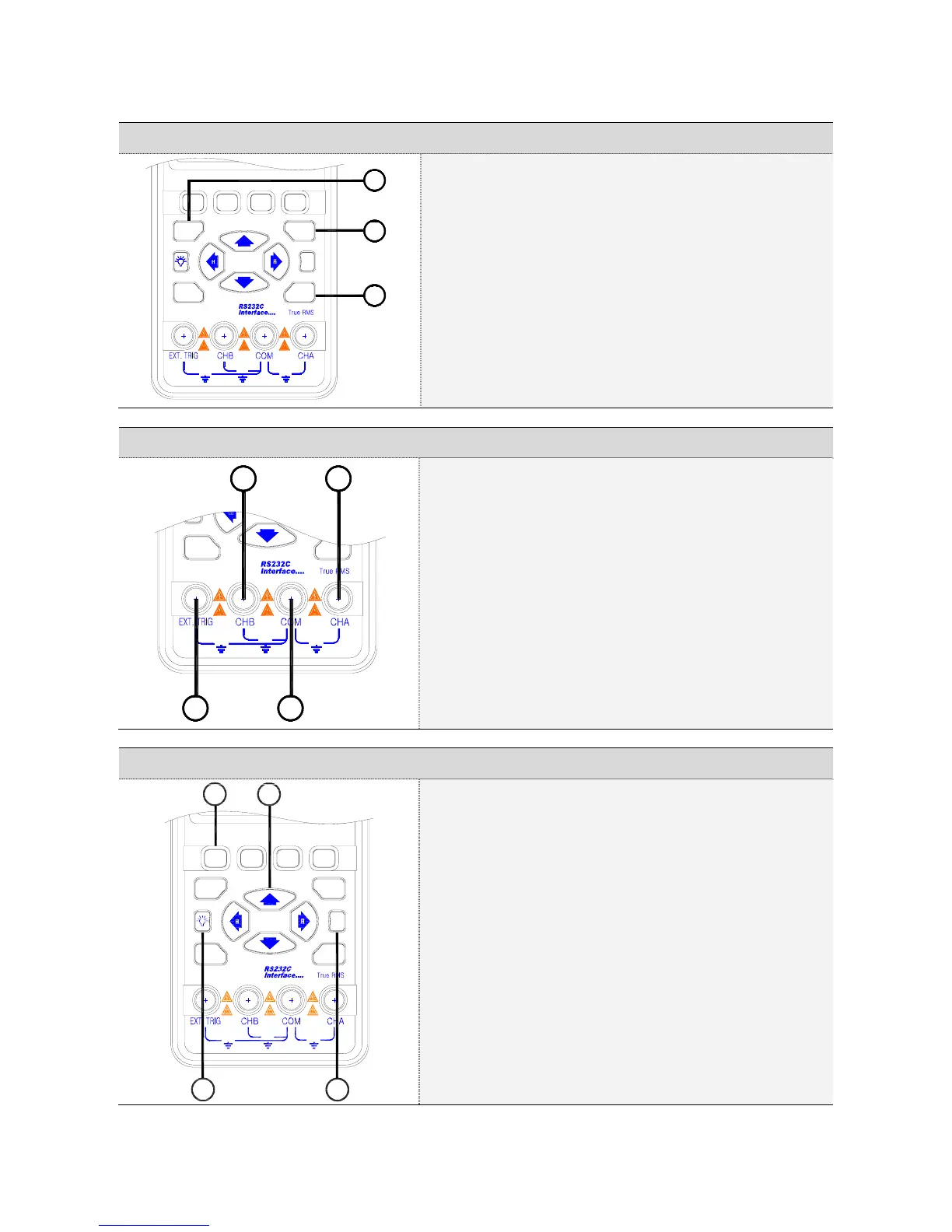
1.2. Division, Trigger and Function key
?
I / O
600V
MAX
600V
MAX
600V
MAX
FUNC
DIV
F1
F2
F3
F4
TRIG
1
2
3
① Division key:
Adjusts vertical division or Horizontal division.
② Trigger key:
Adjusts Trigger level.
Selects Single shot mode.
Selects trigger setup.
③ Function key:
Selects Scope Setup.
Selects Automotive scope setup.
Selects general setup
1.3. Input Terminals
I / O
600V
MAX
600V
MAX
600V
MAX
FUNC
2 1
34
① Channel A:
You can always use the red channel A for all single
input measurements possible with the meter.
② Channel B:
For measurements on two different signals you can
use the channel B together with the Channel A.
③ Common:
You can use the black common as single ground for
low frequency measurements and for ACV, DCV,
Ohm, Continuity and RPM measurements
④ External trigger:
The EXT.TRIG input accepts external trigger signals.
1.4. Command, Arrow, Backlight and Help key
?
I / O
600V
MAX
600V
MAX
600V
MAX
FUNC
DIV
F1
F2
F3
F4
TRIG
4
2
1
3
① Command keys:
These four keys are command buttons.
They are labeled F1-F4. These keys will have various
functions.
② Four arrow keys:
These keys serve as the primary means of navigating
the instrument’s menus and operating displays.
③ Display back light:
Press this button to turn on the backlight. To turn the
back light off, press this button again.
④ Help key:
General information for the test tool is available.



 To Next Page