6-1
6. Triggering on a Waveform
Triggering tells the METER when to begin displaying the waveform. You can select which input
signal should be used, on which edge this should occur and you can define the condition for a new
update of the waveform.
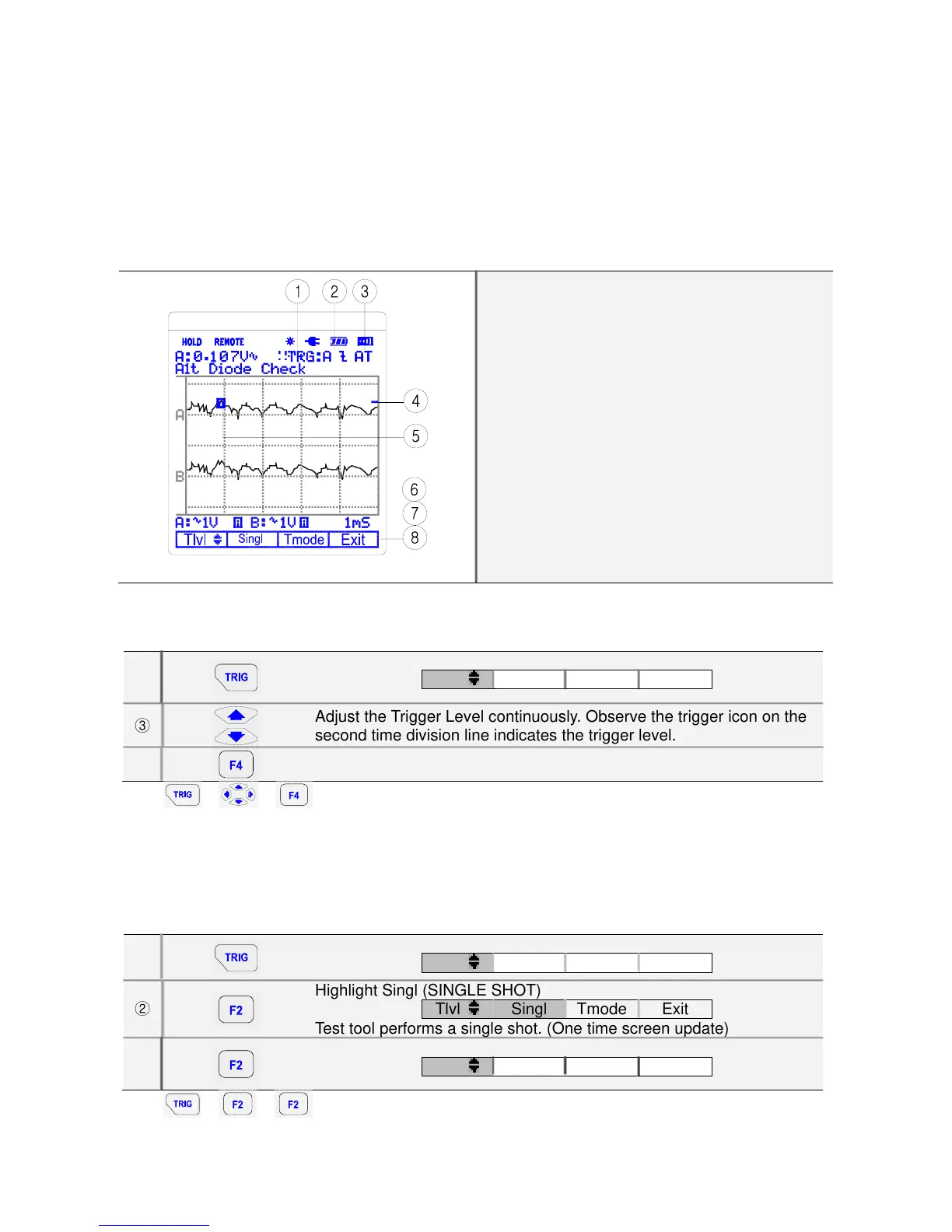
The right-top line of the LCD identifies the trigger parameters being used. Trigger icons on the
screen indicate the trigger level and slope.
Screen with all Trigger Information
(1) Trigger Channel: Channel A or B
(2) Slope: rising or falling
(3) Trigger mode: Trigger setting mode (Auto or
Normal)
(4) Trigger Level indicator
(5) Trigger Cursor
(6) Command Menu: Trigger level
(7) Command Menu: Single shot
(8) Command Menu: Trigger mode (Setup)
6.1. Setting Trigger level (on NORmal trigger mode)
①
Open the Trigger menu
Tlvl
Singl Tmode Exit
③
Adjust the Trigger Level continuously. Observe the trigger icon on the
second time division line indicates the trigger level.
⑤
Exit.
Key: Î Î
6.2. Making a single acquisition
To catch single events, you can perform a single shot. (One time screen update.) To set up the test
tool for a single shot on the input A waveform, do following:
* Connect the probe to the signal to be measured.
①
Open the default Trigger menu
Tlvl
Singl Tmode Exit
②
Highlight Singl (SINGLE SHOT)
Tlvl
Singl Tmode Exit
Test tool performs a single shot. (One time screen update)
③
Return to normal Trigger mode.
Tlvl
Singl Tmode Exit
Key: Î Î



 To Next Page