5-1
5. Using the METER
5.1. Safely Using the Test Tool
5.1.1. Attention
Carefully read the following safety information before using the test tool.
5.1.2. Safety Precautions
Specific warning and caution statements, where they apply, will be found throughout the manual.
A Caution identifies conditions and actions that may damage the test tool. A Warning identifies
conditions and actions that pose hazard(s) to the user.
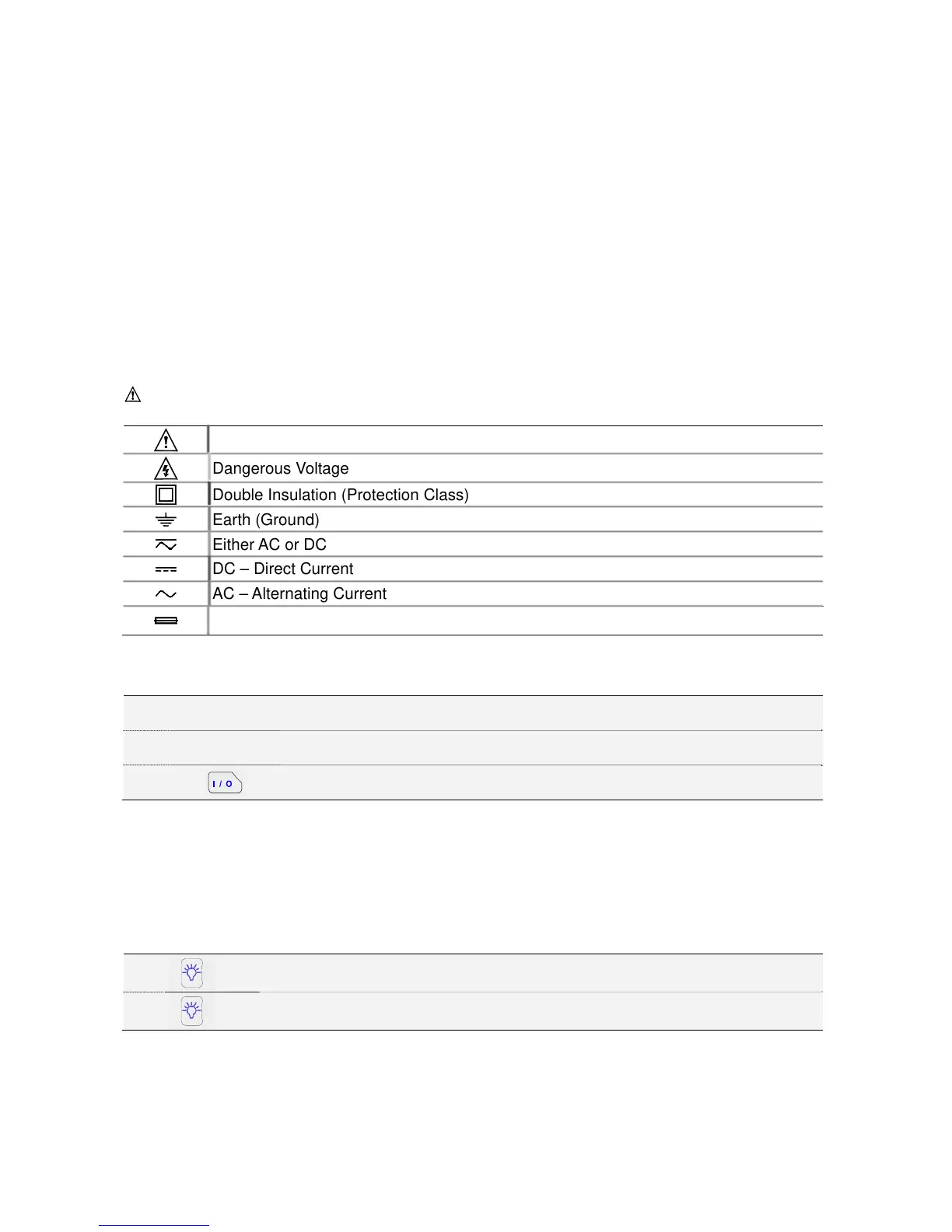
Symbols used on the test tool and in this manual are explained in the next table.
Warning
To avoid electrical shock, use only specific power supply, Model (Power Adapter used as a Battery Charger).
See explanation in manual
Dangerous Voltage
Double Insulation (Protection Class)
Earth (Ground)
Either AC or DC
DC – Direct Current
AC – Alternating Current
Fuse
5.1.3. Powering the METER
Follow the procedure to power the Meter from a standard ac outlet.
① Power Adaptor is inserted in to AC outlet.
② Power AdaptorÎ the Meter.
③
Turn the Meter on by pressing this button for about 3 seconds.
The meter powers up in its last setup configurations.
5.1.4. Changing Backlight
After power-up, the screen has a high bright display.
To save battery power, the screen has an economic brightness display when operated on the
battery pack (no power adapter connected).
To change the brightness of the display, do the following:
①
Brighten the backlight.
②
Dim the backlight again.
The high brightness increases when you connect the power adapter.
Note
Using dimmed display lengthens maximum battery power operation time by about one hour.



 To Next Page