7-1
7. Storing and Recalling Screens
You can store setups and waveforms to memory and recall them again from memory. Eight (0-7)
setup and waveform memories are available.
Store waveforms when you want to use the present waveform images for future reference.
Store setups when you need the present operating configuration for your future measurements.
* Refer to Test Examples for Reference Waveform Setup.
7.1. Storing Screen
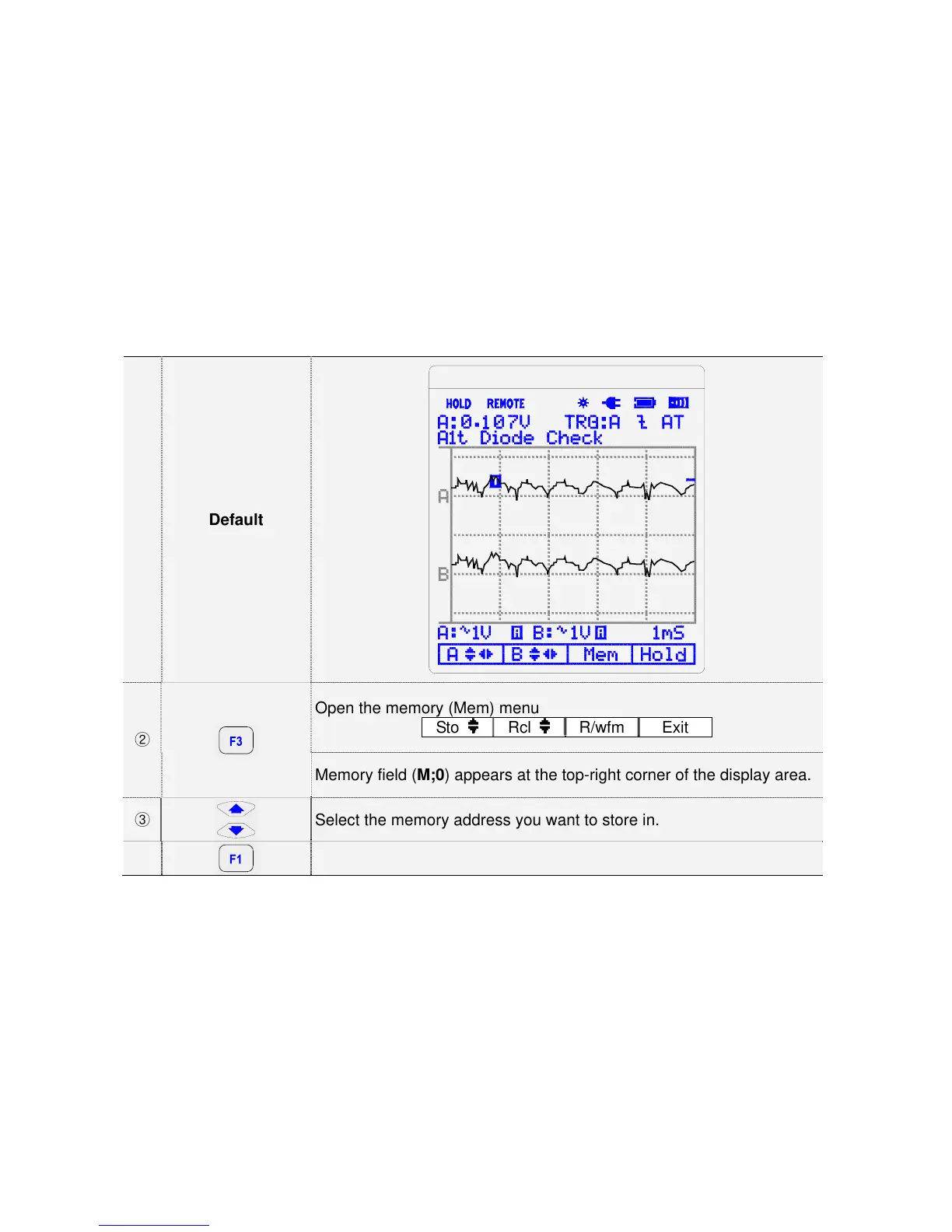
To store a screen, do the following:
①
Default
②
Open the memory (Mem) menu
Sto Rcl
R/wfm Exit
Memory field (M;0) appears at the top-right corner of the display area.
③
Select the memory address you want to store in.
④
Store the actual screen



 To Next Page