2-13
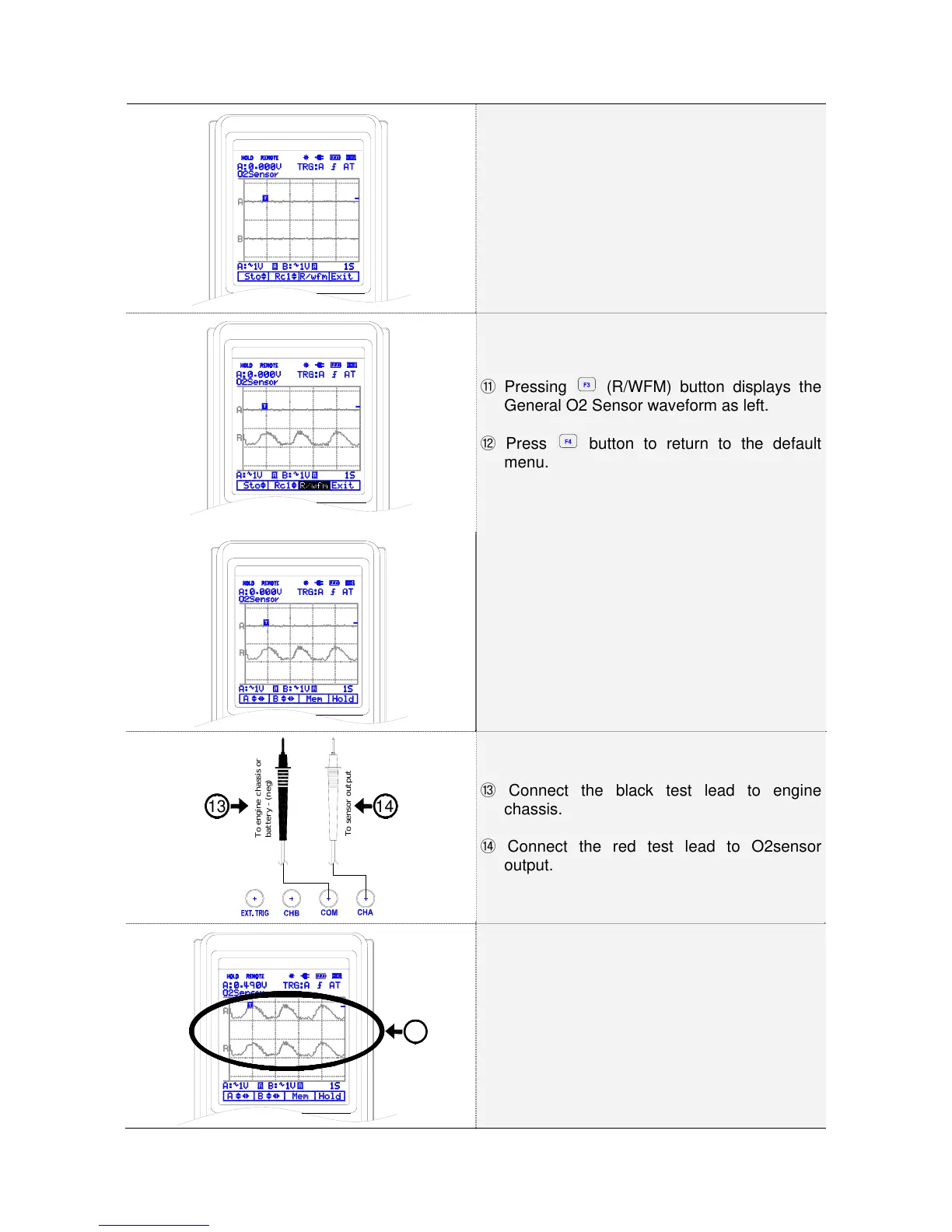
Memory menu is displayed as left.
Pressing ⑪ (R/WFM) button displays the
General O2 Sensor waveform as left.
Press ⑫ button to return to the default
menu.
O2 sensor waveform is displayed in the default
menu.
To engine chassis or
battery - (neg)
To sensor output
1413
Connect the black test lead to engine ⑬
chassis.
Connect the red test lead to O2sensor ⑭
output.
15
Compare measurement waveform with ⑮
general O2 Sensor waveform.



 To Next Page