28 English
General service settings:
Para-
meter
Parameter name Parameter description Setup range Default
value
S1.1 HYDRAULIC
SCHEME
Select the preferred hydraulic scheme. 360 ÷ 360b
360
S1.2 CODE FOR
UNLOCKING
THE SERVICE
SETTINGS
This setup allows the code that is required to unlock the
service settings to be changed.
CAUTION! Carefully save the new code, since the service
settings cannot be changed without it.
0000–9999
0001
S1.4 ACTUATOR OPEN-
ING DIRECTION
Set up the rotation direction of the actuator for opening the
mixing valve.
0– RIGHT
1– LEFT
0
S1.5 DISPLAY ORIEN-
TATION
Set up the display orientation. 0– REGULAR 0°
1– ROTATED 180°
0
S1.6 SELECTION
OF SENSOR T3
FUNCTION
Set up the operating mode of the sensor T3. 0– BOILER
SENSOR
1– ROOM SEN-
SOR
0
S1.7 SELECTION
OF SENSOR T4
FUNCTION
Set up the operating mode of the sensor T4.
If the return pipe sensor is selected, the maximum
difference between the stand and return pipe can be set up
with the S2.13 parameter. Thus the maximum power of the
heating circuit will be limited.
0– RETURN PIPE
1– ROOM SEN-
SOR 0
S1.9 ANTIBLOCK FUNC-
TION FOR PUMP
AND VALVE
If no control exit was activated during the week, it will auto-
matically switch on at 8pm on Friday. The circulation pump
operates for 30 seconds and the mixing valve switches the
rotation direction every 60 seconds.
0– OFF
1– ON
1
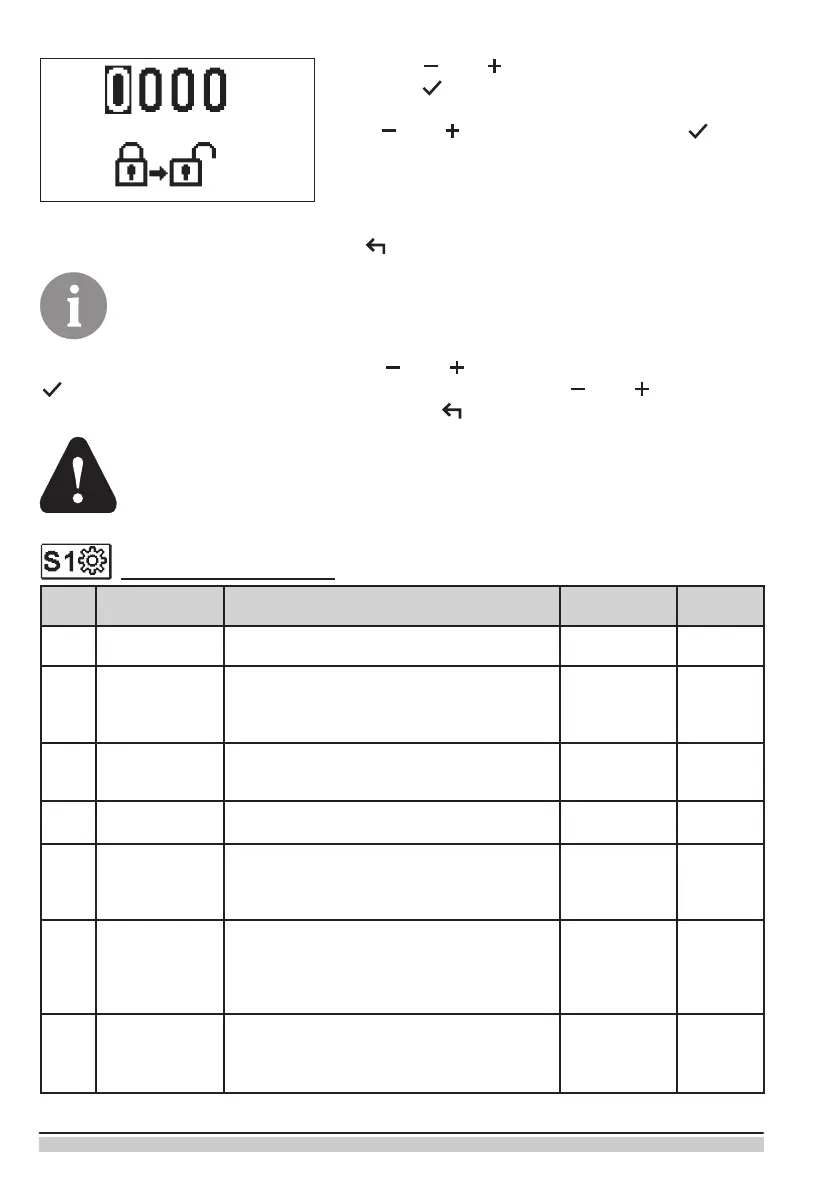
Use keys and to select the number to change
and press .
If the number is ashing, it can be changed it with the
keys and and conrmed by pressing .
If the correct code is entered, the controller unlocks
parameters and return to the selected parameter.
Exit the option for entering the unlock code by press-
ing
.
Factory set up code is 0001.
Change the parameter value with the keys and . Conrm the setup by pressing
. It is now possible to move to another parameter with the keys and and repeat
the process. Exit the parameter setup by pressing .
Only a properly qualied professional should make the changes to service
parameters.


 To Next Page