English 5
INSTRUCTIONS FOR USE
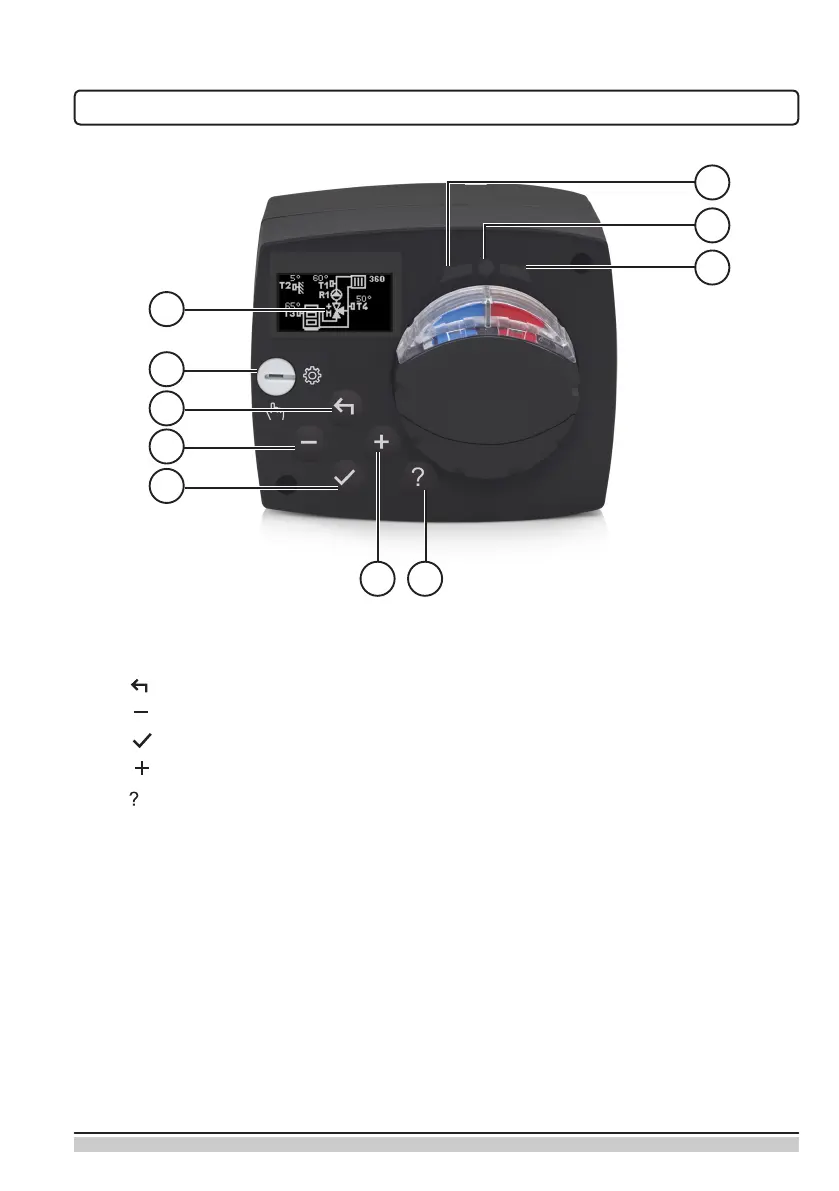
APPEARANCE OF THE CONTROLLER
1
2
3
4
5
8
9
10
6 7
1. Graphic display
2. Manual operation clutch
3. Key Move backwards
4. Key Move left or reduction
5. Key Menu entry or selection conrmation
6. Key Move right or increase
7. Key Help
8. LED display – Rotation of the valve to the right
9. LED display – Operating status of the controller
– Green light: normal functioning of the controller
– Red light: error
10. LED display – Rotation of the valve to the left


 To Next Page