6 English
CONTROLLER SETUP AT THE FIRST START-UP
The controller features an innovative solution “Easy start" allowing the initial setup of the
controller in only four steps.
Upon the rst connection of the controller to the power supply network, the rst step of the
controller setup is displayed after the program version and logo.
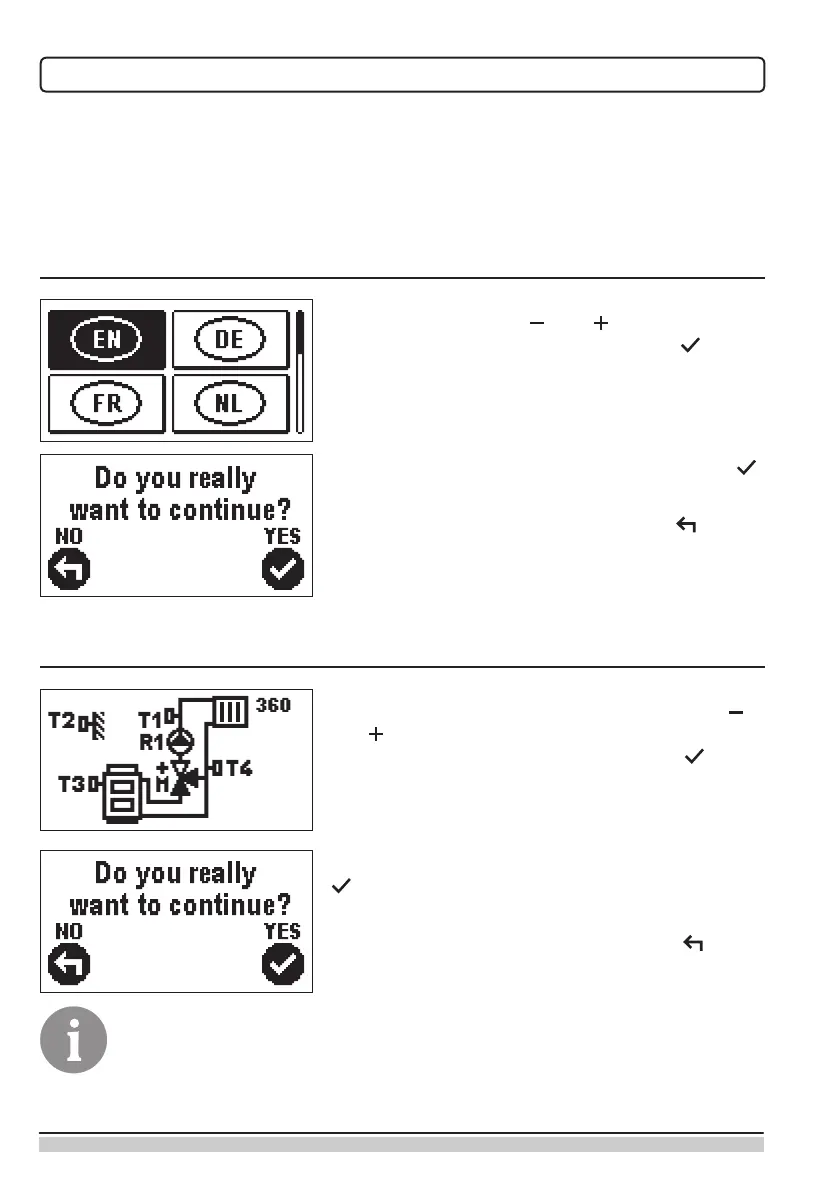
STEP 1 – LANGUAGE SELECTION
Select the preferred display language. Move among
languages with the keys and .
Conrm the selected language with the key .
Conrm the correct language selection by pressing .
If the wrong language has been selected in error,
return to language re-selection by pressing .
STEP 2 – SELECTION OF HYDRAULIC SCHEMATIC
Select the hydraulic schematic for the operation of the
controller. Move among schematics with the keys
and .
Conrm the selected schematic by pressing .
Conrm the correct schematic selection by pressing
.
If the wrong schematic has been selected in error,
return to schematic re-selection by pressing .
Hydraulic schematic can later be changed with the S1.1 service parameter.



 To Next Page