English 19
BASIC SETTINGS
The menu is intended for setting up the language, time, date and display.
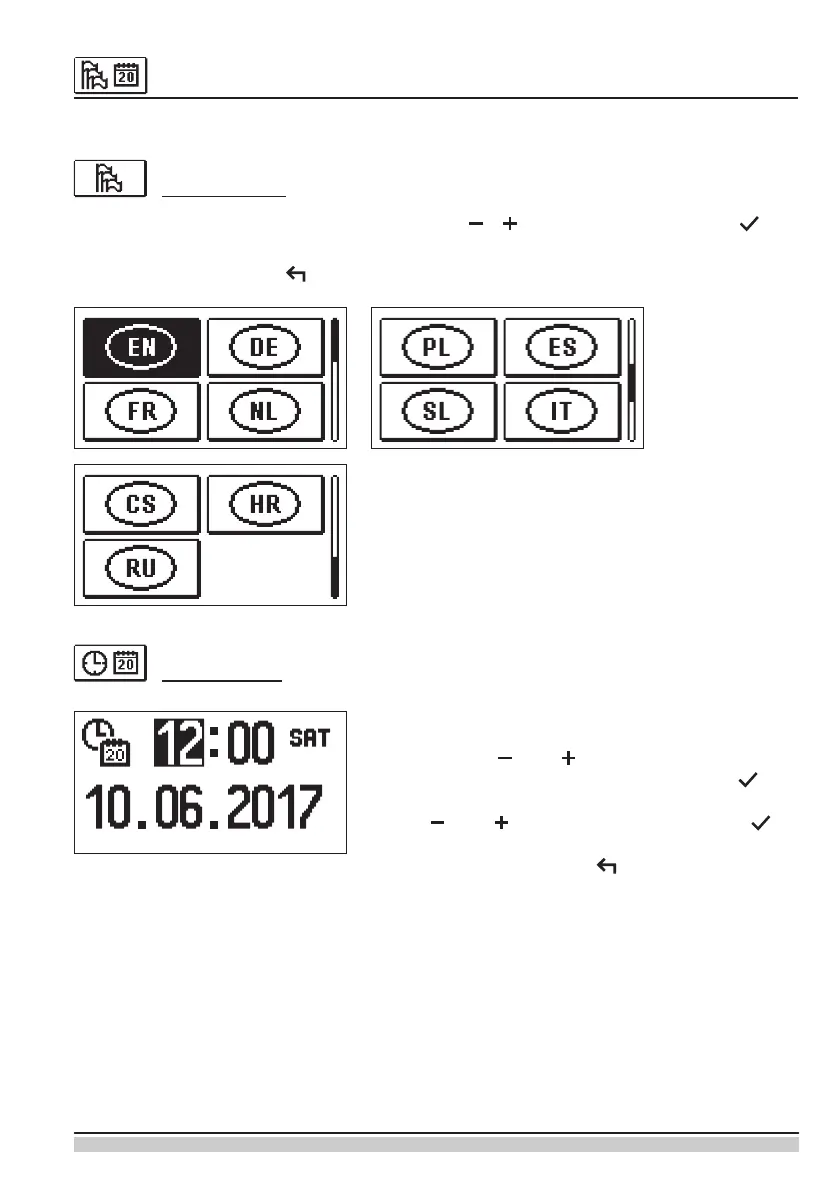
User language
Select the preferred user language with the keys , and conrm it by pressing .
Exit the setup by pressing .
Time and date
Set up the exact time and date in the following way:
Use the keys and , to move among individual
data. Select the data to change by pressing . If
the data starts to ash, it can be changed with the
keys and and conrmed it by pressing .
Exit the setup by pressing .


 To Next Page