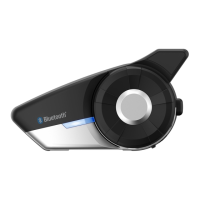
20S
15
English
5.2 Second Mobile Phone Pairing
Typical Bluetooth headsets can connect with only one HFP (Hands-
&REE0ROlLEDEVICEBUT ASECOND MOBILEPHONE PAIRINGALLOWS THE
headset to connect with two HFP devices at the same time. So, when
you already have a mobile phone connected with the 20S, you can
also pair and connect a second mobile phone or other HFP devices
such as Sena SR10, Bluetooth adapter.
1. To pair the second mobile phone, press the Jog Dial for 6 seconds
UNTILTHERED,%$ISRAPIDLYmASHINGANDYOUHEARMULTIPLEBEEPS
2. Within 2 seconds, tap the Phone Button again, then the LED turns
TOBLUEmASHINGANDTHEBEEPS TURNTOHIGH TONE DOUBLEBEEPS
You will hear a voice prompt saying “Second mobile phone
pairing”.
3. Search for Bluetooth devices on your mobile phone. Select the
Sena 20S in the list of the devices detected on the mobile phone.
4. Enter 0000 for the PIN. Some mobile phones may not ask for the
PIN.
4HEMOBILE PHONE CONlRMS THATPAIRINGHAS COMPLETED ANDTHE
20S is ready to use. You will hear a voice prompt from the 20S
saying “Your headset is paired”.
6. If you want to pair the Sena SR10, Bluetooth adapter, please refer
to the section 5.5, “Pairing with the Sena SR10, Bluetooth Two-
way Radio Adapter”.
5.3 Bluetooth Stereo Device Pairing
1. If the Bluetooth stereo device is integrated with the mobile phone
such as smartphones, you don’t need to pair the 20S with it
separately. When the 20S is paired with the mobile phone, it is
also paired as a stereo music device.
2. If you have a stand alone Bluetooth stereo device, follow the
pairing procedure separately. The procedure is the same as the
procedure in section 5.1, “Mobile Phone Pairing”.
Note:
1. If Bluetooth connection between the headset and a mobile phone is
disconnected, tap the Phone Button to recover the Bluetooth connection
immediately.
2. If Bluetooth connection between the headset and a media player is
disconnected, press the Jog Dial for 1 second to recover the Bluetooth
connection and play.



 To Next Page