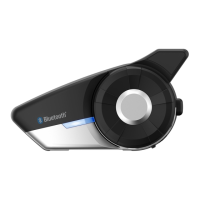
20S
43
English
4HEVOICEPROMPTFOREACHMENUITEMISASBELOW
(1) Speed dial
(2) Audio multitasking
(3) Intercom-audio overlay
sensitivity
(4) Navigation app support
(5) Audio boost
(6) Smart volume control
(7) Motion sensor sensitivity
(8) VOX phone
(9) HD intercom
(10) Eight-way intercom
(11) Voice prompt
(12) FM station guide
(13) Sidetone
(14) Noise control
(15) Delete all pairings
(16) Remote control pairing
(17) Universal intercom pairing
'ZKVEQPſIWTCVKQP
Speed dial
Eight-way intercom
Intercom-audio overlay sensitivityUniversal intercom pairing
VOX phone
FM station guide
HD intercomVoice prompt
Audio Multitasking
Exit configuration
Audio boostDelete all pairings
Smart volume controlNoise control
Motion sensor sensitivity
Sidetone
Navigation app support
Remote control pairing
21.1 Assigning Speed Dial
Voice Prompt
“Speed dial”
Factory Default N/A
Execute Tap the Phone Button
1. To assign a phone number as a speed dial, rotate the Jog Dial
until you hear a voice prompt saying “Speed dial”.
2. Tap the Phone Button, and you will hear voice prompts saying
“Speed dial one” and “Phone connected”.
– Rotate the Jog Dial to select one of three speed dial numbers
and you hear a voice prompt saying “Speed dial (#)”.
3. Call a phone number you want to assign and you will hear a voice
prompt saying “Save speed dial (#)”. The phone number is
automatically assigned to the selected speed dial number. Then
the phone call will hang up before being connected.
4. To exit the menu, rotate the Jog Dial clockwise or counter clockwise
until you hear a voice prompt saying “Exit”, and tap the Phone
"UTTONTOCONlRM9OUWILLTHENHEARAVOICEPROMPTSAYING“Exit”.
If any button is not pressed within 1 minute, the 20S will exit the
CONlGURATIONMENUANDGOBACKTOSTANDBYMODE



 To Next Page