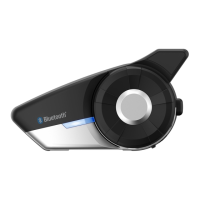
20S
42
20 FUNCTION PRIORITY
4HE3OPERATESINTHEFOLLOWINGORDEROFPRIORITY
(highest) Voice command mode
Ambient mode
Mobile phone
Intercom
Stereo music by audio cable
Music sharing by Bluetooth stereo music
FM Radio
(lowest) Bluetooth stereo music
A lower priority function is always interrupted by a higher priority
function. For example, stereo music is interrupted by intercom call,
and intercom conversation is interrupted by incoming mobile phone
call.
21 20S CONFIGURATION SETTING
9OUCANSETTHECONlGURATIONOFTHE3BYTHEVOICEMENUINSTRUCTION
as below.
4O ENTER INTO VOICECONlGURATION MENU PRESS ANDHOLD THE *OG
Dial for 12 seconds until the LED shows solid blue and you hear
high tone double beeps. You will also hear a voice prompt saying
ő%QPſIWTCVKQPOGPWŒ.
2. Rotate the Jog Dial clockwise or counter-clockwise to navigate
between the menus. You will hear voice prompts for each menu
item as below.
3. You can enable the feature or execute the command by tapping
the Phone Button, or disable the feature by tapping the Jog Dial.
4. If any button is not pressed within 10 seconds, the 20S will exit the
CONlGURATIONANDGOBACKTOSTANDBY
)FYOU WANT TO EXIT THECONlGURATION IMMEDIATELY ROTATETHE*OG
Dial until you hear a voice prompt saying ő'ZKVEQPſIWTCVKQPŒ,
and tap the Phone Button.



 To Next Page