20S
30
14 INTERCOM PAIRING
14.1 Pairing with Other 20S Headsets for Intercom
Conversation
The 20S can be paired with up to nine other headsets for Bluetooth
intercom conversation.
1. Turn on the two 20S headsets (A and B) that you would like to pair
with each other.
2. There are two ways you can enter the two headsets into pairing
mode.
– Press and hold the Jog Dial of the headset A and B for 6
SECONDSUNTILRED,%$SOFTHEBOTHUNITSSTARTTOmASHRAPIDLY
You will hear a voice prompt saying “Intercom pairing”.
– Remove the two headsets from the clamps. Grab them with
each hand and shake them simultaneously until the green LEDs
OFTHEBOTHUNITSSTARTTOmASHRAPIDLY
3. Simply tap the Jog Dial of any one of the two headsets A or B (It
doesn’t matter that you choose A or B.) and wait until the LEDs of
both headsets turn to blue and intercom connection is automatically
established. The two 20S headsets A and B are paired with each
other for intercom conversation. If the pairing process is not
completed within one minute, the 20S will return to stand-by mode.
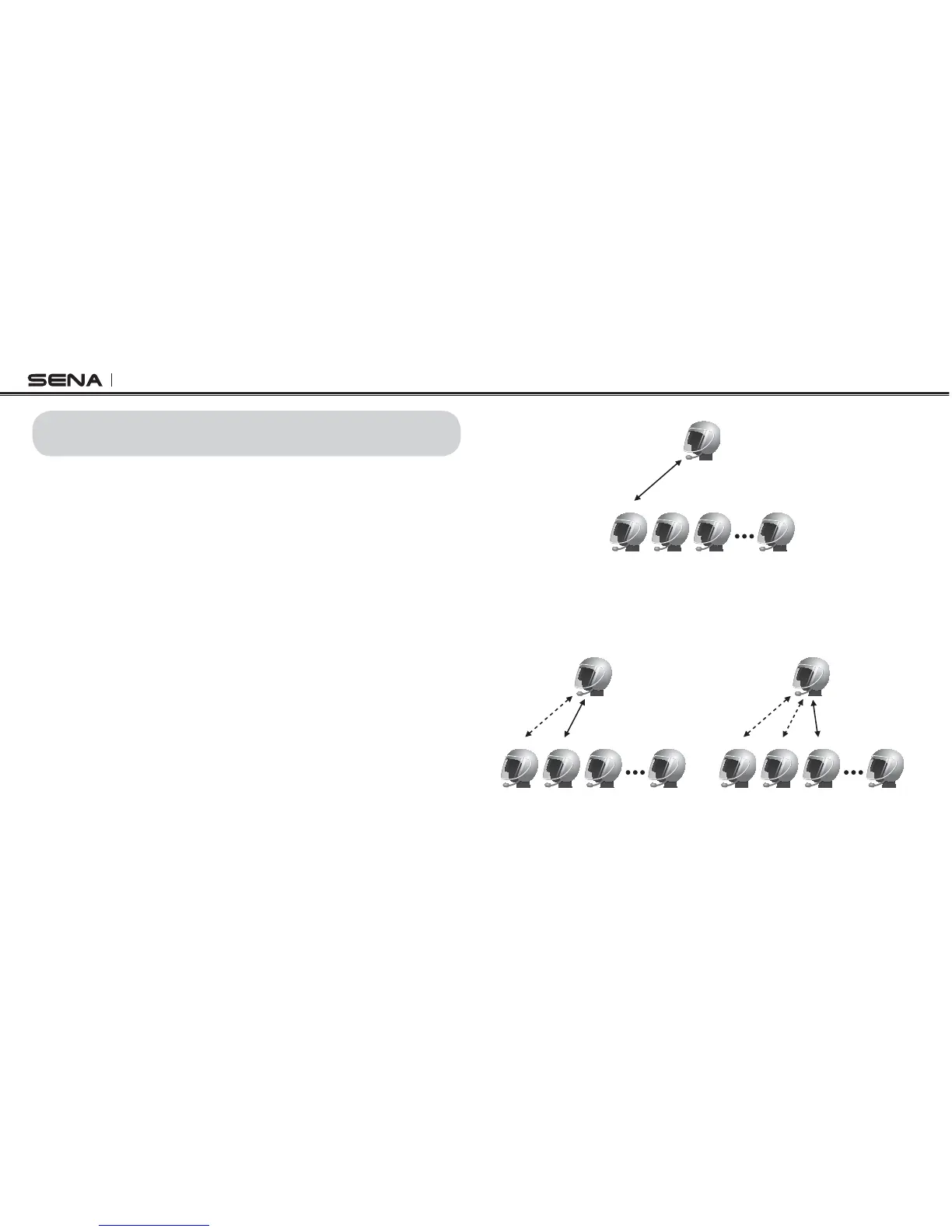
Pairing A & B
A
B C D J
4. You can pair with up to nine other headsets. To pair with more
headsets such as A and C, A and D, and more, simply follow the
same procedure as above.
Pairing A & C
A
B C D J
Pairing A & D
A
B C D J



 To Next Page