EasyManua.ls Logo

Sensaphone 400 - User Manual

Sensaphone 400
134 pages
Print Icon
To Next Page IconTo Next Page
Loading...
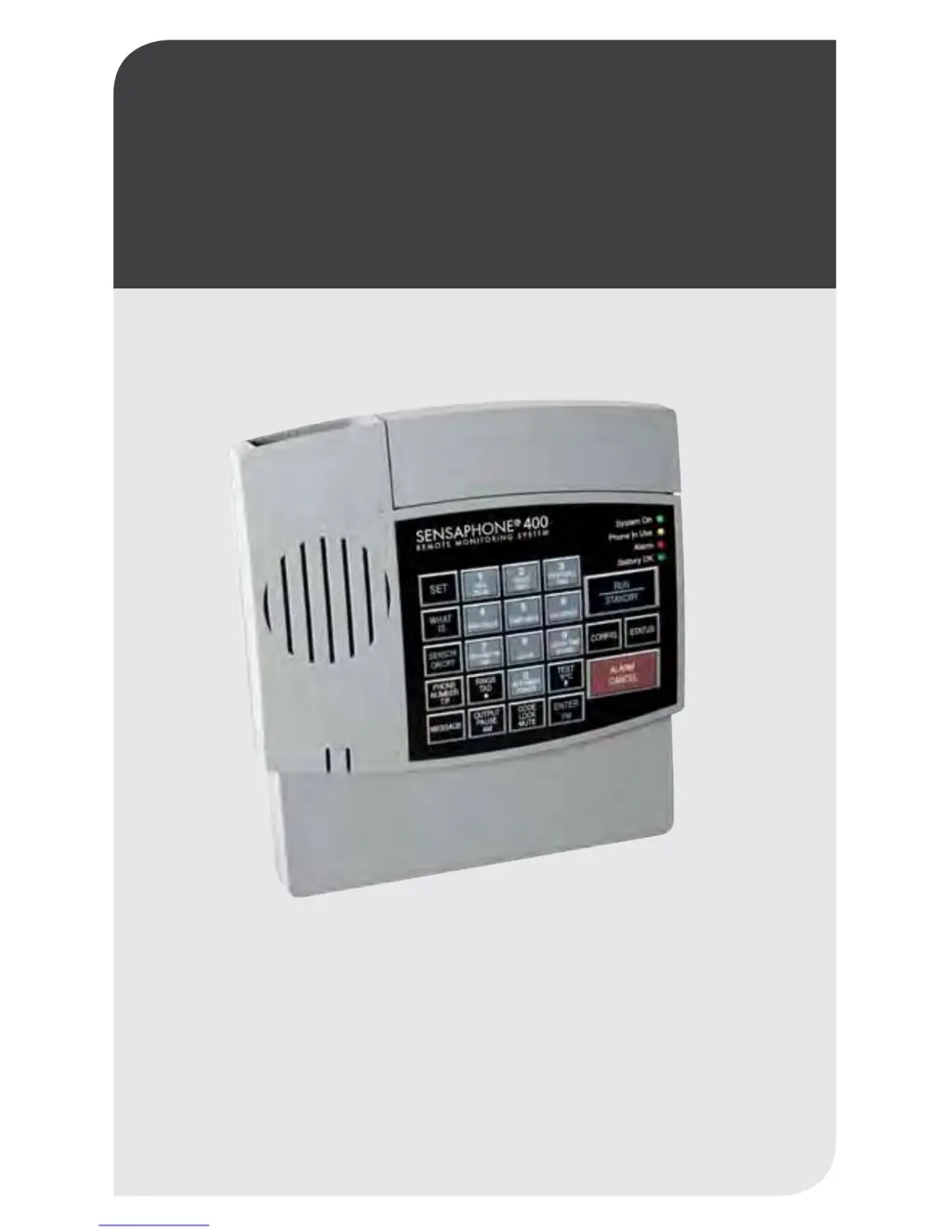
Stay informed and in control of vital environmental conditions
and processes with the fully-programmable Sensaphone
®
400.
LIT-0129
User’s Manual
SENSAPHONE
®
REMOTE MONITORING SOLUTIONS
400
SENSAPHONE
®

Table of Contents

Questions and Answers

  • R
    rachellopezSep 10, 2025
    Why doesn't high sound trigger an alarm on my Sensaphone Telephone?
    • S
      Susan KennedySep 10, 2025
      If high sound does not cause an alarm on your Sensaphone, move the unit closer to the high sound source or reprogram the sound sensitivity. The unit is not close enough to the high sound source, or the programmed sound setting results in a lack of sensitivity to high sound.
  • K
    Kara ThomasSep 9, 2025
    What to do if my Sensaphone Telephone Model 400 won't answer for Callback Acknowledgement?
    • M
      mmolinaSep 9, 2025
      If your Sensaphone Model 400 will not answer the telephone for Callback Acknowledgement, allow the telephone to ring 10 times when calling the Model 400, and the TAD is disabled.
  • K
    Kelly JonesSep 8, 2025
    How do I fix a Sensaphone Telephone Model 400 that's silent on-site but speaks over the phone?
    • B
      Brianna NewtonSep 8, 2025
      If the Model 400 recites the alarm message or Status Report over the telephone but is silent at the installation site, deactivate local voice mute. The local voice mute feature is in effect.
  • M
    Mrs. Sarah Ryan MDAug 23, 2025
    Why does my Sensaphone Security System have frequent false high sound alarms?
    • R
      Robert DavisAug 23, 2025
      To address false high sound alarms with your Sensaphone Security System, reprogram the sound sensitivity. Also, consider lengthening the Sound Recognition Time. If the issue persists, either move the unit closer to the sound source or reprogram the sound sensitivity to increase its responsiveness.
  • R
    Robert SinghSep 5, 2025
    How do I prevent false high temperature alarms from my freezer on my Sensaphone Telephone?
    • H
      Heather HunterSep 5, 2025
      To stop false high temperature alarms from your freezer with Sensaphone, program an zone recognition time longer than the defrost cycle. Most freezers have a defrost cycle during which the temperature will rise considerably, thus causing an alarm to occur.
  • D
    Donald BensonSep 4, 2025
    How to stop false power out alarms on my Sensaphone Telephone?
    • J
      Jane PorterSep 4, 2025
      To prevent false power out alarms on your Sensaphone, increase the power Recognition Time. AC power is often subject to brief interruptions, and a short Recognition Time can trigger false alarms.
  • A
    Anthony HillSep 3, 2025
    Why does my Sensaphone Telephone Model 400 not answer when called?
    • B
      Brooke ColeSep 3, 2025
      If your Sensaphone Model 400 will not answer the telephone when called for a Status Report or alarm acknowledgment, recheck the programming of Rings Until Answer. Some telephone systems will not allow the telephone to ring beyond 4 rings. If your Model 400’s Rings Until Answer is set at more than 4 rings, you may not be able to access the unit, try setting the Rings Until Answer to less than 4 rings. If this does not correct the problem, it may indicate telephone line incompatibility. In this case, try connecting the Model 400 to a standard, residential telephone line. The cause may be incorrectly programmed Rings Until Answer or an incompatible telephone line.
  • L
    Lisa NguyenSep 2, 2025
    What to do if my Sensaphone Telephone Model 400 does not recognize power failure?
    • M
      Melissa GomezSep 2, 2025
      If your Sensaphone Model 400 does not recognize power failure, verify proper battery function by unplugging the unit and ensuring it continues to operate on batteries alone. If it doesn't, reinstall the batteries or replace them. Also, reprogram the Recognition Time to the minimum required before a valid alarm occurs. The cause may be incorrectly installed or drained batteries, or a Recognition Time setting that is too long.
  • R
    Rebecca HernandezSep 1, 2025
    Why does my Sensaphone Telephone Model 400 fail to dial out?
    • C
      caintheodoreSep 1, 2025
      If your Sensaphone Model 400 fails to dial out, first recheck the programming steps. Then, switch the current dialing method from tone to pulse, or from pulse to tone. Also, reprogram the Recognition Time to the minimum duration required to create a valid alarm. Finally, ensure that the Model 400 is connected to a standard (2-wire analog) telephone line, not a digital extension to a phone system. The issue could be an incorrectly programmed telephone number, an incompatible tone or pulse setting, an excessively long Recognition Time, or an incompatible telephone line.
  • K
    Kenneth MataAug 30, 2025
    Why do the batteries drain prematurely in my Sensaphone Security System?
    • J
      Jerry HuffmanAug 30, 2025
      To prevent premature battery drain in your Sensaphone Security System, ensure that the unit’s AC transformer is plugged in and that full AC power is available. When storing the unit, remove the batteries.

Summary

Sensaphone Model 400 Installation Guide

Power Supply and Surge Protection

Explains the unit's power requirements, battery backup, and recommendations for protecting against power surges.

Telephone Line and Zone Wiring

Covers connecting the unit to a telephone line and wiring sensors to the alert zones.

Sensaphone Model 400 Quick Start Guide

Keypad Navigation and Initial Setup

Guides users through the keypad layout and essential preparation steps before programming.

Quick-Start Programming Steps

Provides a step-by-step process for essential initial programming tasks for the Model 400.

Communications and Programming Features

Dial-Out Telephone Number Configuration

Instructions for programming, interrogating, and erasing dial-out telephone numbers.

Sensaphone Model 400 Alarm Programming

Zone Configuration and Status Control

Guides on configuring zones as dry contact or temperature and enabling/disabling them.

Temperature Monitoring Setup

Details programming temperature limits, scale, and calibration for temperature zones.

Sensaphone Model 400 Operation and Remote Access

Troubleshooting and Maintenance Guide

Sensaphone 400 Specifications

General IconGeneral
TypeEnvironmental Monitoring System
Zones4
Temperature MonitoringYes
NotificationPhone call
CommunicationPOTS (Plain Old Telephone Service)
Operating Temperature32°F to 122°F (0°C to 50°C)
Inputs4 universal inputs (supports temperature, humidity, voltage, current, or dry contact)