EasyManua.ls Logo

Sensaphone 400 - User Manual

Sensaphone 400
134 pages
Print Icon
To Next Page IconTo Next Page
Loading...
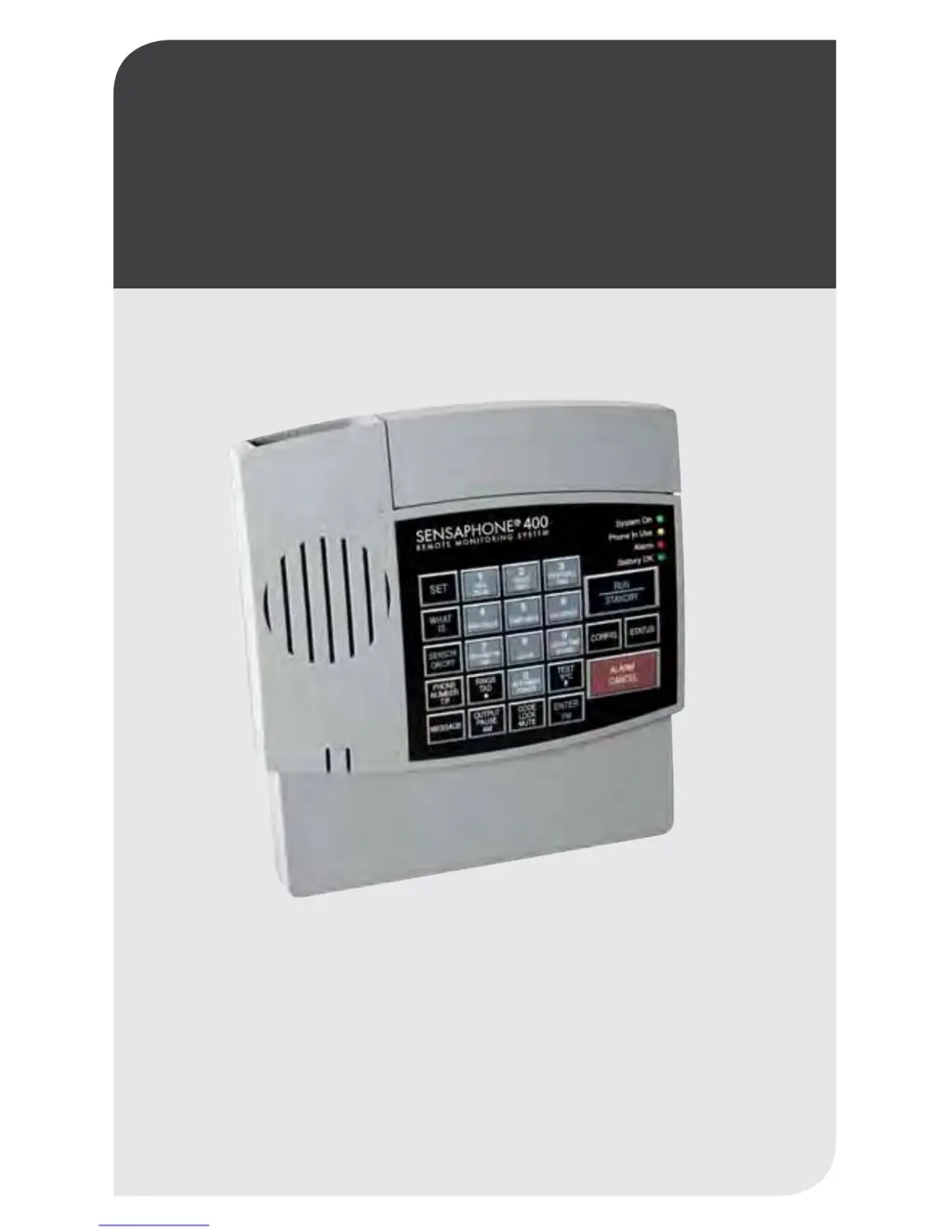
Stay informed and in control of vital environmental conditions
and processes with the fully-programmable Sensaphone
®
400.
LIT-0129
User’s Manual
SENSAPHONE
®
REMOTE MONITORING SOLUTIONS
400
SENSAPHONE
®

Table of Contents

Questions and Answers

  • H
    harrisrachelAug 29, 2025
    Why can't I program temperature limits on my Sensaphone 400 Security System?
    • N
      nguyenteresaAug 29, 2025
      To resolve issues programming temperature limits or reading the temperature sensor on your Sensaphone Security System, start by pressing SET and CONFIGURE to program the zone to read a temperature sensor. Examine the temperature sensor wires for disconnections or breaks and connect or replace them as needed. Verify and correct any shorted wiring. Try moving the unit to a different location.
  • N
    Nicole NashAug 28, 2025
    How to troubleshoot Sensaphone 400 error 1?
    • P
      phillipschadAug 28, 2025
      If your Sensaphone Security System displays “Error 1”, it means an invalid value was entered, or too much time passed without entering a value. Unlock the keypad, then make programming changes.
  • S
    Sean SchmidtAug 27, 2025
    What causes false high temperature alarms from freezer on Sensaphone Security System?
    • J
      Justin LittleAug 27, 2025
      To address false high temperature alarms from your freezer with the Sensaphone Security System, program a zone recognition time that is longer than the defrost cycle. Shorten the Call Delay or lengthen the Zone Recognition Time.
  • S
    Stacey EdwardsAug 26, 2025
    How to fix Sensaphone 400 error 2?
    • C
      Cory GonzalesAug 27, 2025
      To resolve the “Error 2” message on your Sensaphone Security System, start by rechecking the programming of Rings Until Answer. Ensure that your Model 400 is connected to a standard (2-wire analog) telephone line, not a digital extension. If the Rings Until Answer is set at more than 4 rings, try setting it to less than 4 rings.
  • K
    Kathryn YoungAug 25, 2025
    Why is the alarm status of an alert zone incorrect on my Sensaphone 400?
    • C
      Christopher SampsonAug 26, 2025
      To correct an incorrect alarm status on your Sensaphone Security System, reconfigure the zone to ensure the correct zone normality. You can also increase the Power Recognition Time. Verify proper battery function by unplugging the unit and ensuring it continues to operate using batteries only. Reprogram Recognition Time.
  • K
    Kevin Rodriguez MDAug 25, 2025
    What to do if Sensaphone Model 400 Security System won't answer the telephone?
    • J
      Jasmine CollinsAug 25, 2025
      If your Sensaphone Model 400 Security System won't answer the telephone, allow the telephone to ring 10 times. Also, deactivate the local voice mute feature, if it’s enabled. Check that the number of Rings Until Answer for the Model 400 isn’t the same as the ring setting for your telephone answering device and change it.

Summary

Sensaphone Model 400 Installation Guide

Power Supply and Surge Protection

Explains the unit's power requirements, battery backup, and recommendations for protecting against power surges.

Telephone Line and Zone Wiring

Covers connecting the unit to a telephone line and wiring sensors to the alert zones.

Sensaphone Model 400 Quick Start Guide

Keypad Navigation and Initial Setup

Guides users through the keypad layout and essential preparation steps before programming.

Quick-Start Programming Steps

Provides a step-by-step process for essential initial programming tasks for the Model 400.

Communications and Programming Features

Dial-Out Telephone Number Configuration

Instructions for programming, interrogating, and erasing dial-out telephone numbers.

Sensaphone Model 400 Alarm Programming

Zone Configuration and Status Control

Guides on configuring zones as dry contact or temperature and enabling/disabling them.

Temperature Monitoring Setup

Details programming temperature limits, scale, and calibration for temperature zones.

Sensaphone Model 400 Operation and Remote Access

Troubleshooting and Maintenance Guide

Sensaphone 400 Specifications

General IconGeneral
TypeEnvironmental Monitoring System
Zones4
Temperature MonitoringYes
NotificationPhone call
CommunicationPOTS (Plain Old Telephone Service)
Operating Temperature32°F to 122°F (0°C to 50°C)
Inputs4 universal inputs (supports temperature, humidity, voltage, current, or dry contact)