Understanding aerial mapping with the eBee
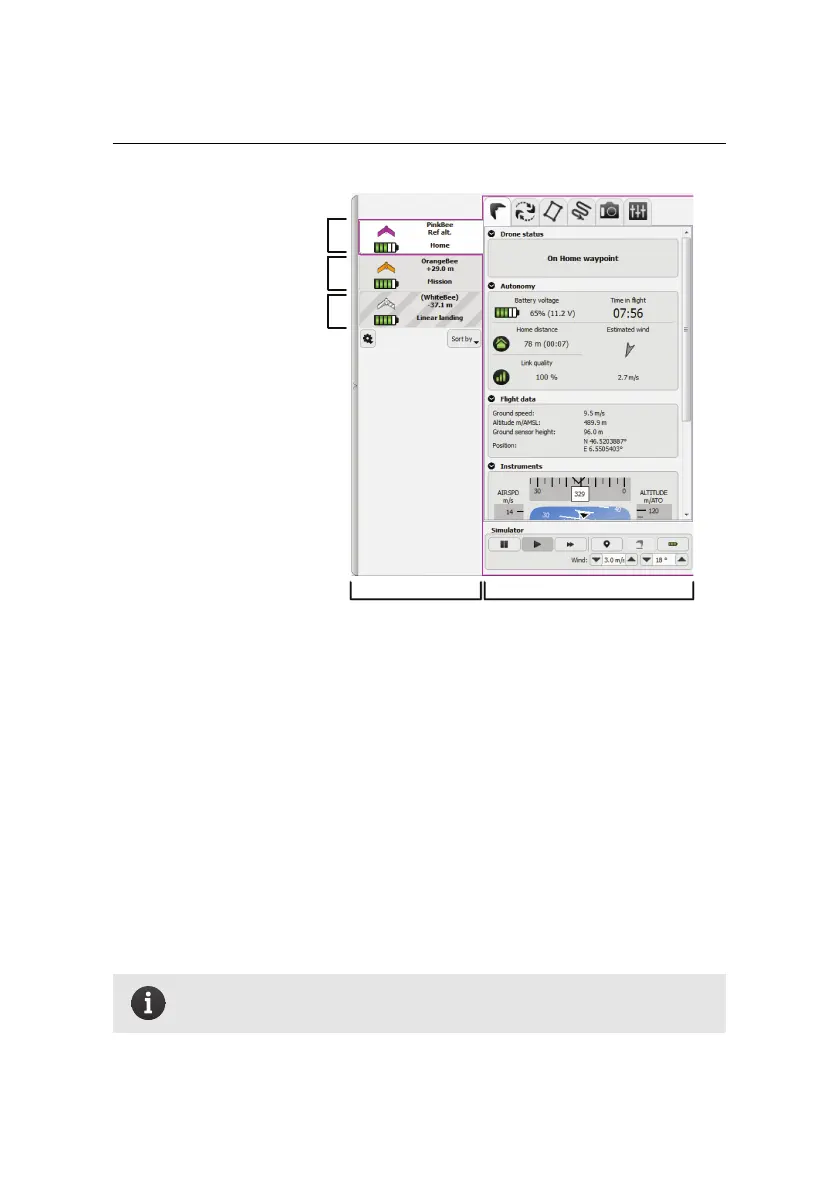
selected drone
SidebarMulti-drone panel
second drone connected
to this computer
drone shared through
network
One advantage of flying multiple drone dronesat once is to covermore area in less
time. eMotion can automatically upload a multi-flight mission to all connected
drones in a single click. To achieve this, follow this procedure:
1. Go to the Mission Planning tab and prepare the required mission area (this
can be done with any of the connected drone selected). Make sure that
the number of flights required matches the number of connected drones.
If needed, the ‘Max flight time’ option can be lowered to force the mission
planner to split the mission in several flights (see section ‘Mission Planning
tab’ on page 100).
2. Select ‘Upload to all’ from the drop-down list of the ‘Upload button’.
Note: You can only split a mission between dronesof the same model
and that are using the same camera.
77



 To Next Page