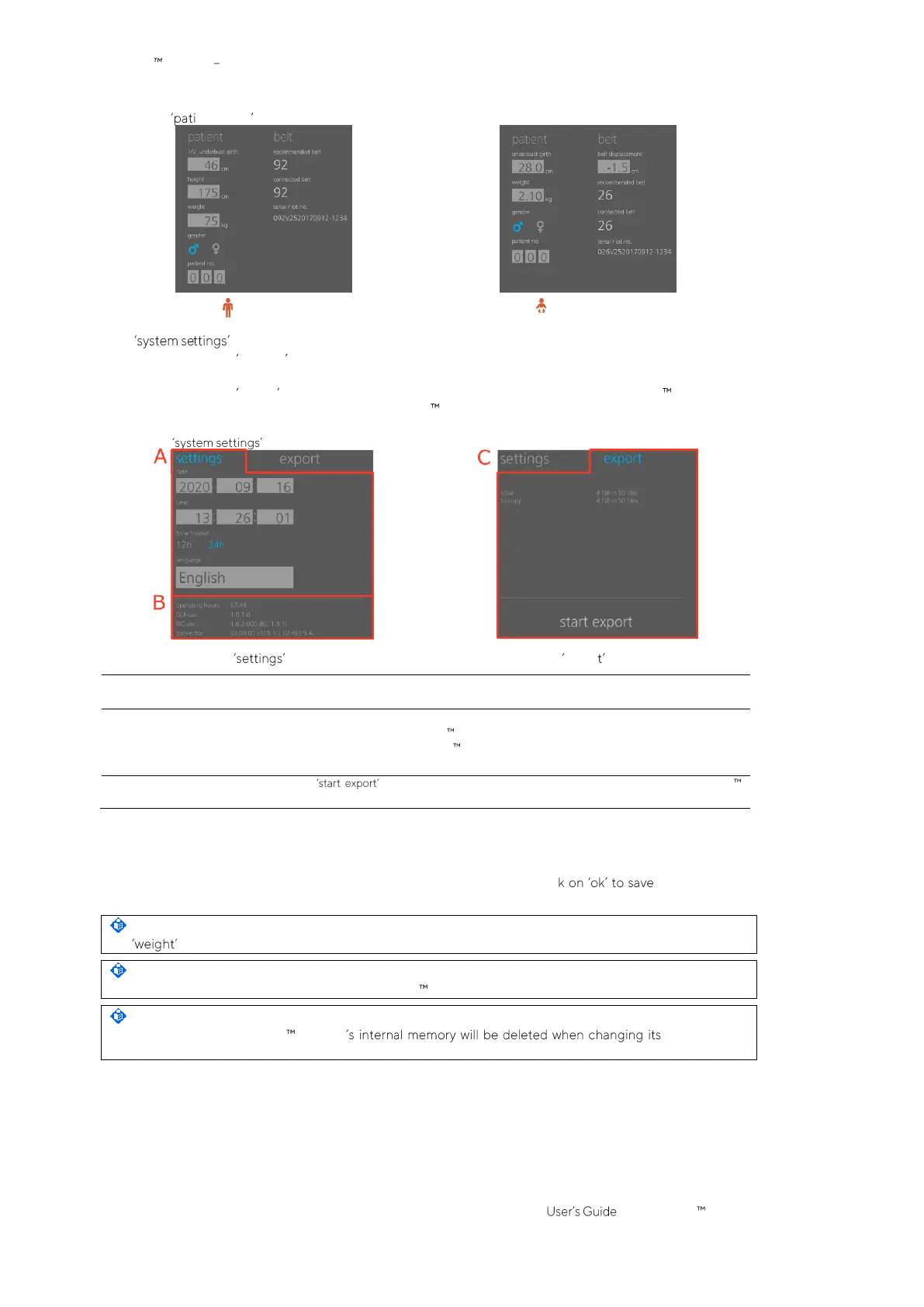
Figure 6-7: ent & belt area of ScoutView
The area of ScoutView (Figure 6-8) has two windows:
• The window settings permits to adjust various system settings (Table 6-7) and displays system related
information such as software and hardware versions.
• The window export permits to export data stored in the internal memory of the LuMon Monitor on a
USB memory device connected to the LuMon Monitor (9.11).
Figure 6-8: area of ScoutView
Adjustable settings are date, time, time format, and language
See Table 6-7 for ranges and power-on defaults.
B. System related
information
The following system related information is displayed:
• operating hours of the LuMon Monitor
• software versions of the LuMon Monitor (GUI and TIC)
• belt connector hardware and software versions
Touching on starts data export on a USB memory device connected to the LuMon
Monitor (9.11).
Touch on the respective symbol to select the gender (Figure 6-7).
Touch the light grey field to adjust the corresponding
operator-adjustable parameter
(Figure 6-7, Figure 6-8).
A number picker will open. Slide up- or downward to change the value. Clic and, apart from
language, enable the change.
NOTE
For enter actual (not lean or ideal) body weight in kg.
NOTE
To enable the selection of a new language, the LuMon Monitor must be restarted.
NOTE
EIT data
stored in the LuMon Monitor date/time. No
further operator confirmation will be requested at the time of the change.



 To Next Page