7-41
SYSTEM SETTINGS
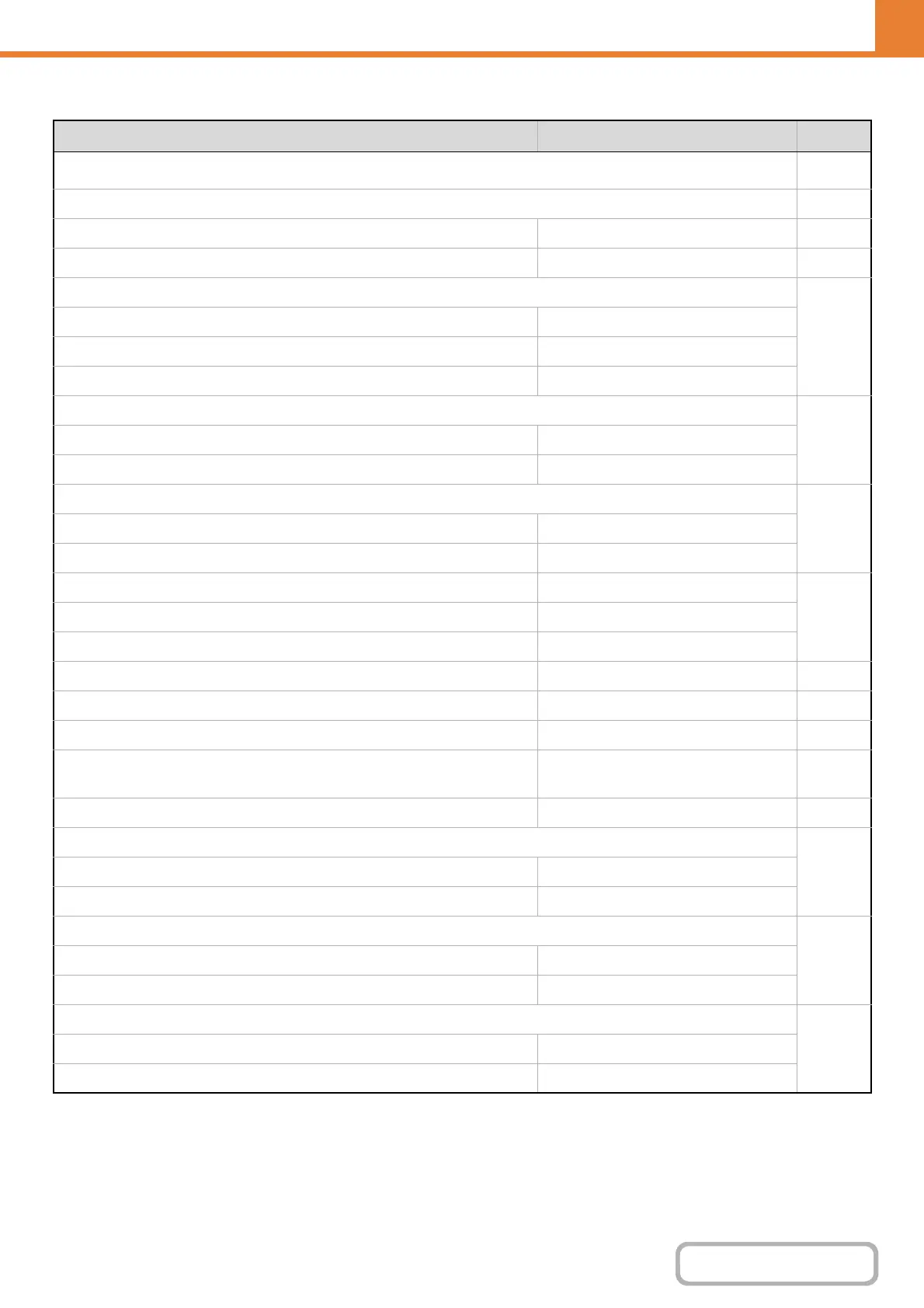
Document Filing Settings*
1
Item Factory default setting Page
n Document Filing Settings
7-91
l
Other Settings 7-91
Default Mode Settings Sharing Mode 7-91
Sort Method Setting Date 7-91
Administrator Authority Setting
7-91
Delete File Disabled
Delete Folder Disabled
Change Password Disabled
Delete All Quick Files
7-91
Delete –
Delete quick files at power up (protected files excluded) Enabled
Default Colour Mode Settings
7-91
Colour Auto
Black & White Mono 2
Default Exposure Settings Auto
7-91
Default Original Image Type Text
Moiré Reduction Disabled
Initial Resolution Settings 600 x 600 dpi 7-91
Colour Data Compression Ratio Setting Medium 7-92
Scan Complete Sound Setting Middle 7-92
Default Output Tray Varies depending on the machine
configuration
7-92
Disable Stamp for Reprinting Disabled 7-92
Batch Print Settings
7-92
Selection of [All Users] is not allowed. Enabled
Selection of [User Unknown] is not allowed. Enabled
Erase Width Adjustment
7-92
Edge Clearance Width 10 mm (1/2")
Centre Clearance Width 10 mm (1/2")
Card Shot Settings
7-92
Original Size X: 86 mm (3-3/8"), Y: 54 mm (2-1/8")
Fit to Store Size Disabled










 To Next Page