5
LC-32LB261U Sharp 32" LED TV
Installing the stand or wall-mount bracket
Installing the stand
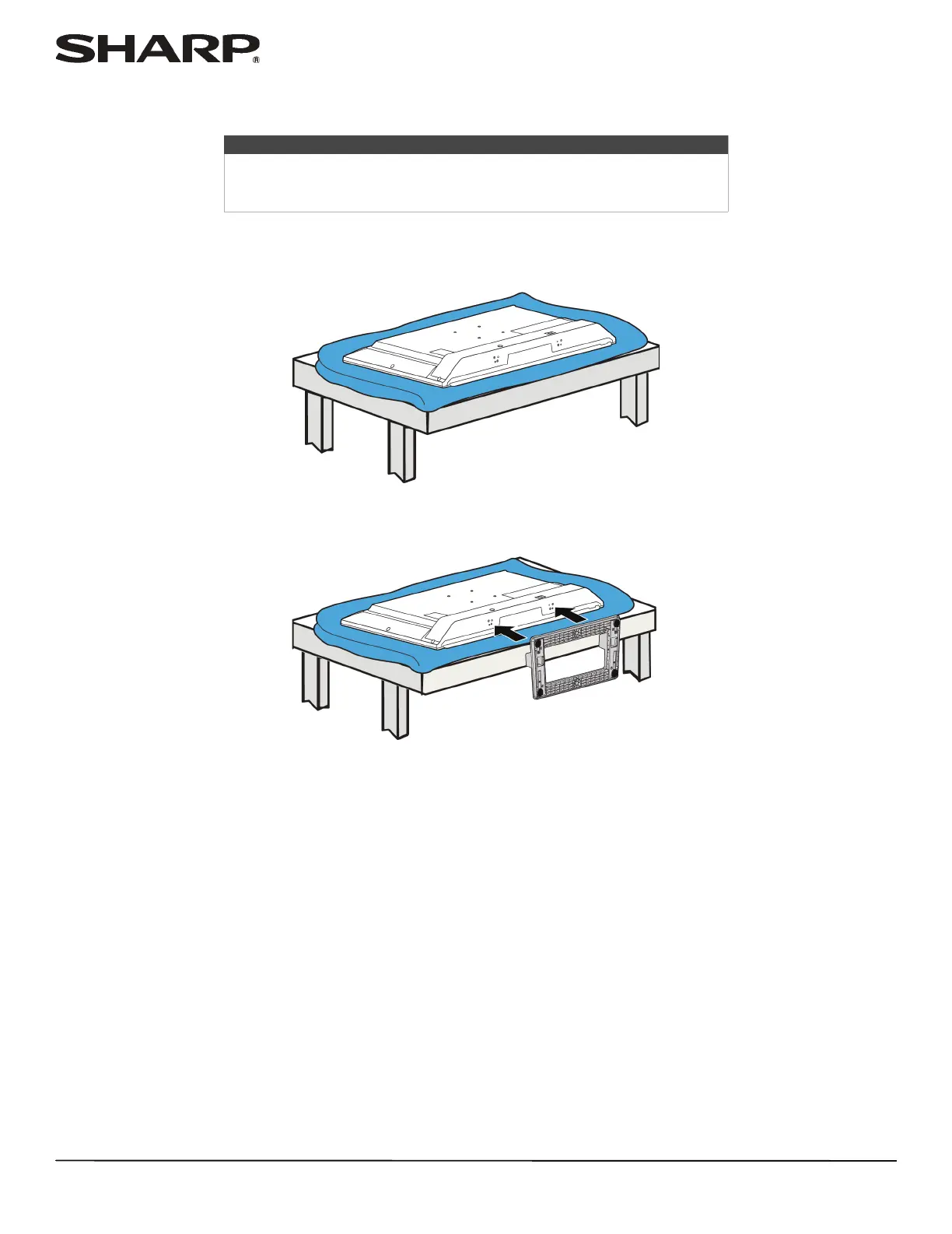
1 Carefully place your TV face-down on a cushioned, clean surface to protect the screen from damages and scratches.
2 Insert the stand column into the TV.
Notes
• If you plan to wall-mount your TV, do not install the stand.
• Store the stand and stand screws in case you decide to use the stand in
the future.













 To Next Page