31
LC-32LB261U Sharp 32" LED TV
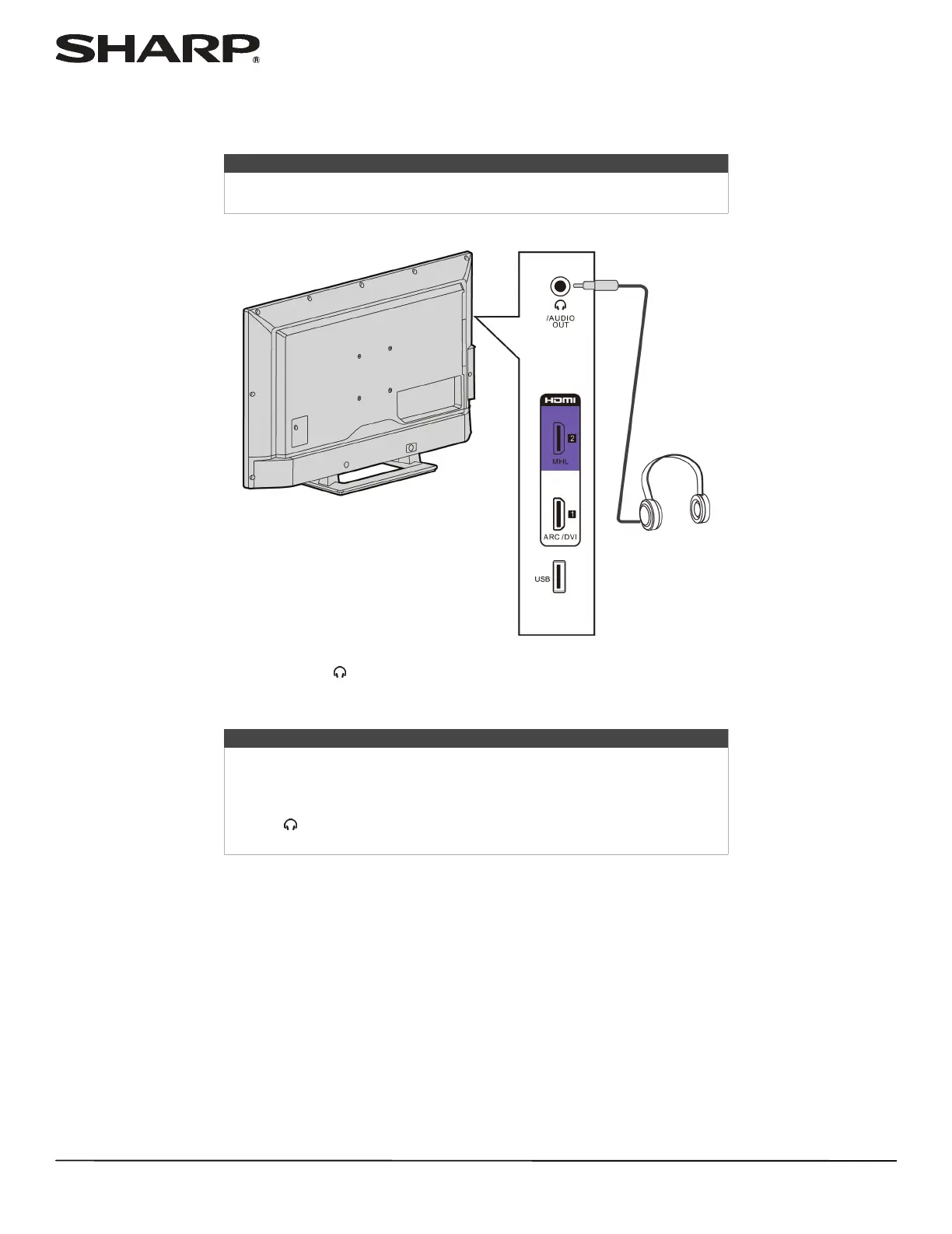
Connecting headphones
When you connect headphones, the TV speakers are muted.
1 Connect the headphones to the /AUDIO OUT jack on the side of your TV.
2 In the screen that opens, press
W
or
X
to highlight Headphones/Audio Out, then press ENTER. For more information,
see “Selecting the audio out mode” on page 54.
Warning
Loud noise can damage your hearing. When using headphones, use the
lowest volume setting on your headphones that still lets you hear the sound.
Notes
• If you connect headphones when your TV is turned off, then you turn on
your TV, the TV speakers are muted and the audio plays through the
headphones.
• You can also connect an amplifier, home theater system, or sound bar to
the /AUDIO OUT jack. If you want to connect an amplifier, home
theater system, or sound bar, you need to disconnect the headphones.
Side of TV













 To Next Page