58
LC-32LB261U Sharp 32" LED TV
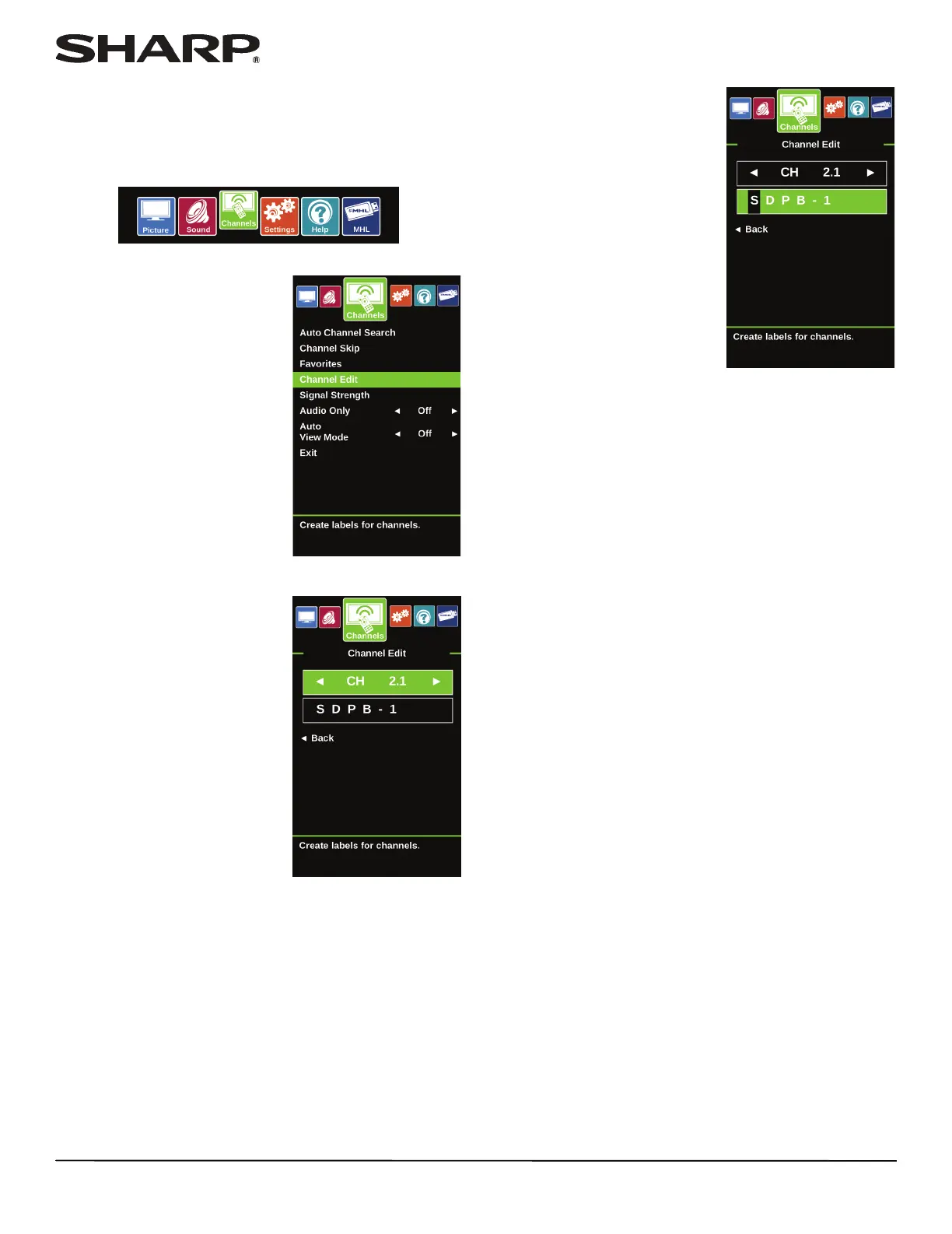
Adding or changing a channel label
If a channel is not already labeled, you can label the channel to
make it easier to identify. You can also relabel a channel that is
already labeled.
1 Press MENU.
2 Press
W or X to highlight
Channels, then press ENTER.
3 Press
S or T to highlight Channel Edit, then press ENTER.
4 Press
W or X to select the
channel you want to label, then
press
T to move to the channel
label field. Do you press down
arrow to go to the label field?
5 Press
S or T to select a
character, then press W or X to
move to the previous or next
character position. Repeat this
step to enter additional
characters. You can enter as
many as 11 characters.
6 When you have completed the label, press ENTER.
7 Press EXIT to close the menu.













 To Next Page