22
STATUS INDICATORS
MISFEED REMOVAL
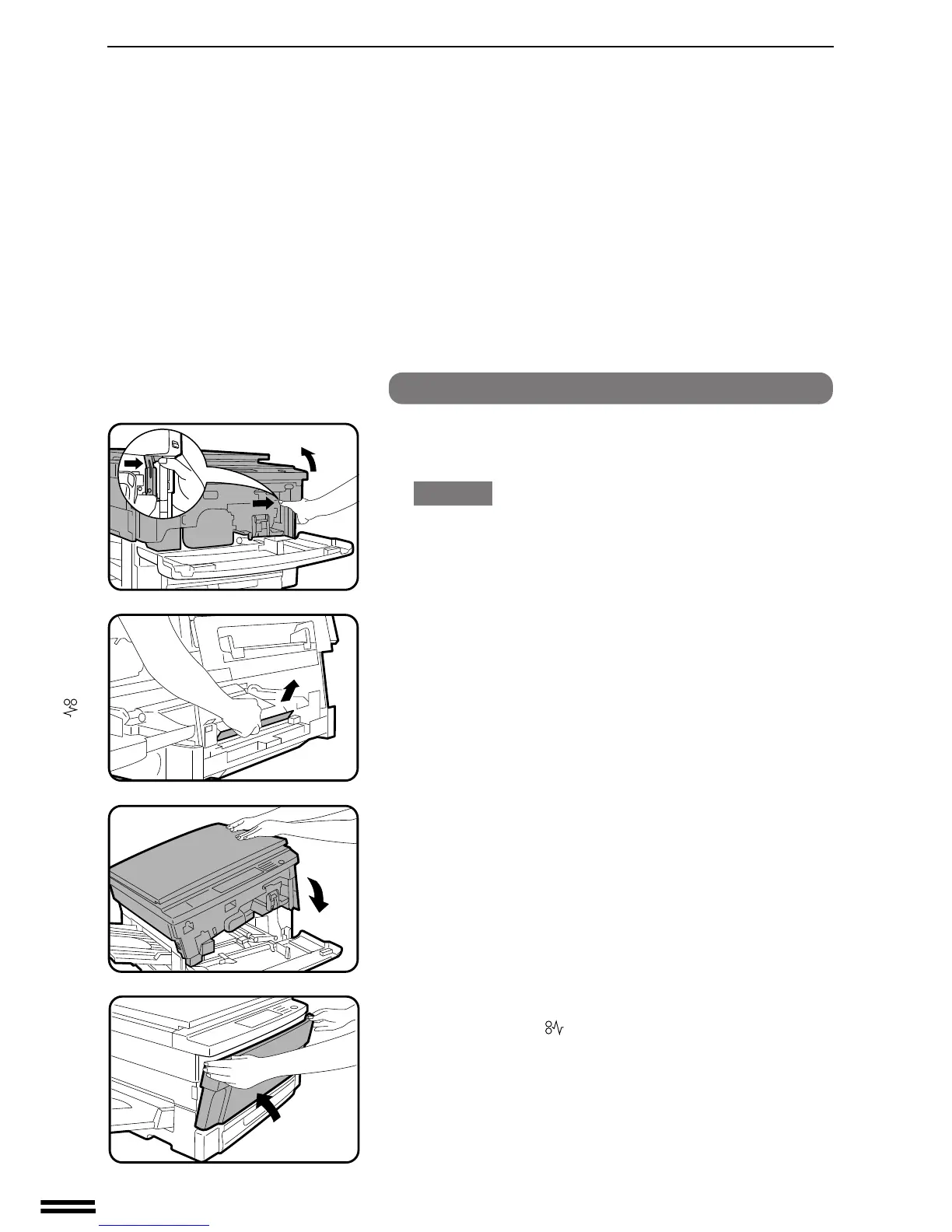
Misfeed in the paper tray
1
Open the front cover and press the release lever to open
the copier.
CAUTION
Be sure to open the upper unit slowly and gently, and do not let go
of it until it is fully open.
2
Remove the misfed paper.
●
Be careful not to tear the misfed paper during removal.
3
Push down the upper half of the copier as illustrated to
close it.
4
Close the front cover.
●
Confirm that the indicator has gone out.
●
If an optional sorter is installed, push the sorter back into
position.
Misfeed removal



 To Next Page