23
STATUS INDICATORS
MISFEED REMOVAL
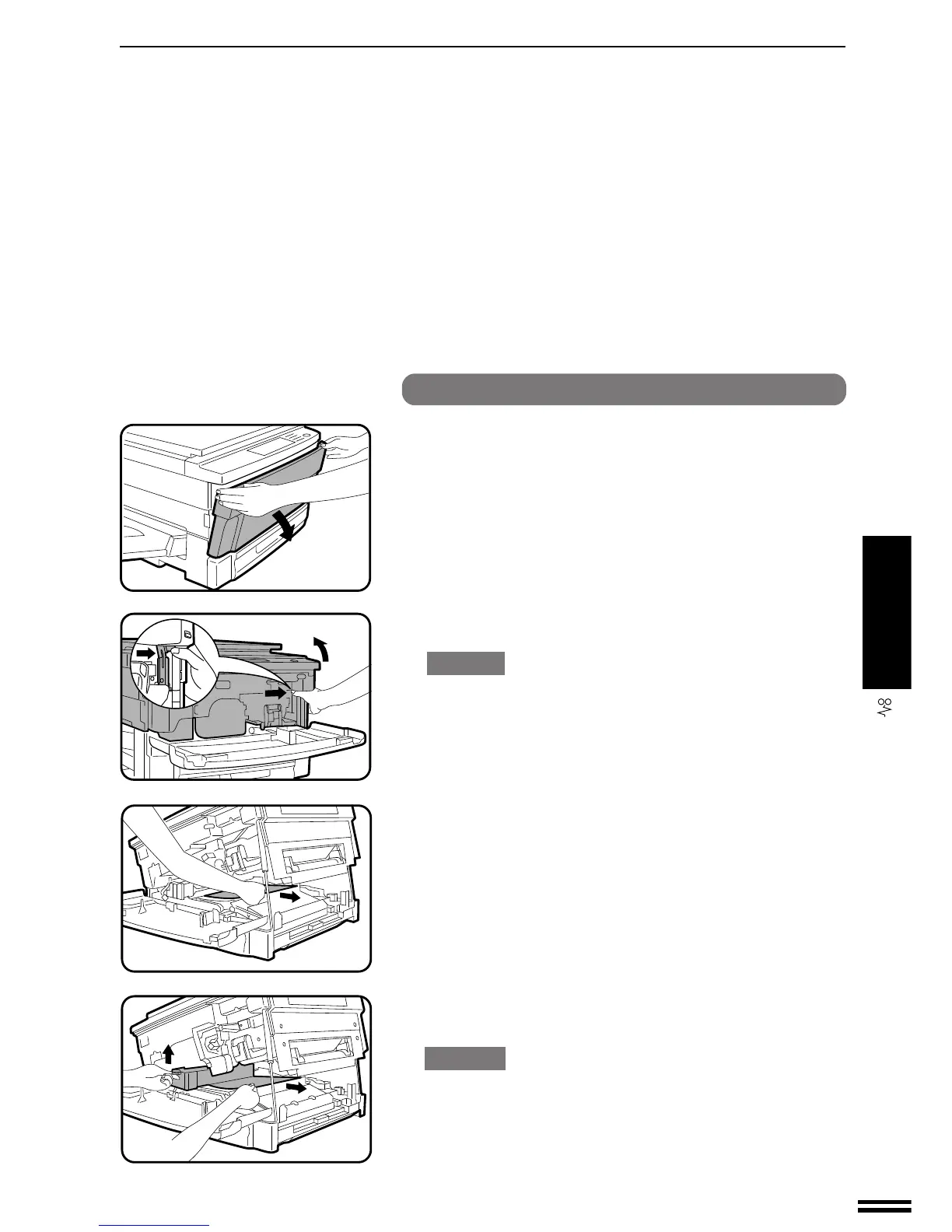
Misfeed in the transport area, fusing area and exit area
1
Open the front cover.
2
Press the release lever to open the copier.
CAUTION
Be sure to open the upper unit slowly and gently, and do not let go
of it until it is fully open.
3
Carefully remove the misfed paper.
●
If the misfed paper is stuck in the fusing area, raise the fusing
unit lever and remove the paper.
CAUTION
The fusing area is hot. Take care in removing paper.
Misfeed removal



 To Next Page