4
GETTING STARTED
LOADING COPY PAPER
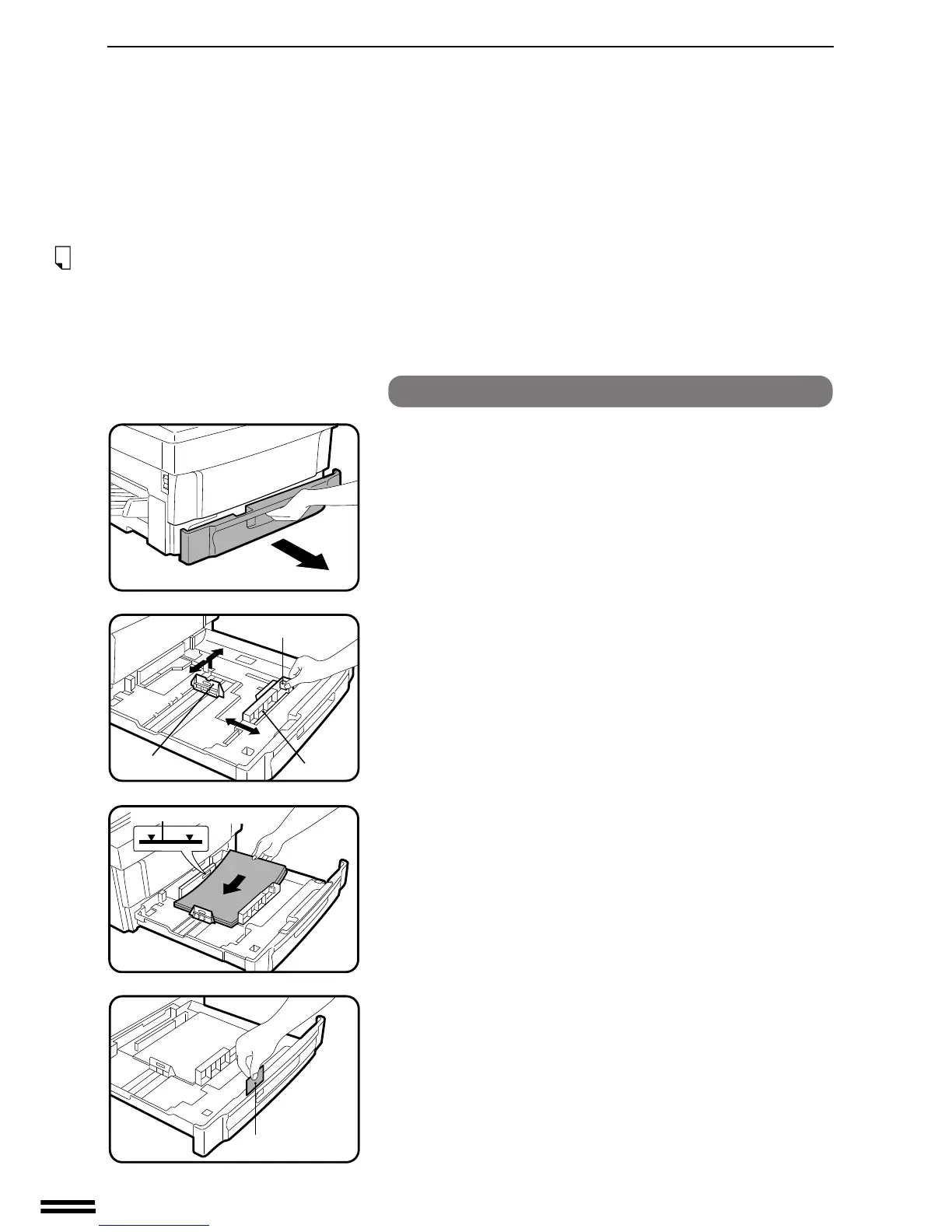
Changing the copy paper size in the tray
1
Gently lift and pull out the paper tray until it stops.
2
Squeeze the lock lever of the front guide and slide the
front guide to match the width of the paper.
3
Move the left guide to the appropriate slot as marked on
the tray.
●
With inch system machines, when using 11" x 17" copy paper,
store the left guide in the slot to the left of the front guide.
4
Load copy paper into the tray.
5
Place the paper size plate in the front of the paper tray.
●
The paper size indication which shows through the slot on the
front of the copier should match the selected paper size.
6
Push the paper tray firmly back into the copier.
Loading copy paper
Paper size plate
Lever
Front guide
Left guide
Maximum height line



 To Next Page