Sending a Fax From Memory
54
Storing numbers in Group Keys
Group Keys allow you to send a fax to a group of fax machines by simply
pressing the appropriate Group Key once. To store a group of numbers in a
Group Key, follow the steps below.
♦ Rapid Keys 17/G1 and 18/G2 can be used as Group Keys. A key cannot be
simultaneously programmed as both a Group Key and a Rapid Key.
♦ Up to 20 numbers can be stored in one Group Key.
Only Rapid Key and Speed Dial numbers can be stored in a Group Key. Full
numbers cannot be stored.
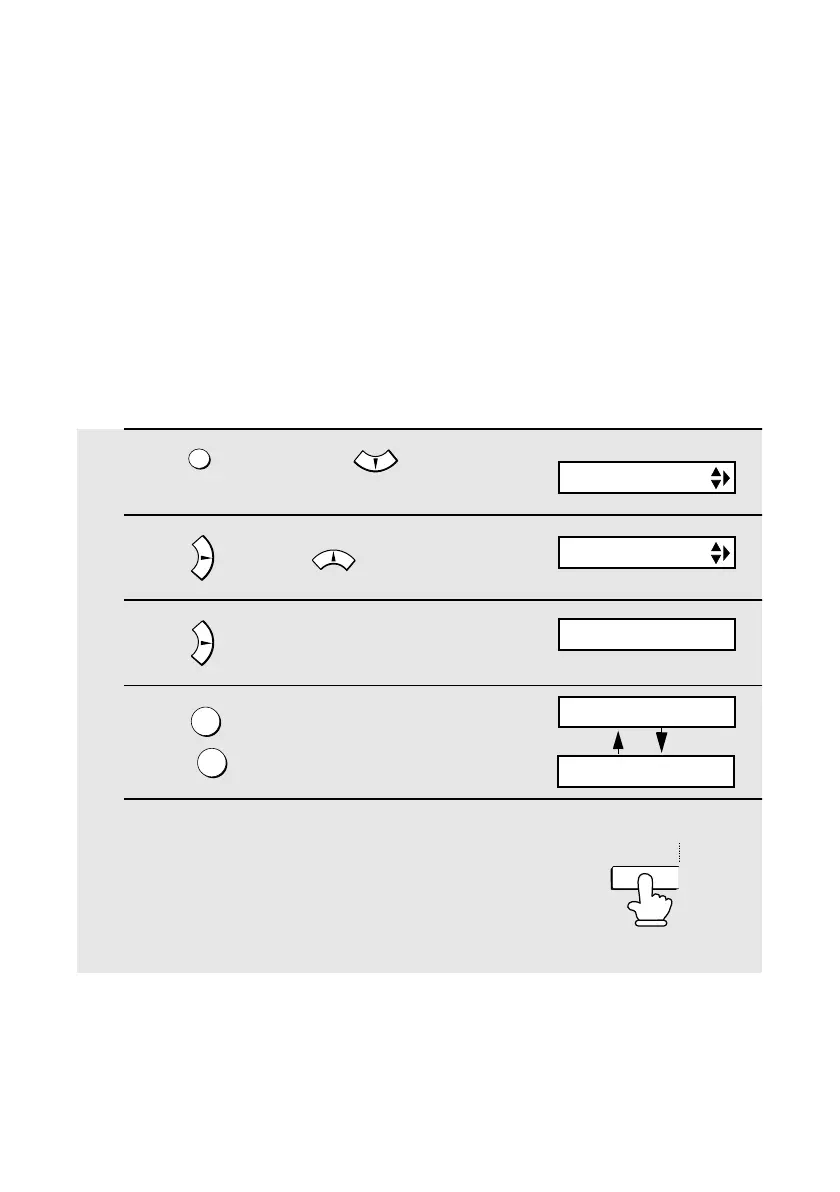
1
Press once and twice.
2 Press once and once.
3 Press .
4 Press to program a Group Key.
(Press to clear a Group Key.)
5 Press the Group Key that you wish to
program (Rapid Key 17/G1 or 18/G2).
(If you are clearing a Group Key, press
the Group Key that you wish to clear
and go to Step 9.)
FUNCTION
1
2
Display:
ENTRY MODE
GROUP ENTRY
1=SET, 2=CLEAR
GROUP SET
PRESS GROUP KEY
17/G1
(Example)
all.bookPage54Wednesday,December11,200211:25AM



 To Next Page