Operations Manual Perdix
Manual DocRev B
50
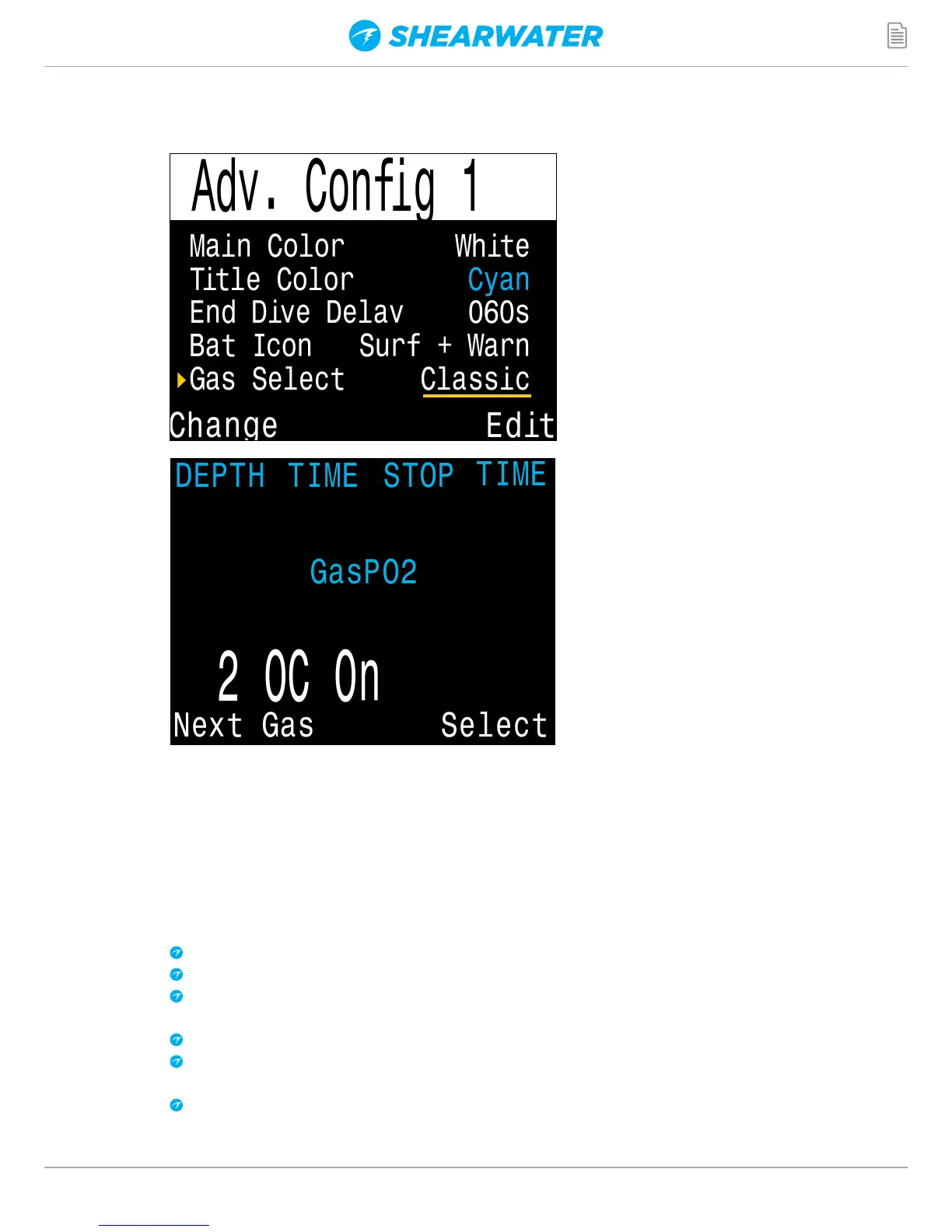
Main Color White
Title Color Cyan
End Dive Delav 060s
Bat Icon Surf + Warn
Gas Select Classic
21.4
50/00
.66
22
21
2
Select Gas Menu Styles
Two styles of Select Gas menus are available, Classic and New.
Change between the two styles in the Adv. Config 1 menu.
Classic Style Select Gas
The classic Select Gas style is as described on the previous page.
One gas is shown at a time.
Press MENU to step through gases, and SELECT to select the
shown gas.
Gases are sorted from highest O2% to lowest O2%.
Stepping past the last gas will exit the menu without changing
the active gas.
Upon entering the Select Gas menu, the first gas shown is always
the highest O2% gas.
Classic Select Gas


 To Next Page