Operations Manual Perdix
Manual DocRev B
80
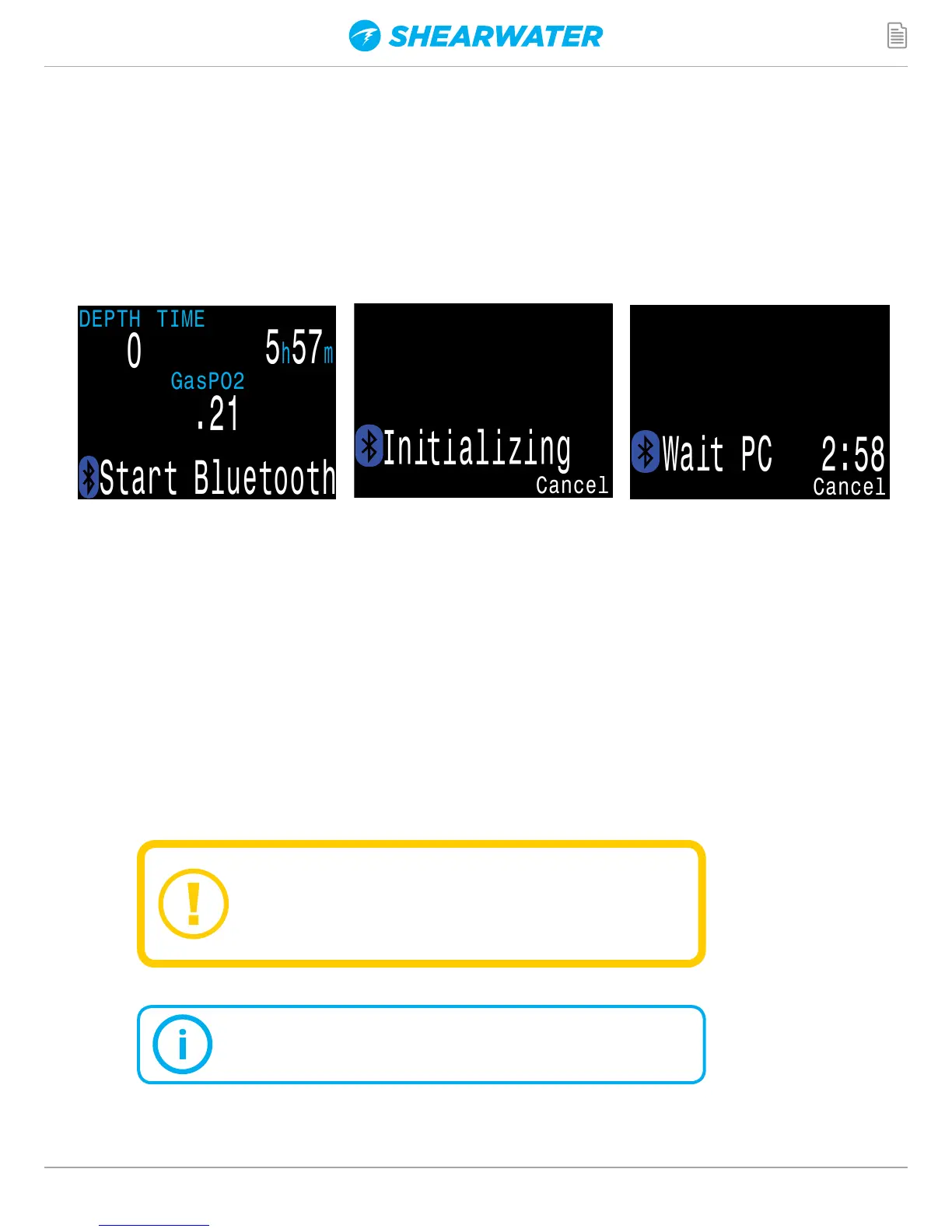
STARTING BLUETOOTH
Bluetooth communications are used for both Firmware Uploading
and Dive Log Downloading.
To start Bluetooth on your dive computer, simply press the left
button 4 times, followed by the right button once.
During the update process, the screen may
flicker or go blank for a few seconds.
FIRMWARE UPDATE
Upgrading the firmware resets
decompression tissue loading.
Plan repetitive dives accordingly.
It is important to keep the firmware on your dive computer up
to date. In addition to new features and improvments, firmware
updates address important bug fixes.
There are two ways to update the firmware on your Perdix:
1) With Shearwater Desktop
2) With Shearwater Cloud Mobile


 To Next Page