Operations Manual Perdix
Manual DocRev B
54
0
0
50/00
0
50/00
0
50/00
0
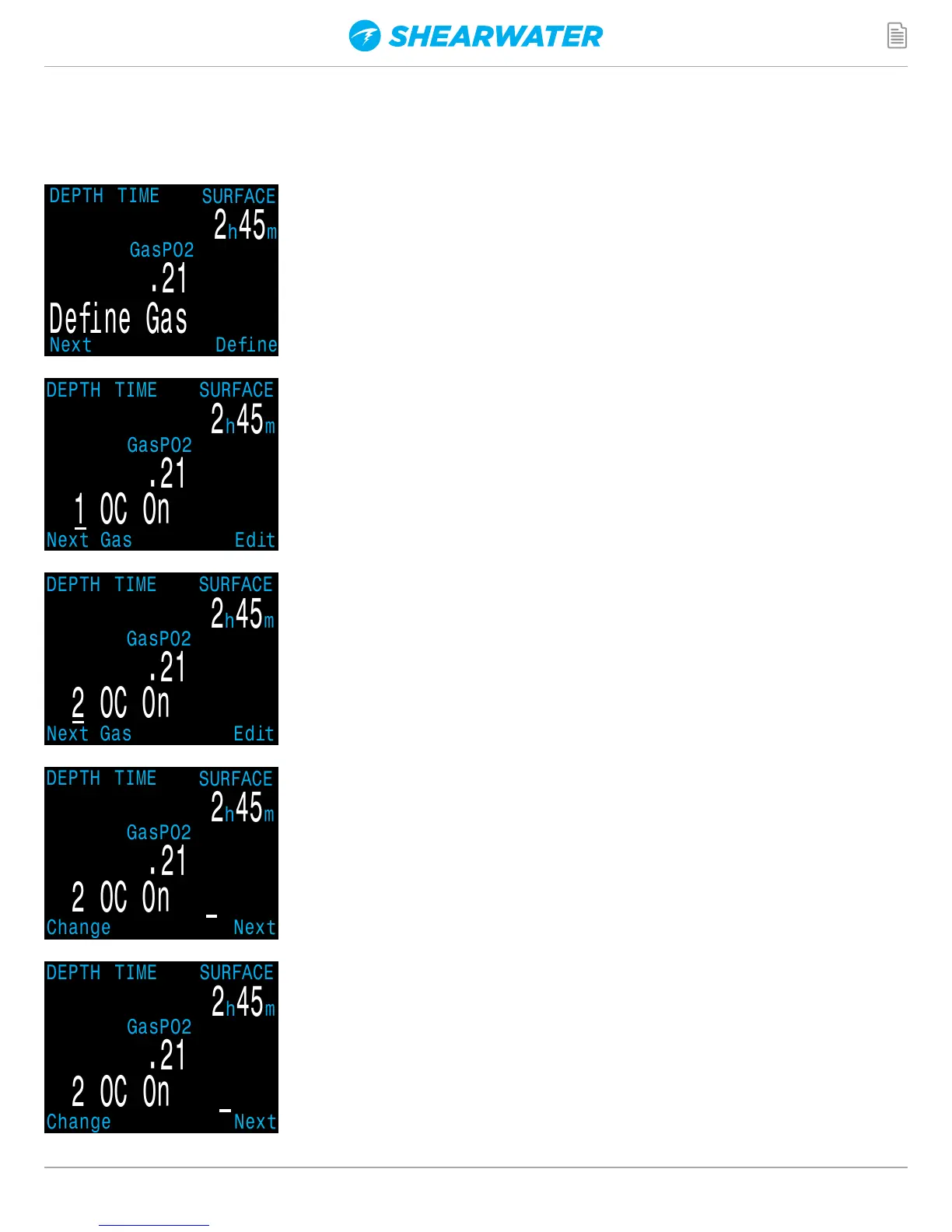
Define Gas
Each push of the MENU button will increment the
digit being edited. When the digit reaches 9, it will
roll over to 0.
Pushing SELECT will allow you to edit the current
gas. The gas contents are edited one digit at a time.
The underline will show you the digit being edited.
Pushing the MENU button will display the next gas.
Pushing SELECT when “Define Gas” is displayed
presents the function to define gas number 1.
The define gas function allows you to set up 5 gases
in Closed Circuit and 5 gases in Open Circuit. You
must be in Open Circuit to edit open circuit gases,
and you must be in Closed Circuit to edit closed
circuit diluents. For each gas, you can select the
percentage of oxygen and helium in the gas. The
remainder is assumed to be nitrogen.


 To Next Page