Operations Manual Perdix
Manual DocRev B
74
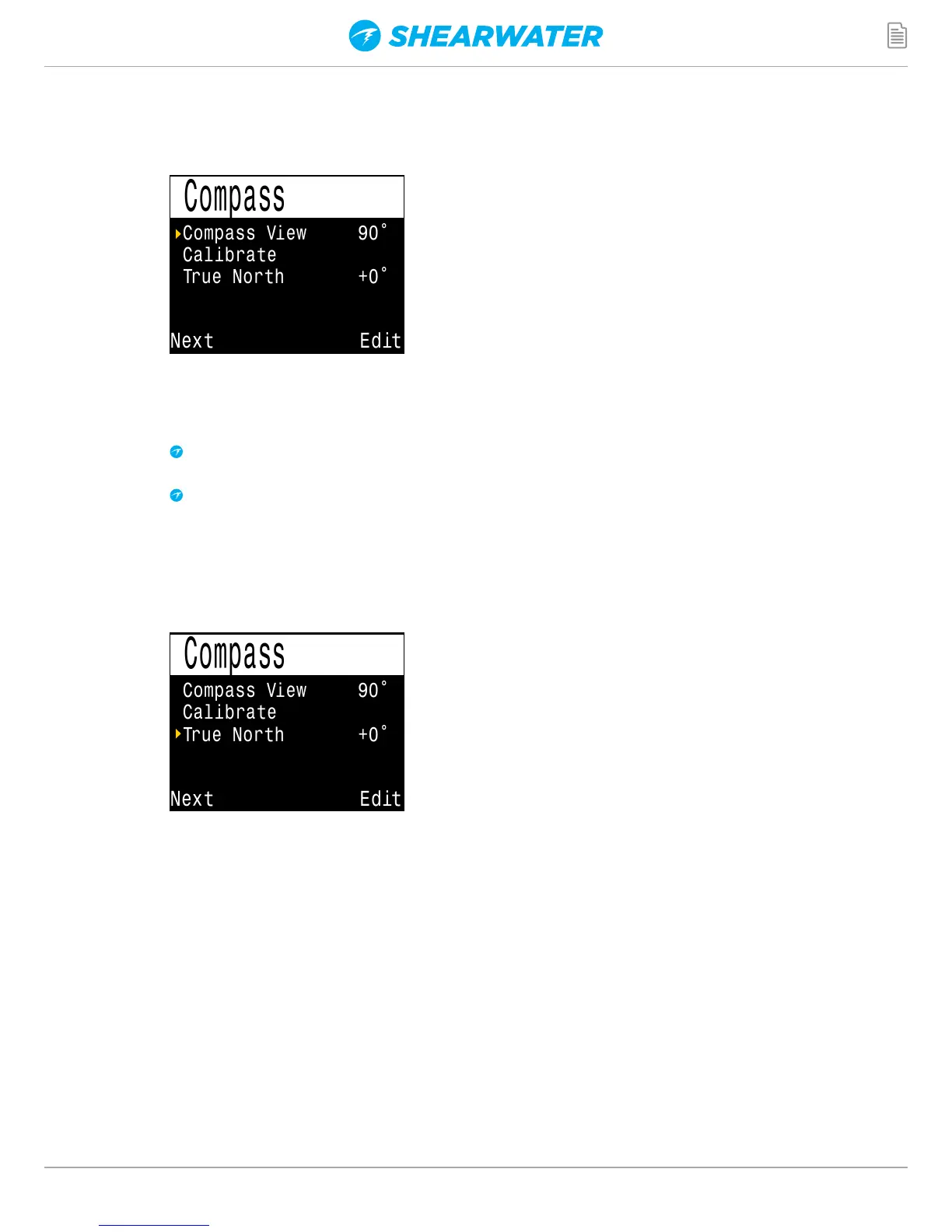
Compass Setup
Compass View 90
Calibrate
True North +0
188°
Compass View 90
Calibrate
True North +0
188°
Compass View
The Compass View setting can be set to:
Off: The compass is disabled.
60°, 90°, or 120°: Sets the range of the compass dial that is
visible on the main screen. The actual amount of arc that there is
room for on the screen is 60°, so this may feel the most natural.
The 90° and 120° settings allow a wider range to be seen at
once. The default is 90°.
True North
In most places, a compass does not point towards True North,
but rather to Magnetic North. The difference in angle between
these two directions is called the magnetic declination (also called
magnetic variation), and varies around the world. The declination in
your location can be found on maps or by searching online.
This setting can be set from -99° to +99°.
If you only need to match an uncompensated compass, or your
navigation is all based on relative directions, then this setting is not
necessary and can be left at 0°.


 To Next Page