Operations Manual Perdix
Manual DocRev B
52
0
0
0.7
0
0.4
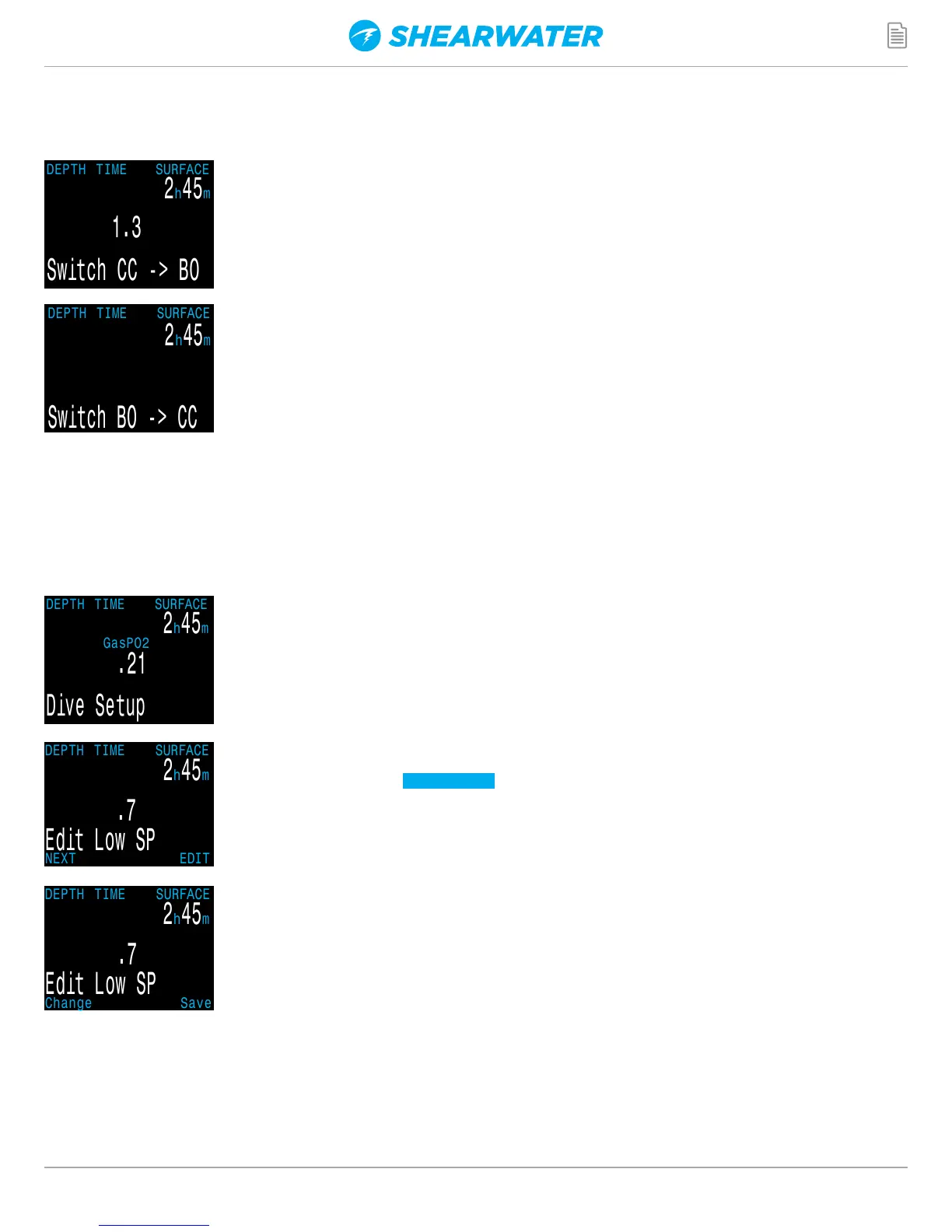
SWITCH TO CC/BO
Depending on the current computer setting, this selection will show as
either “Switch CC > BO” or “Switch BO > CC”.
Pressing SELECT will select the displayed mode for decompression
calculations. When switching to Bail Out while diving, the most
appropriate Bail Out gas will become the breathing gas for calculations.
At this point, the diver may want to switch to a different gas, but since the
diver may have other things to deal with, the computer will make a “best
guess” of which gas the diver would choose.
DIVE SETUP
The Dive Setup menus are available both on the surface and when diving.
The values in Dive Setup can also be accessed in the Systems Setup
menu, but the System Setup menu is not available when diving.
Pressing SELECT will enter the Dive Setup sub-menu.
Low Setpoint
This item allows you to set the low setpoint value. It will display the
currently selected value. Values from 0.4 to 1.5 are allowed.
A press of MENU will increment the setpoint.
Press the SELECT button when “Edit Low SP” is displayed and the edit
display will be shown. It is set at the lowest valid value for setpoint, .4.
CC/BO ONLY


 To Next Page