Operating Instructions
Page 11
Doc. 15301-RevB (2023-11-24)
3.4. Detailed Descriptions
The Top Row
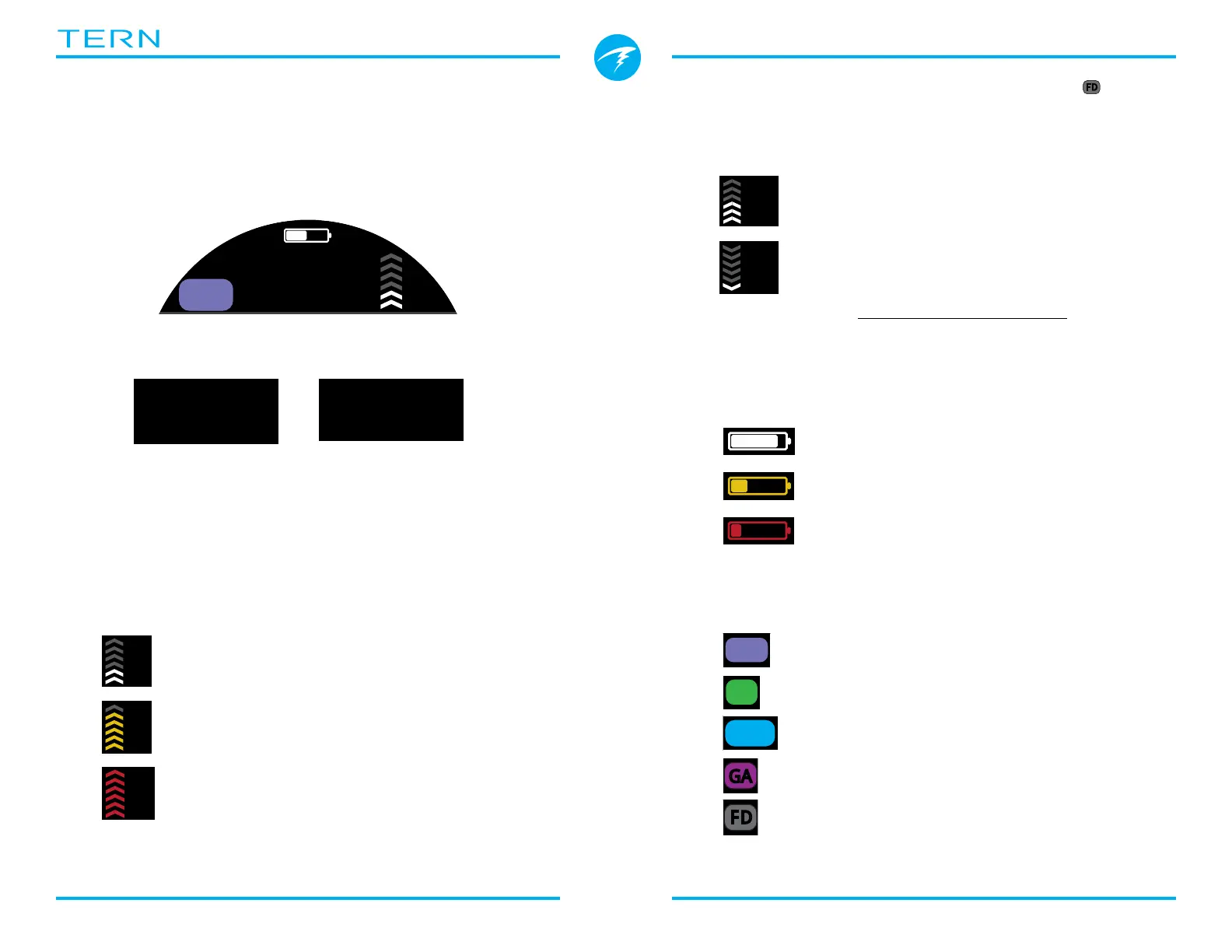
The top row shows depth, ascent rate, battery and
mode information�
Depth
Displayed to one decimal place in feet or meters�
Note: If the depth shows a Flashing Red zero or shows a
depth at the surface, then the depth sensor needs service�
Ascent Rate Display
Shows how fast you are currently ascending
graphically and numerically�
1 arrow per 3 meters per minute (mpm) or 10 feet per
minute (fpm) of ascent rate�
Note: Deco calculations assume 10mpm (33fpm)
ascent rate�
ft
WHITE when less than 9 mpm / 30 fpm (1
to 3 arrows)
YELLOW when greater than 9 mpm /
30 fpm and less than 18 mpm / 60 fpm
(4 or 5 arrows)
FLASHING RED when greater than
18 mpm / 60 fpm (6 arrows)
Freedive Mode Ascent / Descent Rate Display
Freedivers ascend much faster than SCUBA divers� So,
ascent rate in Freedive Mode is measured in feet per
second (fps) or meters per second (mps) rather than
feet per minute or meters per minute�
In Freedive Mode, 1 arrow per 1 fps / 0�3 mps�
Descent rate is displayed in addition to ascent
rate in Freedive Mode�
Read more about Freedive Mode on page 32�
Battery Icon
The battery icon is shown on the surface but
disappears when diving� If low or critical then the
battery icon will appear while diving�
Dive Mode Indicator
The dive mode indicator is only shown at the surface�
WHITE when battery charge is OK
YELLOW when battery needs to
be charged�
RED when battery must be
charged immediately�
OC
OC
BO
CC
FD
OC
BO
CC
FD
GA
OC
Nx
Air
Nitrox (Single Gas)
3 GasNx (Three Gas Mode)
Freedive Mode
Gauge Mode
m
.
1
AIR
OC
BO
CC
FD



 To Next Page