Operating Instructions
Page 9
Doc. 15301-RevB (2023-11-24)
3. Dive Mode Interface
3.1. Default Dive Setup
The Tern comes pre-configured for recreational diving�
The default dive mode for the Tern is a simple Air only
mode�
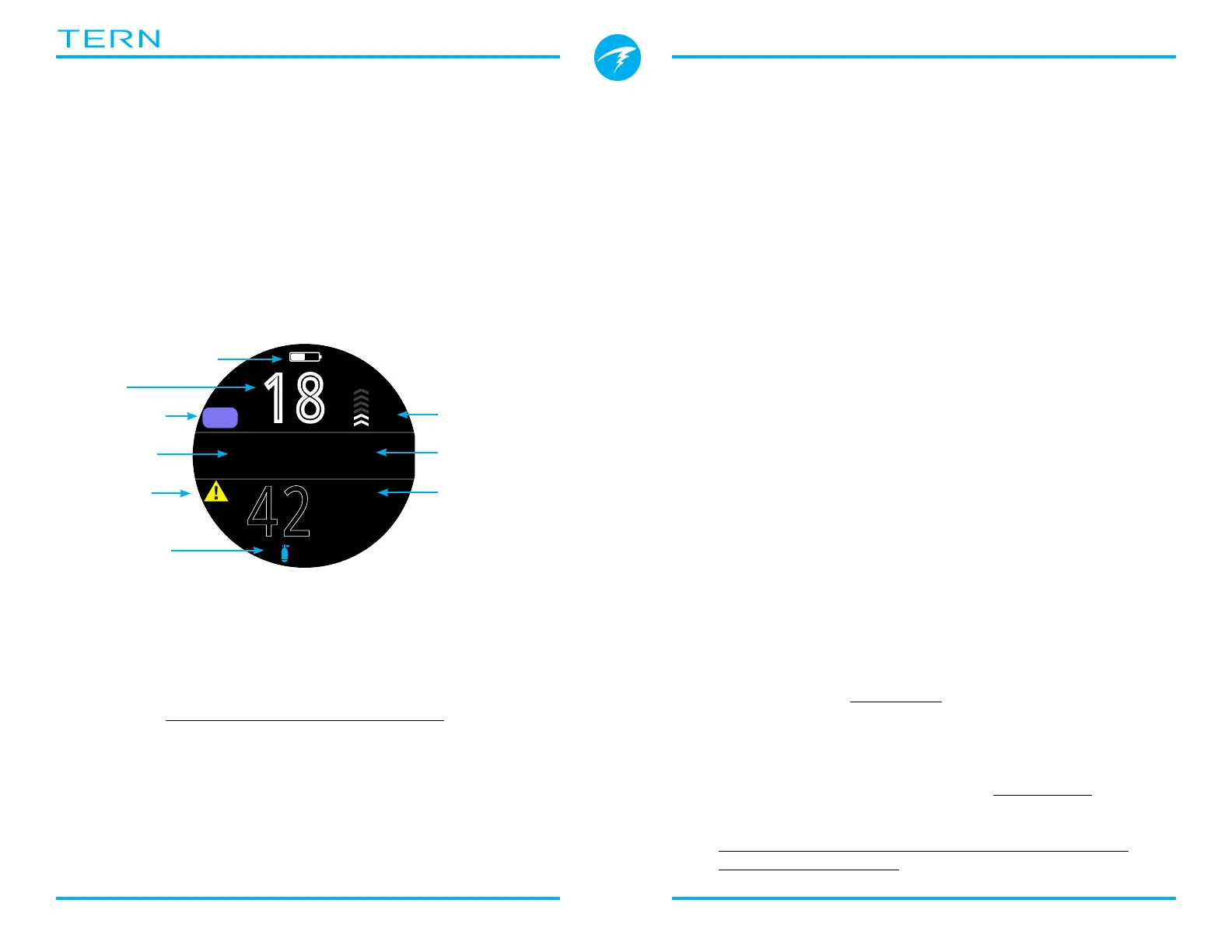
As a quick reference, a diagram of the default diving
display is shown below�
Many attributes of this default mode are shared with
the other dive modes� The following sections go into
detail about each screen element�
See the AIR mode Example Dive on page 28 for a
walk through of how this screen changes through all
phases of a dive�
42
:
18
.0
m
%
NDL MAX
m
33.5
15
6
AIR
!
Battery Indicator
Depth
Dive Mode Ascent Rate
No Deco
Limit
Maximum
Depth
Alert
Indicator
Dive Time
Active Gas
AIR mode with Big screen
layout
3.2. Dive Mode Differentiation
Each dive mode is designed to best suit a particular
type of diving�
Air
Designed for use during recreational, air only,
no-decompression diving activities�
• Simple Set-up
• Air (21% oxygen) only
• No gas switching underwater
Nitrox (Single Gas)
Designed for use during recreational, Nitrox,
no-decompression diving activities�
• Single Gas Nitrox up to 40% oxygen
• No gas switching underwater
3 GasNx (Three Gas Mode)
Designed for use during advanced diving activities
including light technical diving involving planned
decompression�
• Three programmable gases
• Support for gas switching
• Nitrox up to 100%
• Edit gas mixes underwater
Gauge
Gauge Mode is a simple depth and time display (a�k�a�
a bottom timer)� See page 31�
• No tissue tracking
• No decompression information
Freedive
Optimized for use while freediving� See page 32�
• Freediving sets�
Change the Dive Mode from the Dive Settings menu�
See details on page 48�



 To Next Page