Operating Instructions
Page 7
Doc. 15301-RevB (2023-11-24)
2.2. Buttons
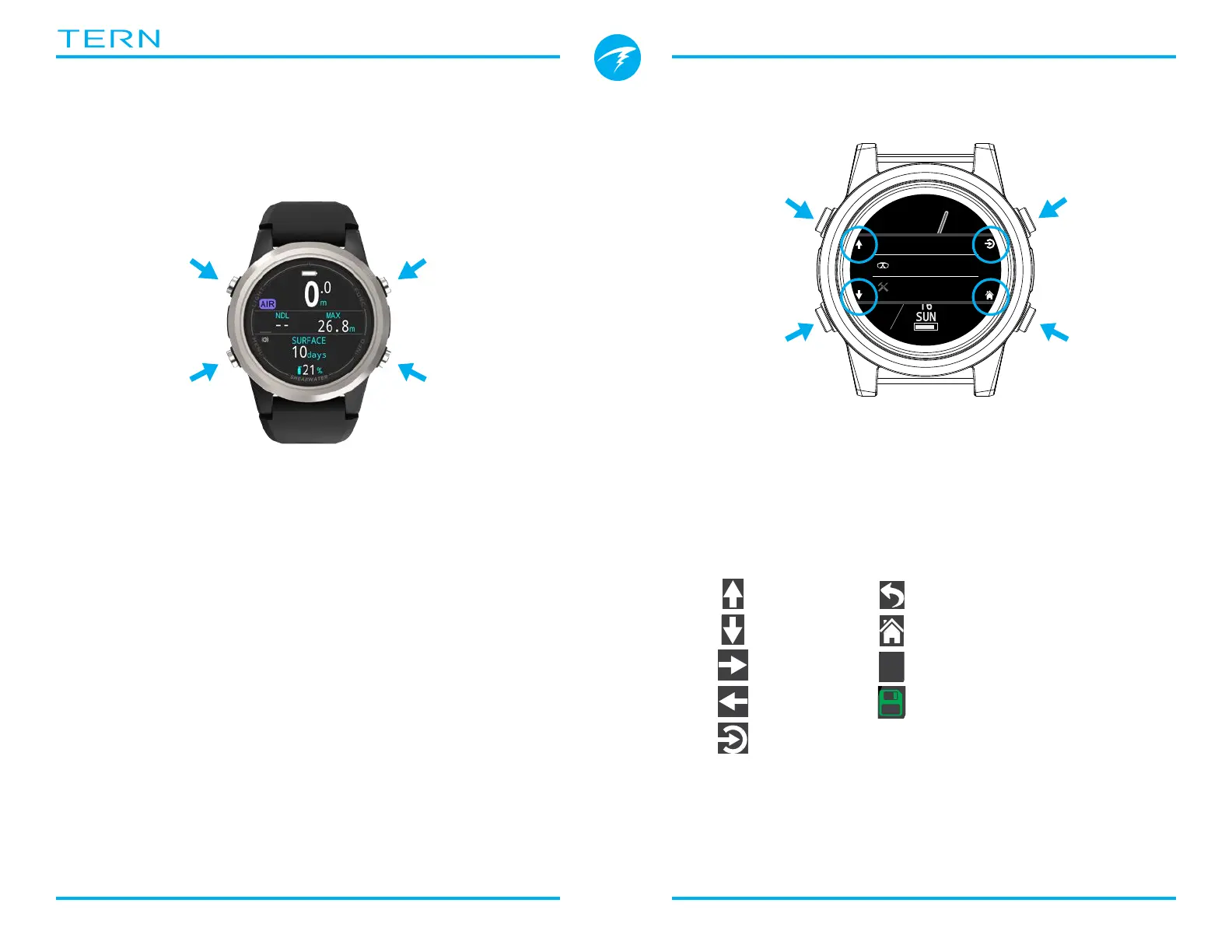
All Tern operations are simple single button presses�
No need to remember all the button rules below�
Button hints make using the Tern easy�
MENU Button (Lower Left)
From the main screen > Brings up the menu
In a menu > Moves down to the next menu item
INFO Button (Lower Right)
From the main screen > Cycles through info screens
In a menu > Exits back to the previous menu or main
screen
LIGHT button (Upper Left)
From the main screen > Cycles brightness levels
In a menu > Moves up to the next menu item
FUNCTION Button (Upper Right)
From the main screen > Configurable shortcut
In a menu > Selects menu item
FUNC
(Upper Right)
LIGHT
(Upper Left)
MENU
(Lower Left)
INFO
(Lower Right)
Button Hints
When in a menu, button hints label each button:
In the example above, the hints tell us:
• Use LIGHT to move up a menu item
• Use MENU to move down a menu item
• Use FUNC to select a menu item
• Use INFO to go back to the home screen
Button Hint Icons:
Dive
Watch Tools
UP
DOWN
NEXT
SELECT
HOME
CANCEL
SAVE
SELECT
UP
DOWN
HOME
PREVIOUS
Deco
Deco Model
ZHL16C+GF
GF Conserv.
High 45/80
Last Stop
3 m
BACK



 To Next Page