Operating Instructions
Page 28
Doc. 15301-RevB (2023-11-24)
6. Example Dives
6.1. AIR mode Example Dive
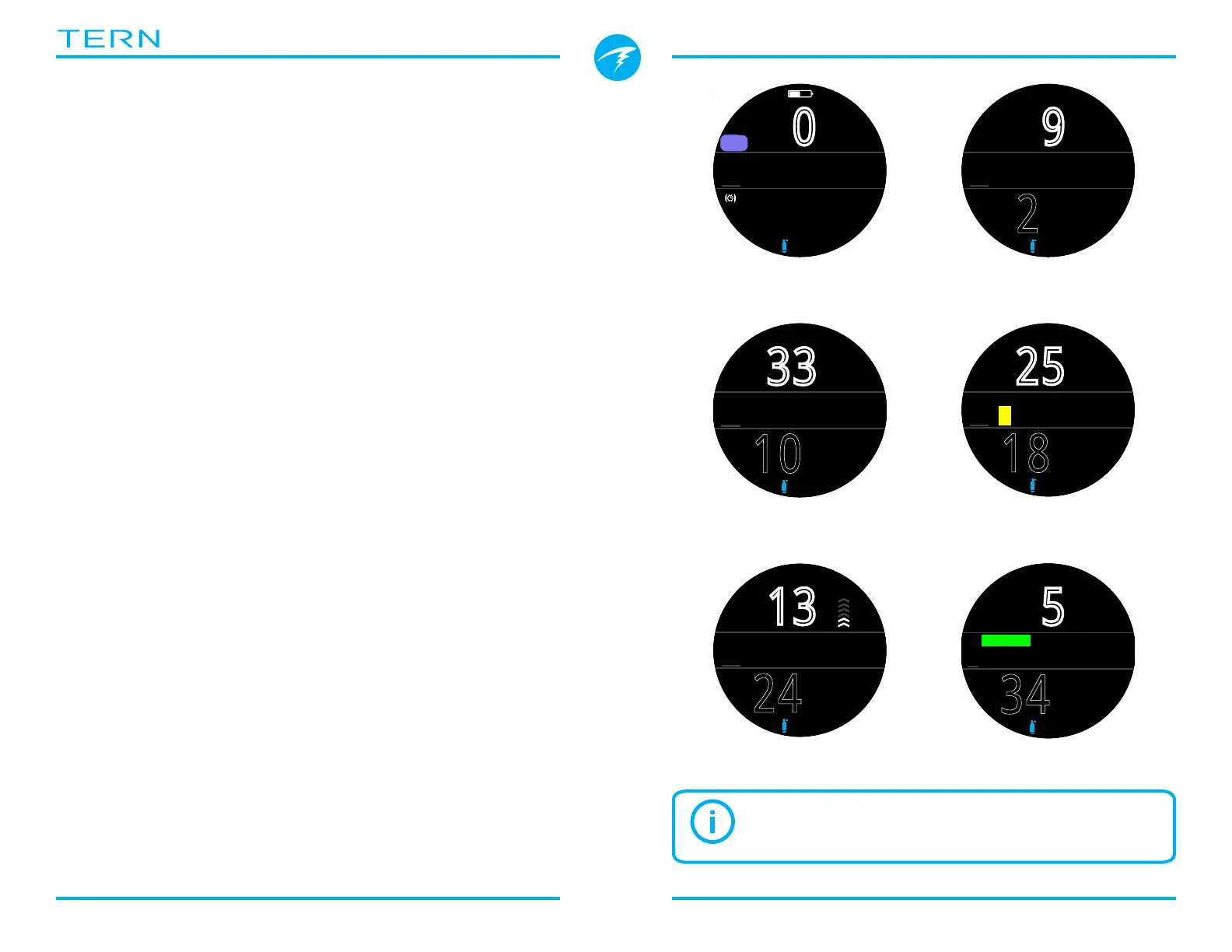
This is an example of displays that might be seen on a
simple no-decompression dive in AIR Mode using the
Big layout configuration�
1� Pre-Dive - This is the surface screen immediately
before descending� At the surface, the AIR icon is
visible, the battery is shown to be about half full, and
the alerts are set to vibrate� At the surface maximum
depth indicates the maximum depth reached on the
previous dive�
2� Descent - As we pass through 9 meters, NDL shows
99 minutes, the maximum no decompression limit
that the computer will display during a dive�
3� Max Depth -The NDL starts to show smaller
numbers as depth increases�
4� Low NDL - When the NDL goes below 5 minutes, it
turns yellow indicating that we should begin making
our ascent to avoid a decompression obligation
5� Ascent - As we ascend our NDL begins increasing
again indicating that we can stay a bit longer at this
shallower depth� The ascent rate indicator shows that
we are ascending at about 6 mpm or 22 fpm�
6� Safety Stop - When we ascend shallower than 6m
we are prompted to perform a safety stop� In this case
the safety stop setting has been set to Adapt, and
because of our deep profile, the countdown began at
5 minutes� A CLEAR indicator will inform us when the
safety stop has been completed�
.0
m
%
mh
342
SURFACE
NDL MAX
m
29.6
--
OC
AIR
AIR
2
:
26
.3
m
%
NDL
99
MAX
m
9.3
10
:
26
.5
33
m
%
NDL MAX
m
33.5
10
18
:
32
.2
25
m
%
NDL
4
MAX
m
33.5
1� Pre-Dive 2� Descent
3� Max Depth
4� Low NDL
24
:
32
.9
13
m
%
NDL
48
MAX
m
33.5
6
5� Ascent
34
:
21
.5
5
m
%
NDL MAX
m
33.5
3:22
SAFETY
6� Safety Stop
Although safety stops are not mandatory, gas
supply permitting, best practice is to perform a
safety stop on every dive�



 To Next Page