Operating Instructions
Page 41
Doc. 15301-RevB (2023-11-24)
Flashlight
The flashlight simply turns the Tern screen on full
brightness to provide an emergency source of light� It
is only useful in the darkest of rooms or caves�
Watch Faces
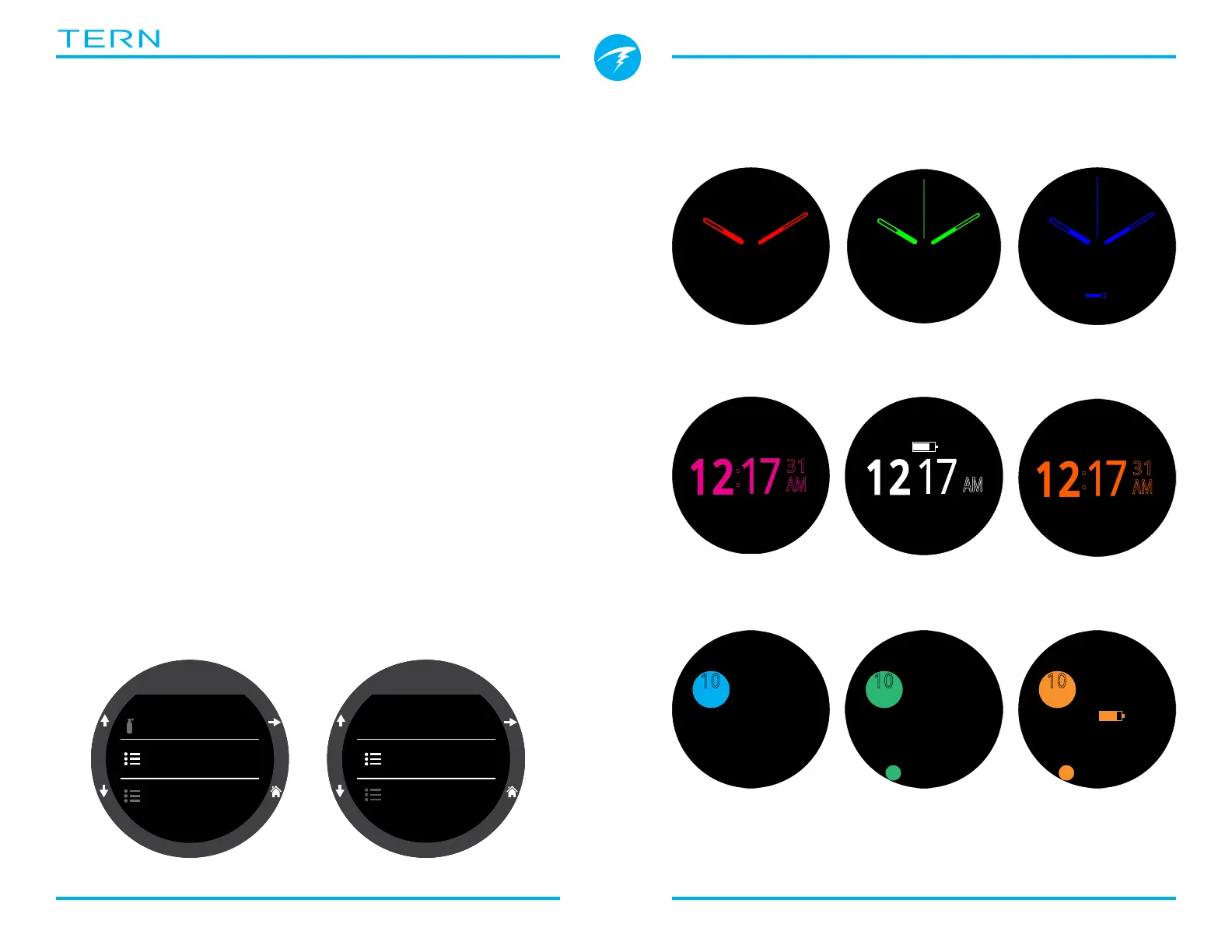
Three watch faces are available for the Tern: Analog,
Digital and Orbits�
The active watch face can be selected in the Watch
Tools menu, or by default, it can be toggled by the
function button in Watch Mode�
Each watch face can be displayed with various
amounts of information�
Information levels can be quickly toggled by pressing
the Info button�
9.3. Watch Face Colors
15 different watch face colors are available allowing
over 100 possible watch face appearances�
Watch face colors can be selected in Settings > Display
> Colors�
ft
125
.
P
S
I
6
23
19
:
DECO
20 214
T1
1850
O2/He
21/00
ft min
TTS
OC
23
!
MON
07
ft
125
.
P
S
I
6
23
19
:
DECO
20 214
T1
1850
O2/He
21/00
ft min
TTS
OC
23
!
DATE
Mon 28
mbar
1013
BATTERY
93%
SURFACE
9h 04m
:
31
AM
ft
125
.
P
S
I
6
23
19
:
DECO
20 214
T1
1850
O2/He
21/00
ft min
TTS
OC
23
!
Analog
Digital
Orbits
Settings
Display|ft/F
Watch
Gases
Display
�F
Temp Units
Colors
Brightness
ft
125
.
P
S
I
6
23
19
:
DECO
20 214
T1
1850
O2/He
21/00
ft min
TTS
OC
23
!
N
Over 100 possible watch face appearances can be created by selecting the watch
face, information level, and watch face color�
10
10
MON-28
35
10
10
35
10
10
:
31
AM
MON-28
ft
125
.
P
S
I
6
23
19
:
DECO
20 214
T1
1850
O2/He
21/00
ft min
TTS
OC
23
!
:
31
AM



 To Next Page