Shure Incorporated
10/101
⑰ Mounting Bracket
Allows for optional mounting to a wall, ceiling, or mic stand.
LED Status Indicators
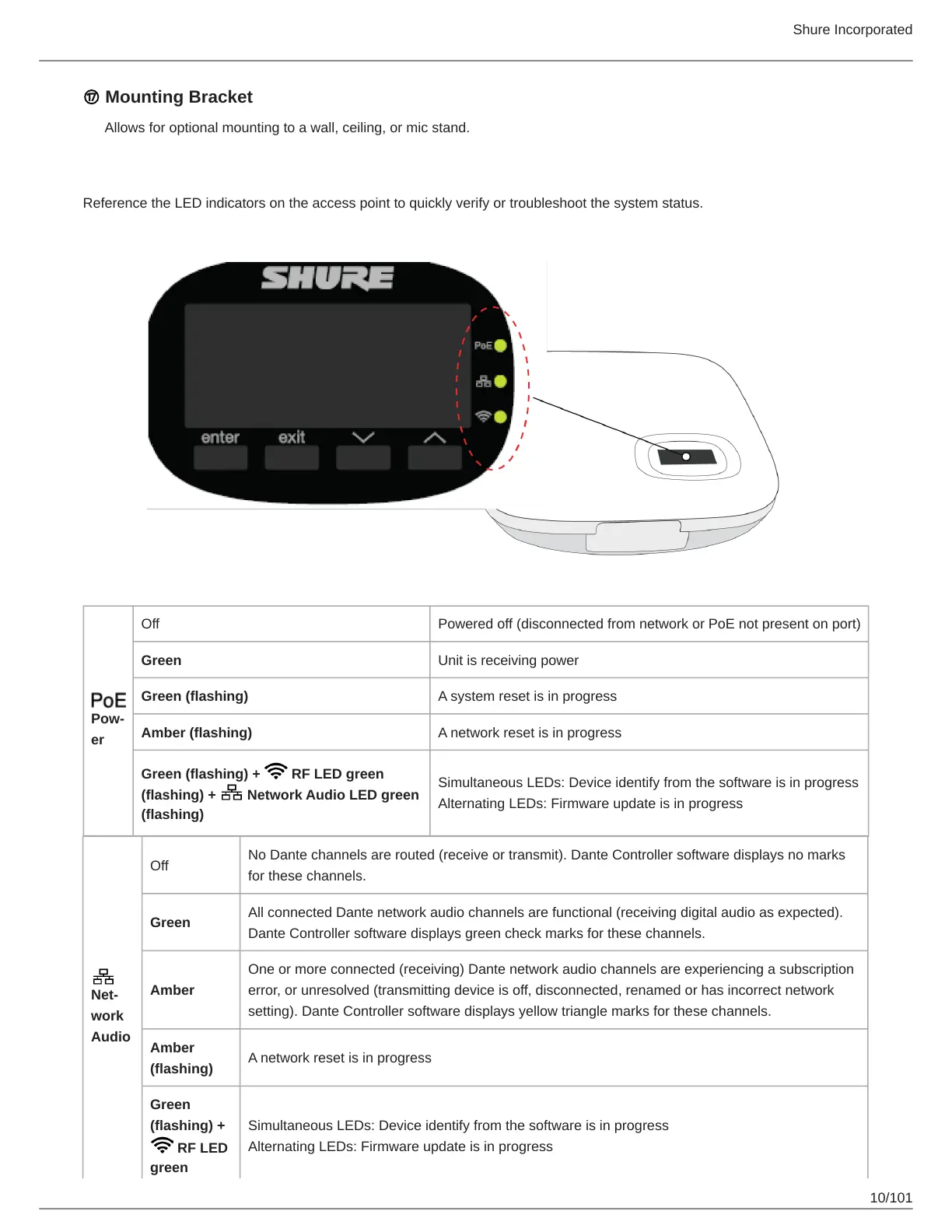
Reference the LED indicators on the access point to quickly verify or troubleshoot the system status.
Pow
er
Off Powered off (disconnected from network or PoE not present on port)
Green Unit is receiving power
Green (flashing) A system reset is in progress
Amber (flashing) A network reset is in progress
Green (flashing) + RF LED green
(flashing) + Network Audio LED green
(flashing)
Simultaneous LEDs: Device identify from the software is in progress
Alternating LEDs: Firmware update is in progress
Net
work
Audio
Off
No Dante channels are routed (receive or transmit). Dante Controller software displays no marks
for these channels.
Green
All connected Dante network audio channels are functional (receiving digital audio as expected).
Dante Controller software displays green check marks for these channels.
Amber
One or more connected (receiving) Dante network audio channels are experiencing a subscription
error, or unresolved (transmitting device is off, disconnected, renamed or has incorrect network
setting). Dante Controller software displays yellow triangle marks for these channels.
Amber
(flashing)
A network reset is in progress
Green
(flashing) +
RF LED
green
Simultaneous LEDs: Device identify from the software is in progress
Alternating LEDs: Firmware update is in progress



 To Next Page