Shure Incorporated
78/101
•
•
Security
Restricting New Device Connections
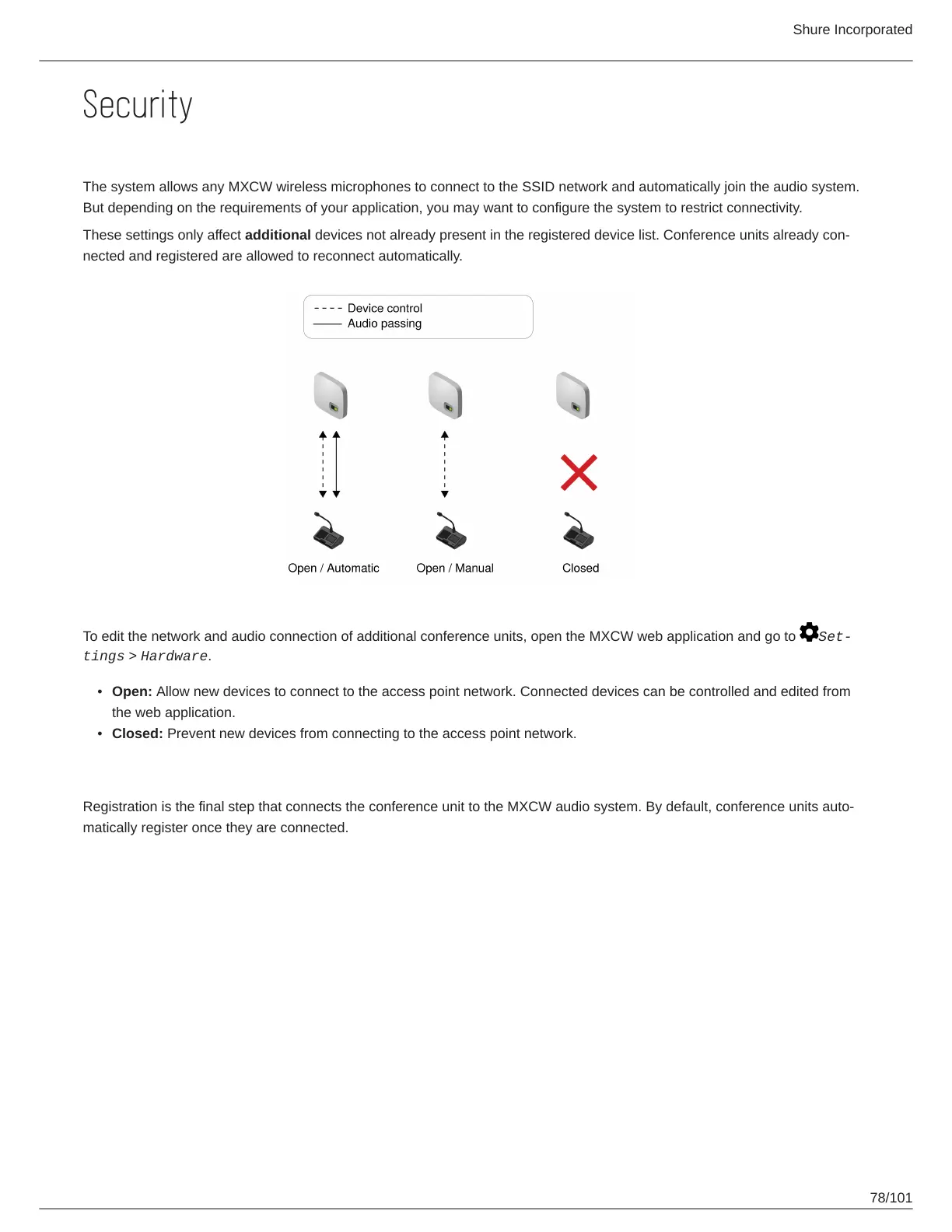
The system allows any MXCW wireless microphones to connect to the SSID network and automatically join the audio system.
But depending on the requirements of your application, you may want to configure the system to restrict connectivity.
These settings only affect additional devices not already present in the registered device list. Conference units already con
nected and registered are allowed to reconnect automatically.
To edit the network and audio connection of additional conference units, open the MXCW web application and go to Set
tings > Hardware.
Open: Allow new devices to connect to the access point network. Connected devices can be controlled and edited from
the web application.
Closed: Prevent new devices from connecting to the access point network.
Registration
Registration is the final step that connects the conference unit to the MXCW audio system. By default, conference units auto
matically register once they are connected.



 To Next Page