Shure Incorporated
71/101
◦
◦
◦
◦
3.
1.
2.
3.
4.
5.
Channel 5
Channel 6
Channel 7
Channel 8
Adjust the volume of the headphones using the control knobs on the unit.
Set Up Interpretation Channels
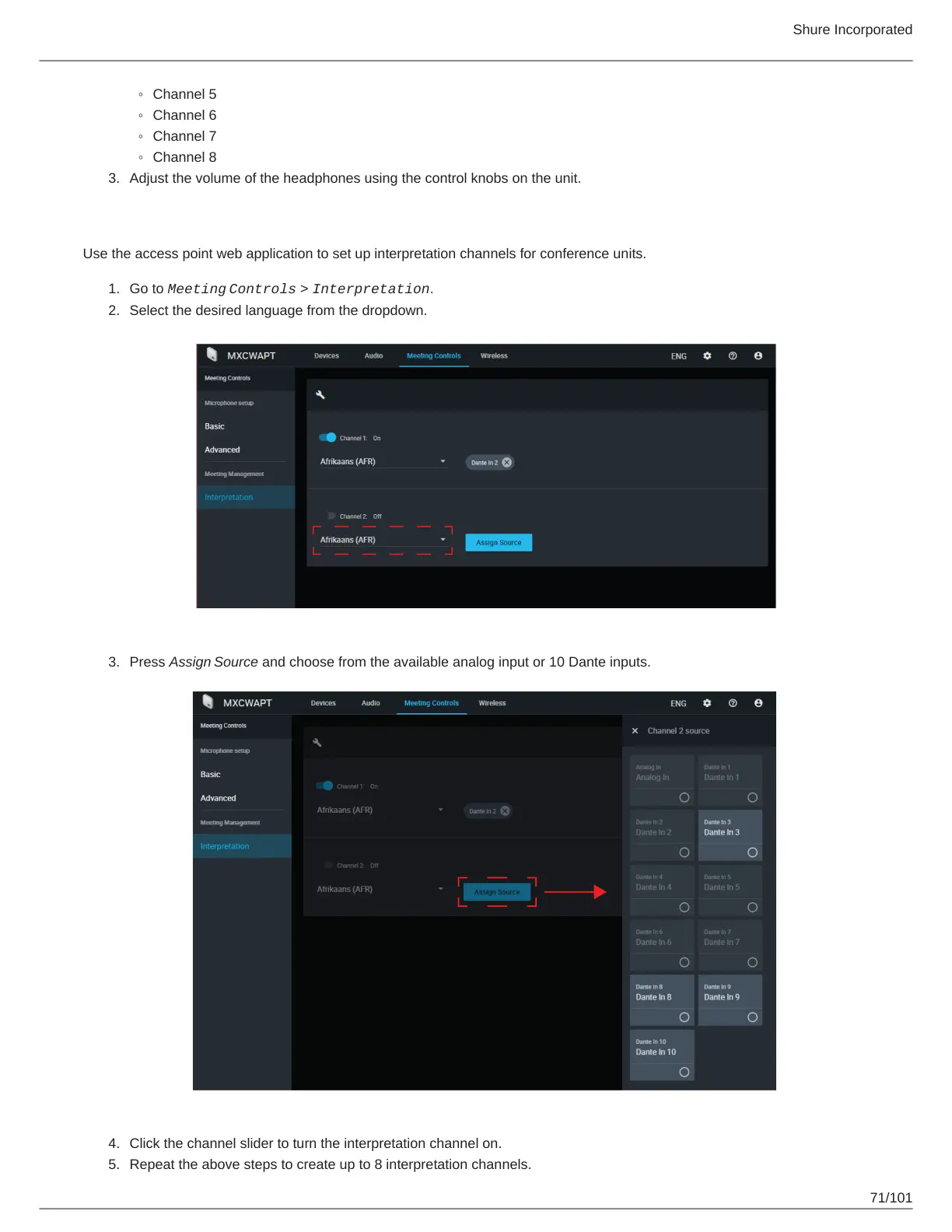
Use the access point web application to set up interpretation channels for conference units.
Go to Meeting
Controls > Interpretation.
Select the desired language from the dropdown.
Press Assign Source and choose from the available analog input or 10 Dante inputs.
Click the channel slider to turn the interpretation channel on.
Repeat the above steps to create up to 8 interpretation channels.



 To Next Page