Shure Incorporated
62/101
•
•
•
•
Listen
ing
Chan
nels
(Down
link)
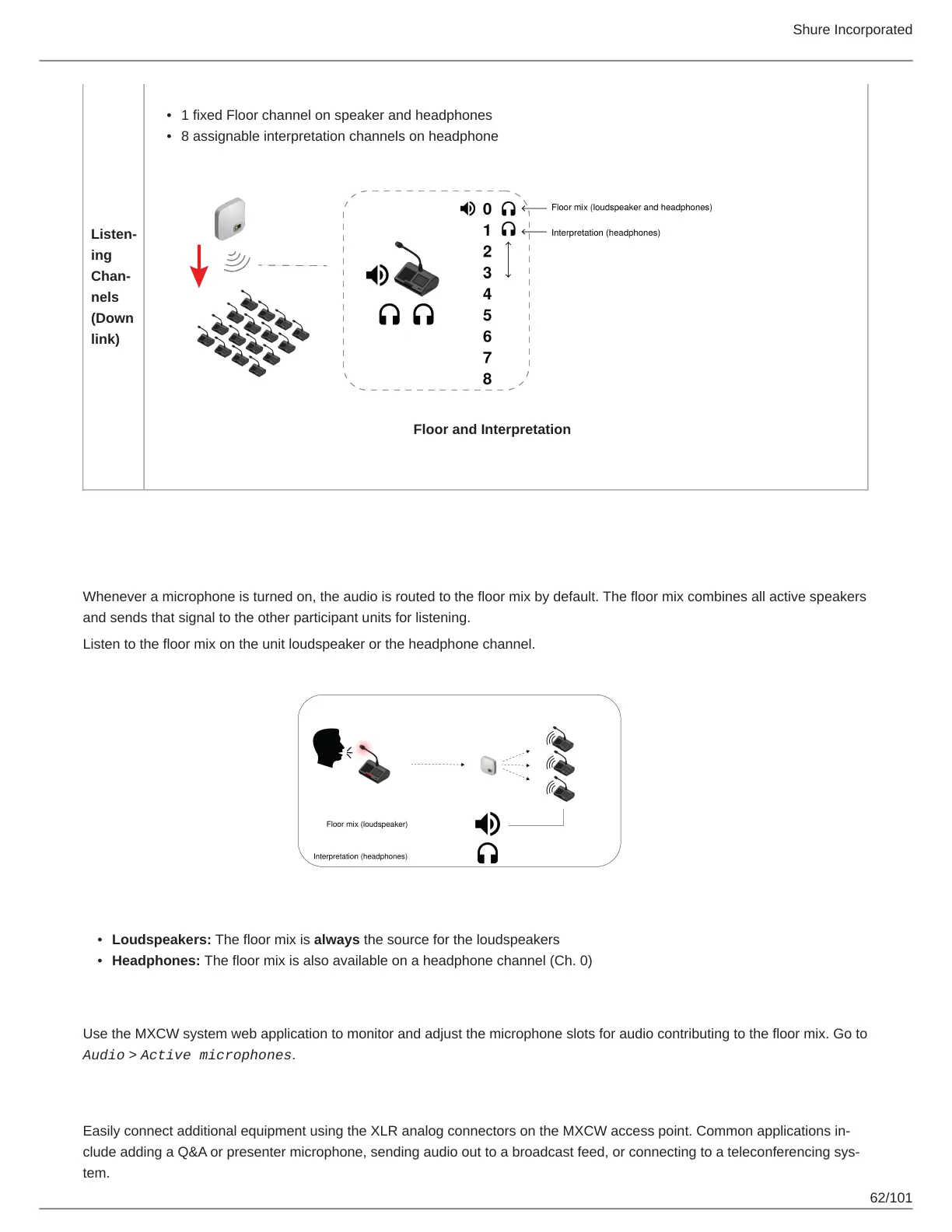
1 fixed Floor channel on speaker and headphones
8 assignable interpretation channels on headphone
Floor and Interpretation
The Floor Mix
Whenever a microphone is turned on, the audio is routed to the floor mix by default. The floor mix combines all active speakers
and sends that signal to the other participant units for listening.
Listen to the floor mix on the unit loudspeaker or the headphone channel.
Loudspeakers: The floor mix is always the source for the loudspeakers
Headphones: The floor mix is also available on a headphone channel (Ch. 0)
Monitoring Active Microphones
Use the MXCW system web application to monitor and adjust the microphone slots for audio contributing to the floor mix. Go to
Audio > Active microphones.
Analog Connections
Easily connect additional equipment using the XLR analog connectors on the MXCW access point. Common applications in
clude adding a Q&A or presenter microphone, sending audio out to a broadcast feed, or connecting to a teleconferencing sys
tem.



 To Next Page