Shure Incorporated
52/101
1.
2.
1.
2.
3.
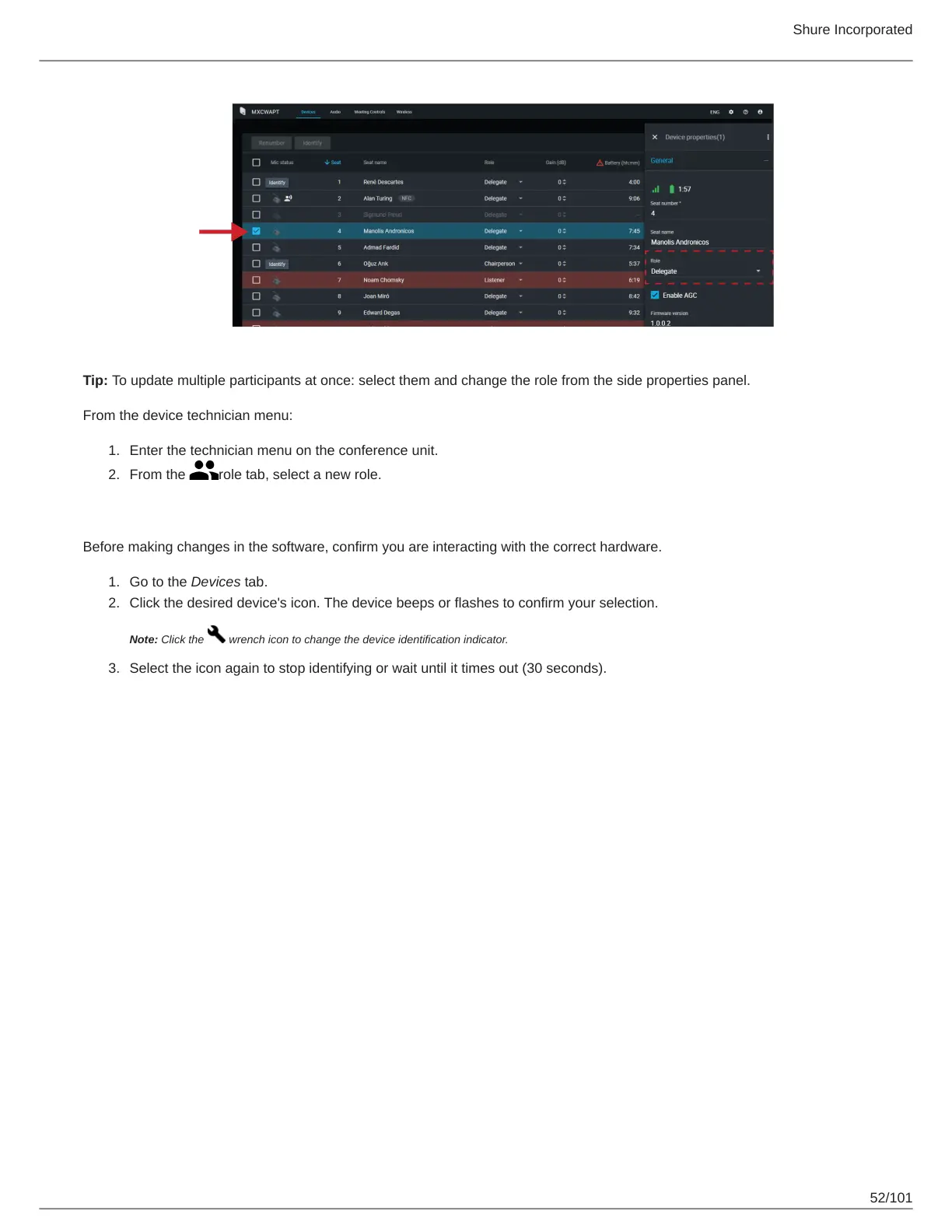
Tip: To update multiple participants at once: select them and change the role from the side properties panel.
From the device technician menu:
Enter the technician menu on the conference unit.
From the role tab, select a new role.
Identifying a Device from the Software
Before making changes in the software, confirm you are interacting with the correct hardware.
Go to the Devices tab.
Click the desired device's icon. The device beeps or flashes to confirm your selection.
Note: Click the wrench icon to change the device identification indicator.
Select the icon again to stop identifying or wait until it times out (30 seconds).



 To Next Page