Shure Incorporated
18/101
1.
2.
3.
•
•
•
•
•
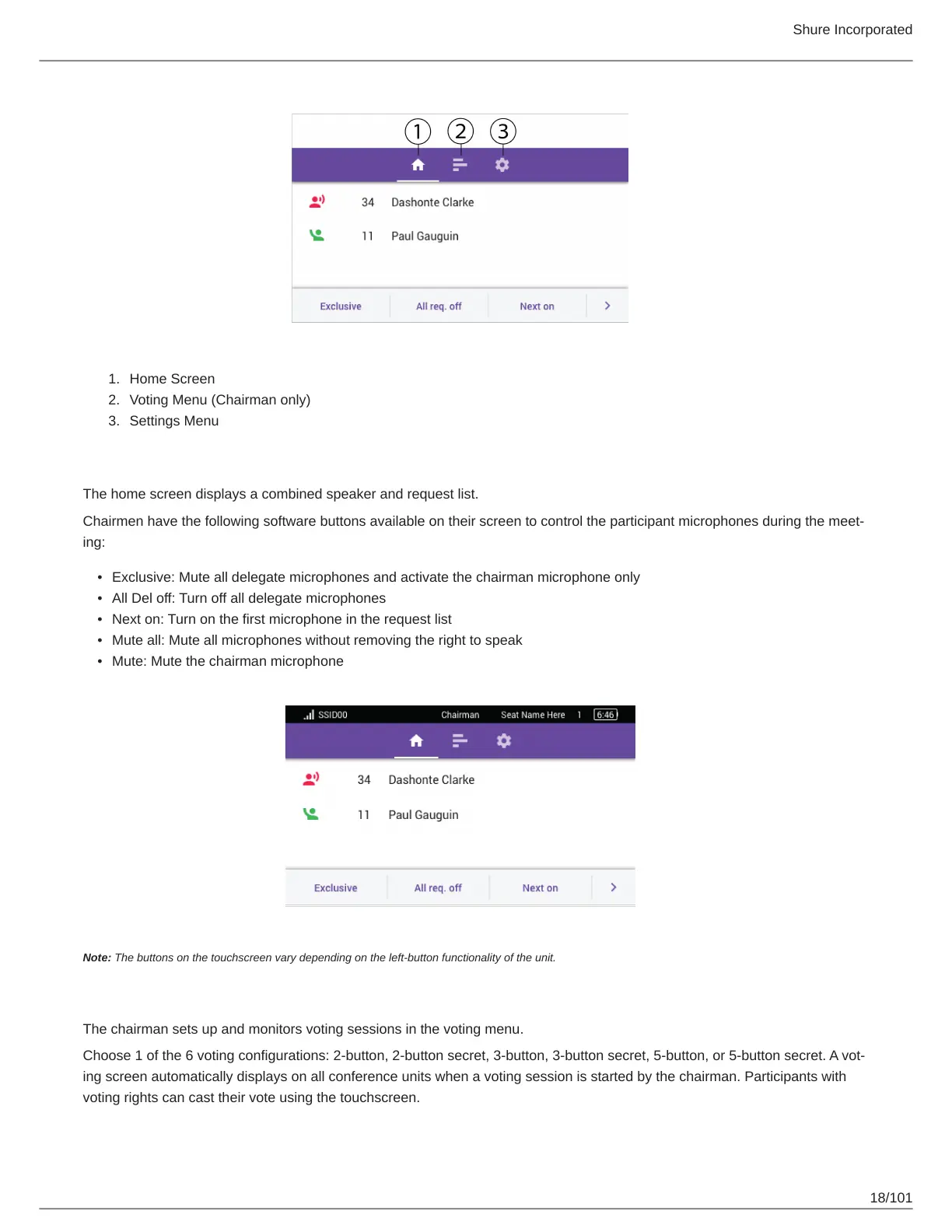
Home Screen
Voting Menu (Chairman only)
Settings Menu
Home Screen
The home screen displays a combined speaker and request list.
Chairmen have the following software buttons available on their screen to control the participant microphones during the meet
ing:
Exclusive: Mute all delegate microphones and activate the chairman microphone only
All Del off: Turn off all delegate microphones
Next on: Turn on the first microphone in the request list
Mute all: Mute all microphones without removing the right to speak
Mute: Mute the chairman microphone
Note: The buttons on the touchscreen vary depending on the left-button functionality of the unit.
Voting Menu
The chairman sets up and monitors voting sessions in the voting menu.
Choose 1 of the 6 voting configurations: 2button, 2button secret, 3button, 3button secret, 5button, or 5button secret. A vot
ing screen automatically displays on all conference units when a voting session is started by the chairman. Participants with
voting rights can cast their vote using the touchscreen.



 To Next Page