Shure Incorporated
69/101
3.
4.
1.
2.
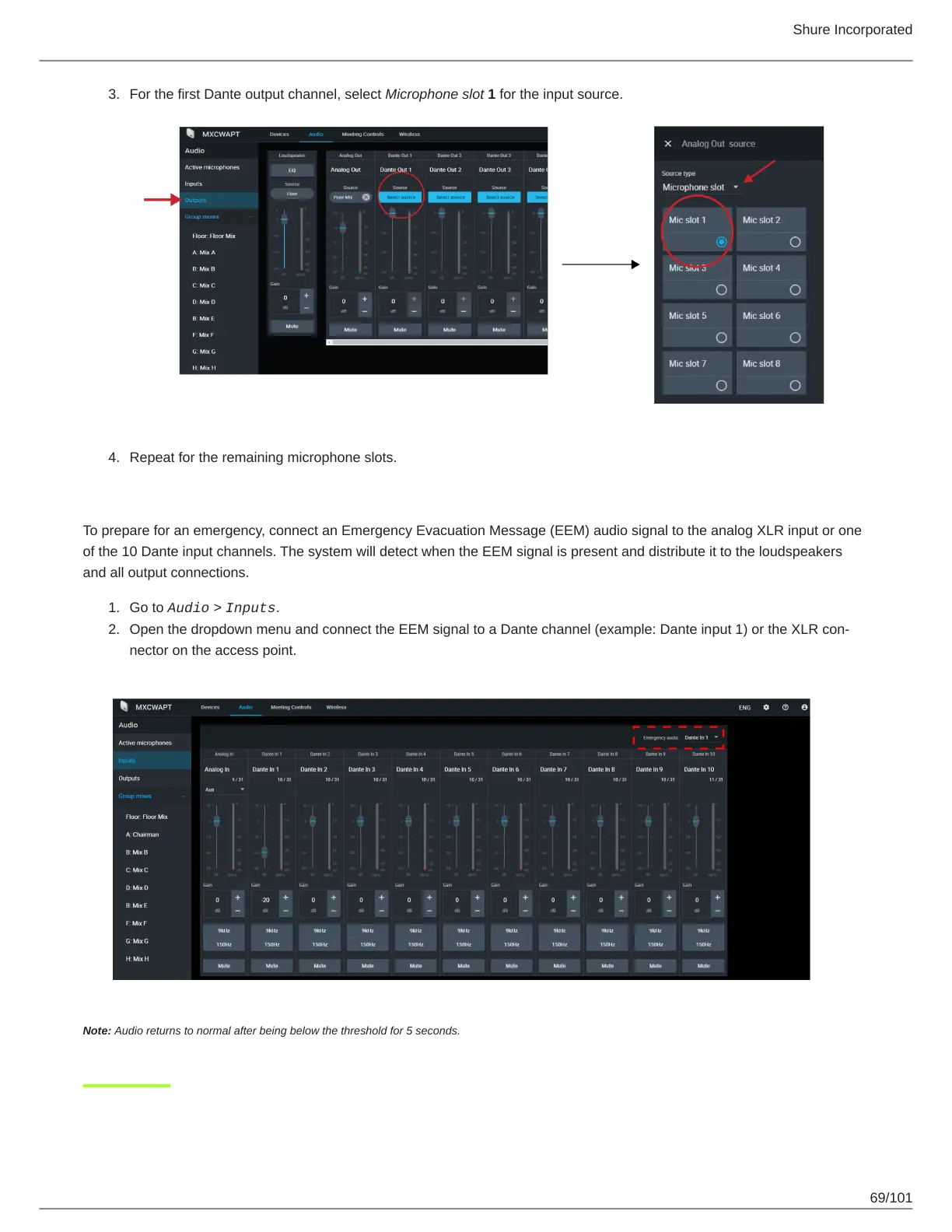
For the first Dante output channel, select Microphone slot 1 for the input source.
Repeat for the remaining microphone slots.
Emergency Audio Signal
To prepare for an emergency, connect an Emergency Evacuation Message (EEM) audio signal to the analog XLR input or one
of the 10 Dante input channels. The system will detect when the EEM signal is present and distribute it to the loudspeakers
and all output connections.
Go to Audio > Inputs.
Open the dropdown menu and connect the EEM signal to a Dante channel (example: Dante input 1) or the XLR con
nector on the access point.
Note: Audio returns to normal after being below the threshold for 5 seconds.



 To Next Page