Shure Incorporated
10/43
•
•
•
•
•
•
1.
2.
•
•
•
•
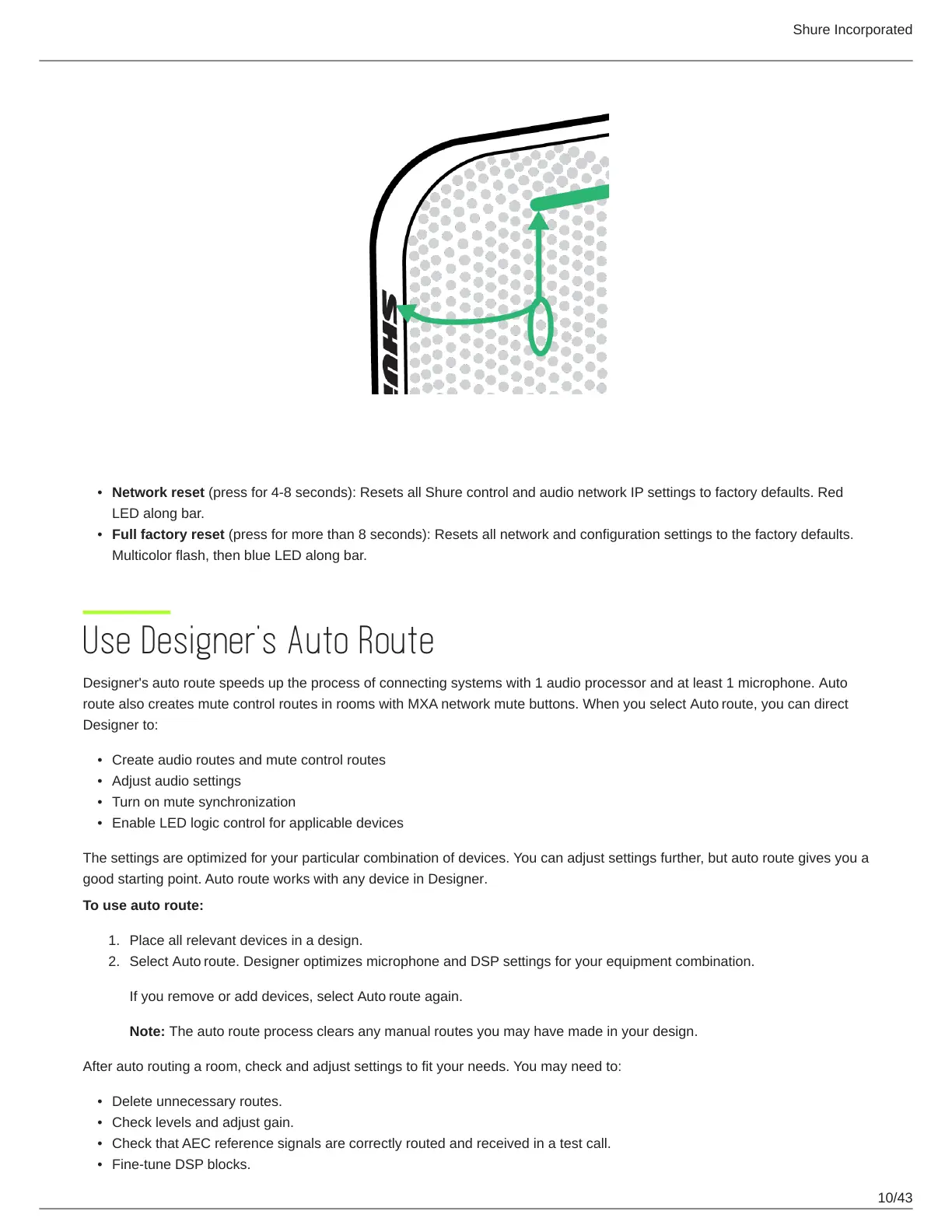
Reset Modes
Network reset (press for 4-8 seconds): Resets all Shure control and audio network IP settings to factory defaults. Red
LED along bar.
Full factory reset (press for more than 8 seconds): Resets all network and configuration settings to the factory defaults.
Multicolor flash, then blue LED along bar.
Use Designer's Auto Route
Designer's auto route speeds up the process of connecting systems with 1 audio processor and at least 1 microphone. Auto
route also creates mute control routes in rooms with MXA network mute buttons. When you select Auto route, you can direct
Designer to:
Create audio routes and mute control routes
Adjust audio settings
Turn on mute synchronization
Enable LED logic control for applicable devices
The settings are optimized for your particular combination of devices. You can adjust settings further, but auto route gives you a
good starting point. Auto route works with any device in Designer.
To use auto route:
Place all relevant devices in a design.
Select Auto route. Designer optimizes microphone and DSP settings for your equipment combination.
If you remove or add devices, select Auto route again.
Note: The auto route process clears any manual routes you may have made in your design.
After auto routing a room, check and adjust settings to fit your needs. You may need to:
Delete unnecessary routes.
Check levels and adjust gain.
Check that AEC reference signals are correctly routed and received in a test call.
Fine-tune DSP blocks.














 To Next Page