Operating Instructions Chapter 3
CLV 42x bar code scanner
Product description
8 009 981/O078/16-08-2004 © SICK AG · Division Auto Ident · Germany · All rights reserved 3-3
3.1.4 Product features and functions (overview)
High-performance laser scanner:
• Fixed focus
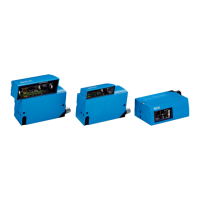
• Line scanner, variant: raster scanner
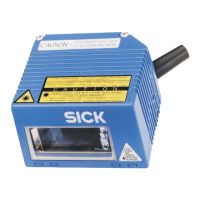
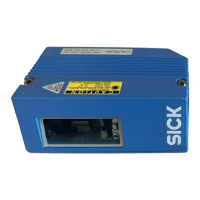
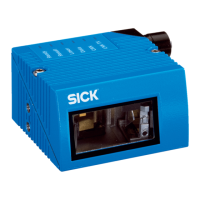
• Front reading window, variant: side reading window
• Reading range 60 to 740 mm (2.36 to 29.1 in), type dependent
• Resolution 0.15 to 1.0 mm (5.9 to 39.4 mil), type dependent
• Scanning/decoding frequency 400 to 1200 Hz
• Function to adjust on the code print quality, also via reading configuration
• Variable active evaluation range of the scan line
Safety and user-friendly features:
• Robust, compact metal housing, max. IP 65, CE certification
• UL certificated when a class 2 power supply according to UL 1310 is used
(valid only with corresponding product marking on the nameplate).
• Laser class 2, laser diode switches off if reading interval is active for too long and if the
output power is exceeded
• Automatic self-test on startup. Can also be triggered at any time
• Diagnosis tools for installing and monitoring the system
• Parameterized output of reading diagnosis data in the read result
• Operating data query, and error messages
• Test string function for signaling readiness for operation
• Future proof thanks to firmware update via serial data interface (flash PROM)
• Low power consumption, other voltage range
Easy operation/configuration:
• With "CLV-Setup" PC software for Windows (online), integrated Assistant and Help
system
• With Profile bar codes (offline)
• Alternatively with simple command strings, also for use with special devices
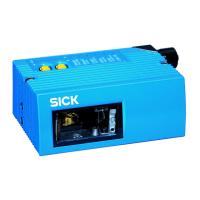
• Four status LEDs
• Beeper to confirm device functions or operating steps (can be switches off)
Operating modes:
• Reading mode
• Percentage evaluation - for assessing the quality of the reads
• AutoSetup
• Special functions for system installation



 To Next Page