Preventive Maintenance
38 MCS100E HW Maintenance Manual 8009624/2009-09 (V1.4) ©SICKMAIHAKGmbH
Replace the non-return valve
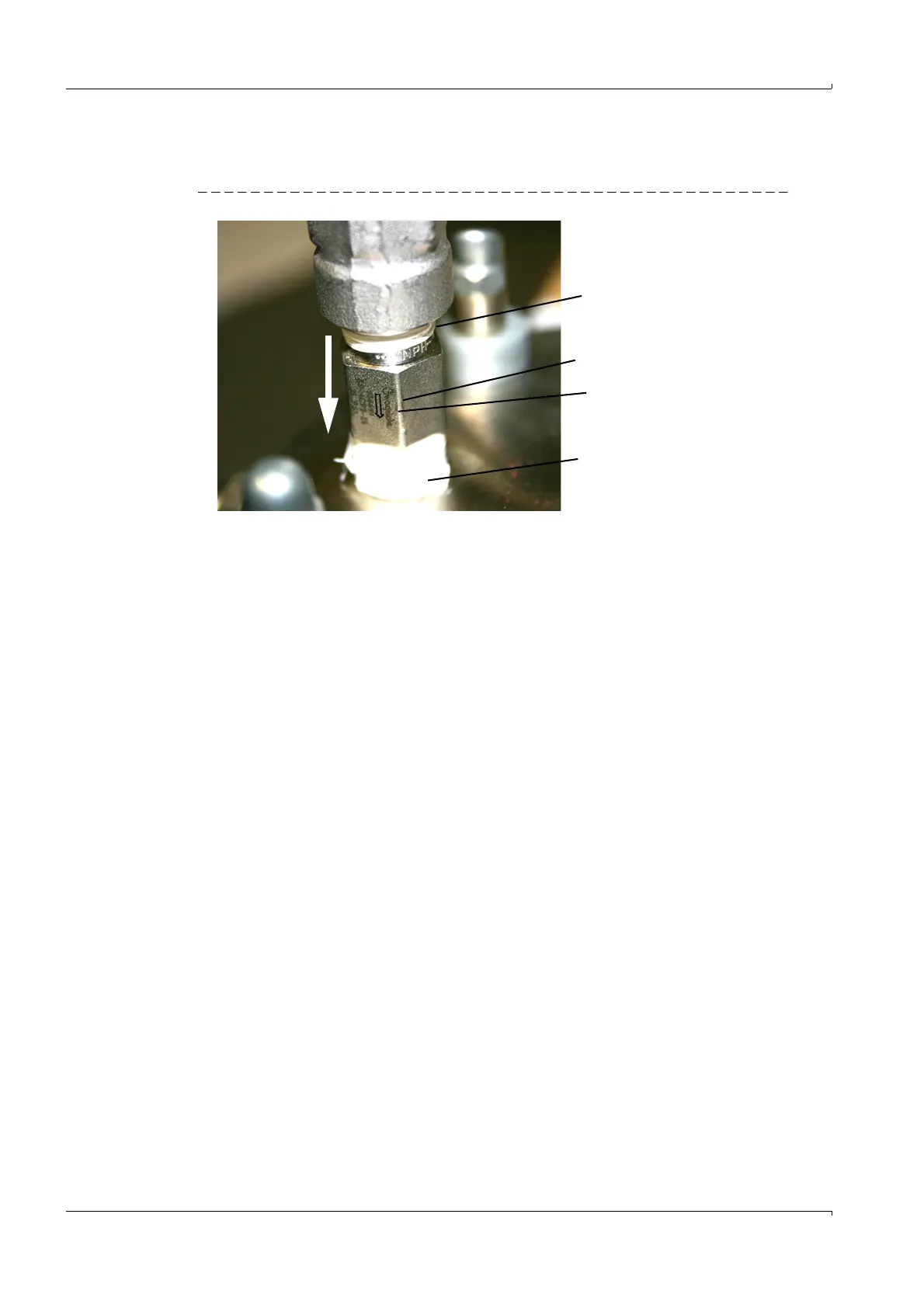
The non-return valve is located on the pump head.
Fig. 46 Non-return valve
1 Unscrew the non-return valve.
2 Screw in the new non-return valve.
Pay attention to printed arrow direction (
→
Fig. 46).
The arrow tip must point towards the pump head.
Use Teflon tape for screwing in (
→
P. 43, § 3.14).
Final Steps
1 Screw on the unscrewed gas lines.
The flow direction is marked on the pump head (
→
P. 36, Fig. 43).
2. Switch on the fuses.
3 Perform a MCVS100E HW leak test (
→
P. 39, § 3.10)
4 Switch the MCS100E HW to measuring mode with the F3 function key.
–Press the F3 function key.
– Select "System Start" (confirm safety prompt with "Yes").
– Exit the menu with "ESC".
5. Check: The flow meter must indicate the required throughput (typically 600 l/h) (view
the "bar graph" display (key F2)).
Non-return valve
Arrow in pump head
direction
Teflon tape
Teflon tape















 To Next Page